
Share Files by Links with WPS Office
In WPS Office, the Share File function only takes seconds. The user can scan the QR code and share your document to cellphone for editing by others, which is convenient and effective. To use this function, follow the steps below:
Windows
Web
Step 1. Open the file you need to share
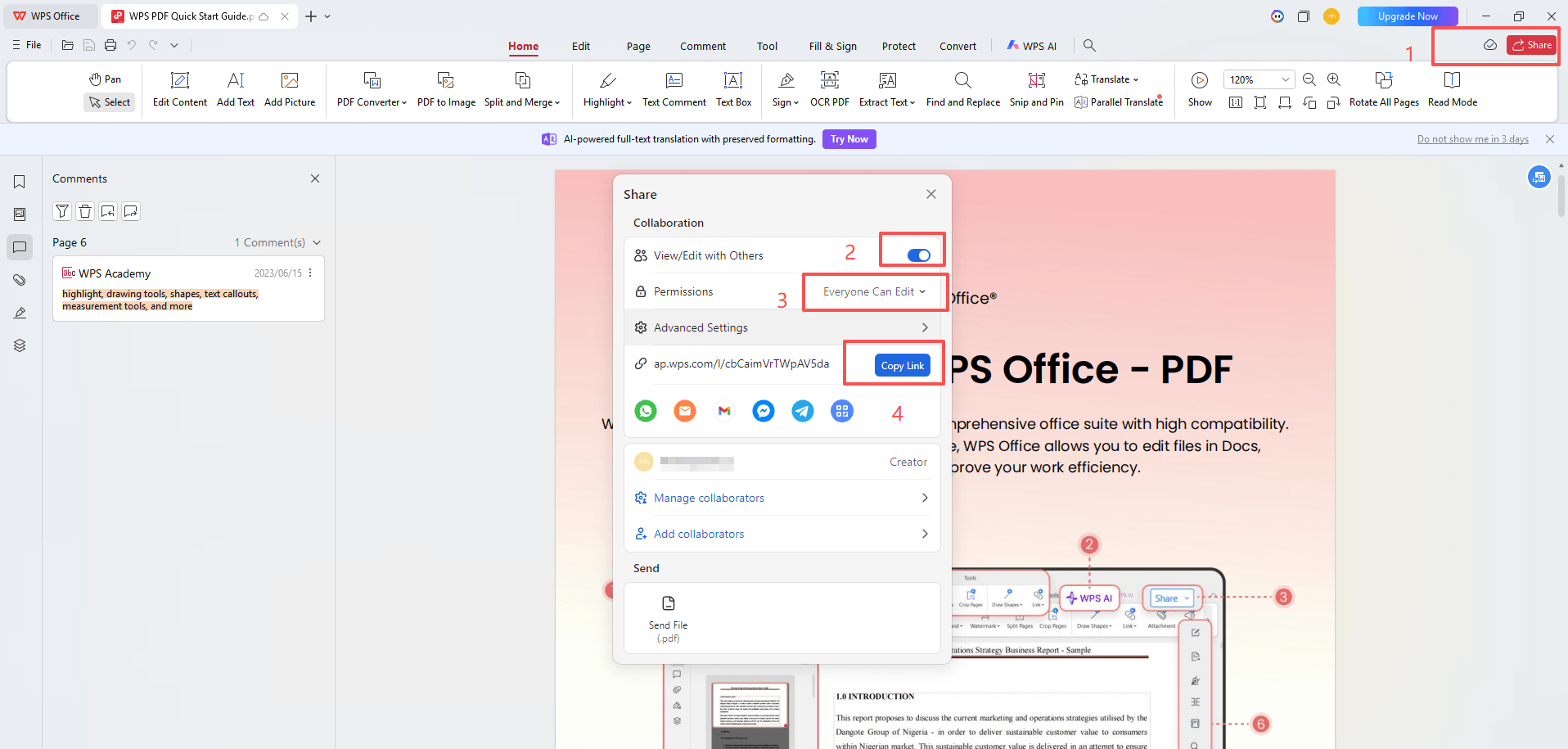
Step 2. Create Share Link
Click the Share icon in the upper right corner of the screen.
Click the View/Edit with others.
Waiting for the file to be uploaded to WPS Cloud.
Modify file sharing permissions
Step 3. Cope link and share
Was this article helpful?
Yes
No
Not what you're looking for?
You can join our group and post your questions, or submit feedback to our
customer service for support.
 Join our Facebook Group
 Feedback
