
How to Switch WPS Accounts on Android Devices
WPS users on Android devices cannot switch accounts directly. To switch your current account, you need to follow the steps below:
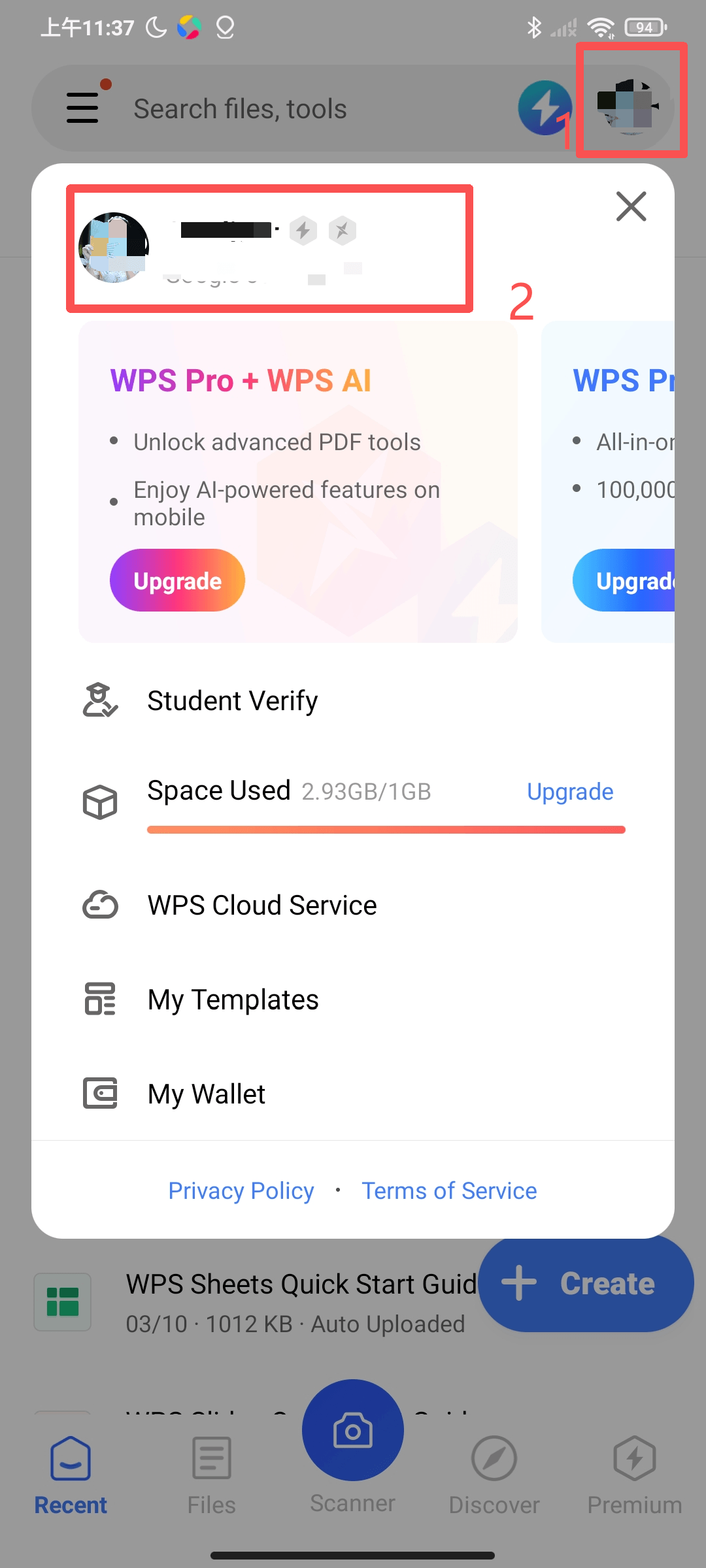
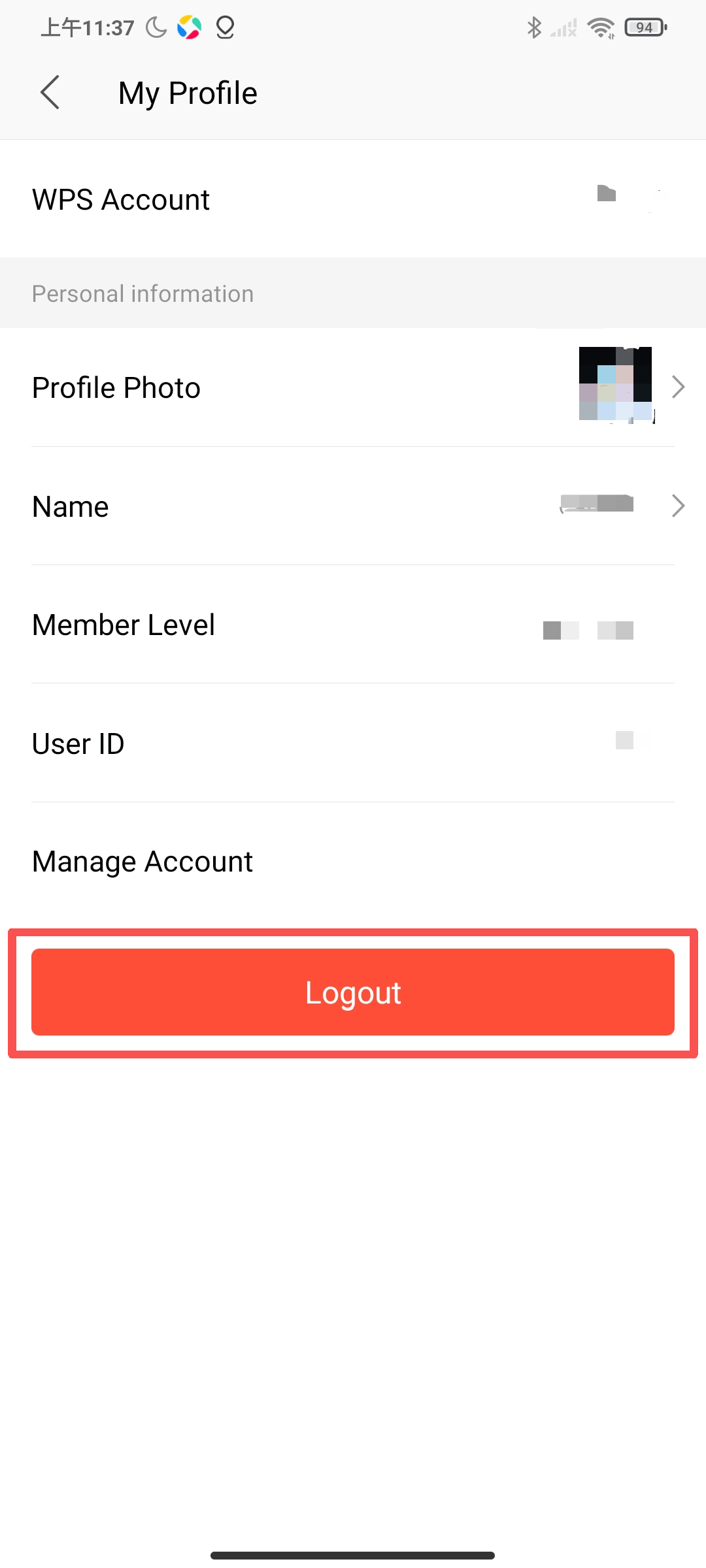
1. Tap User Avatar in the upper right corner of the screen, tap the profile photo on the top to go to the My Profile screen, and then tap Logout.
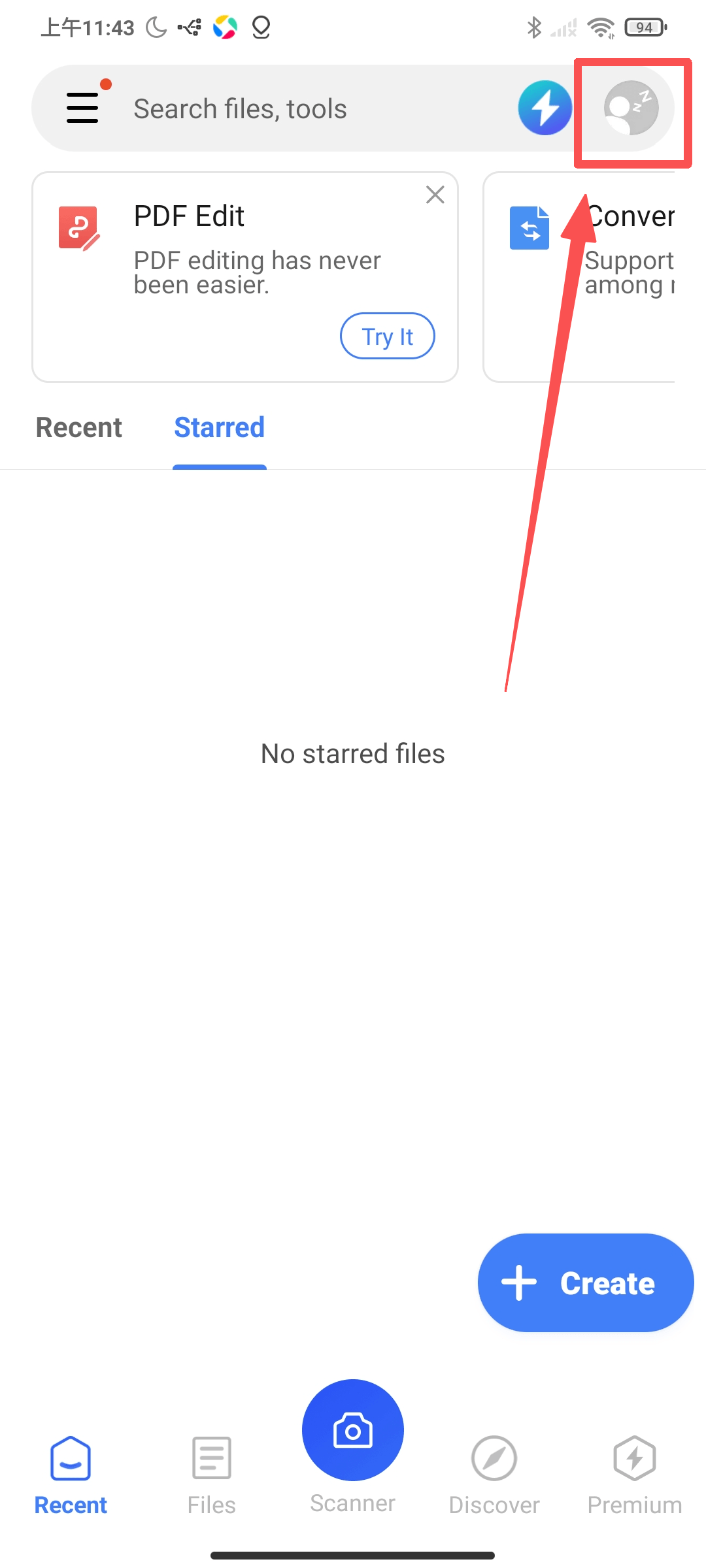
2. Tap your profile photo again to sign in, and then you can sign in with a Google account or other accounts.
Was this article helpful?
Yes
No
Not what you're looking for?
You can join our group and post your questions, or submit feedback to our
customer service for support.
 Join our Facebook Group
 Online Customer Service
