Feature Summary
Permanently remove former User Record data from the organization Contacts, freeing up member seats and management resources
Feature Description
| Feature Dimension | Description |
|---|---|
| Plan Restrictions | No plan restrictions |
| Version Restrictions | No version restrictions |
Operation Steps
Delete Former User
Feature Entry
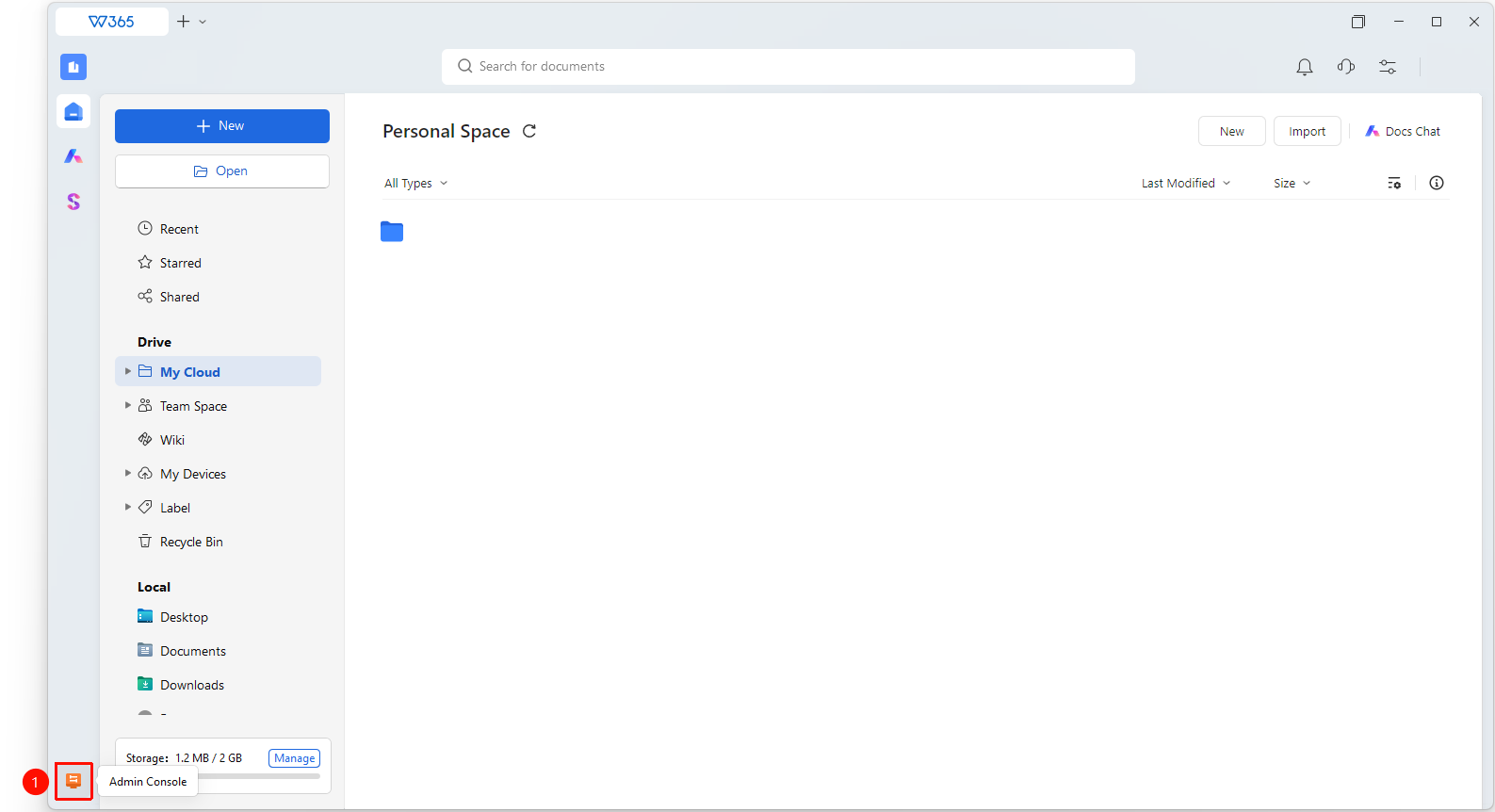
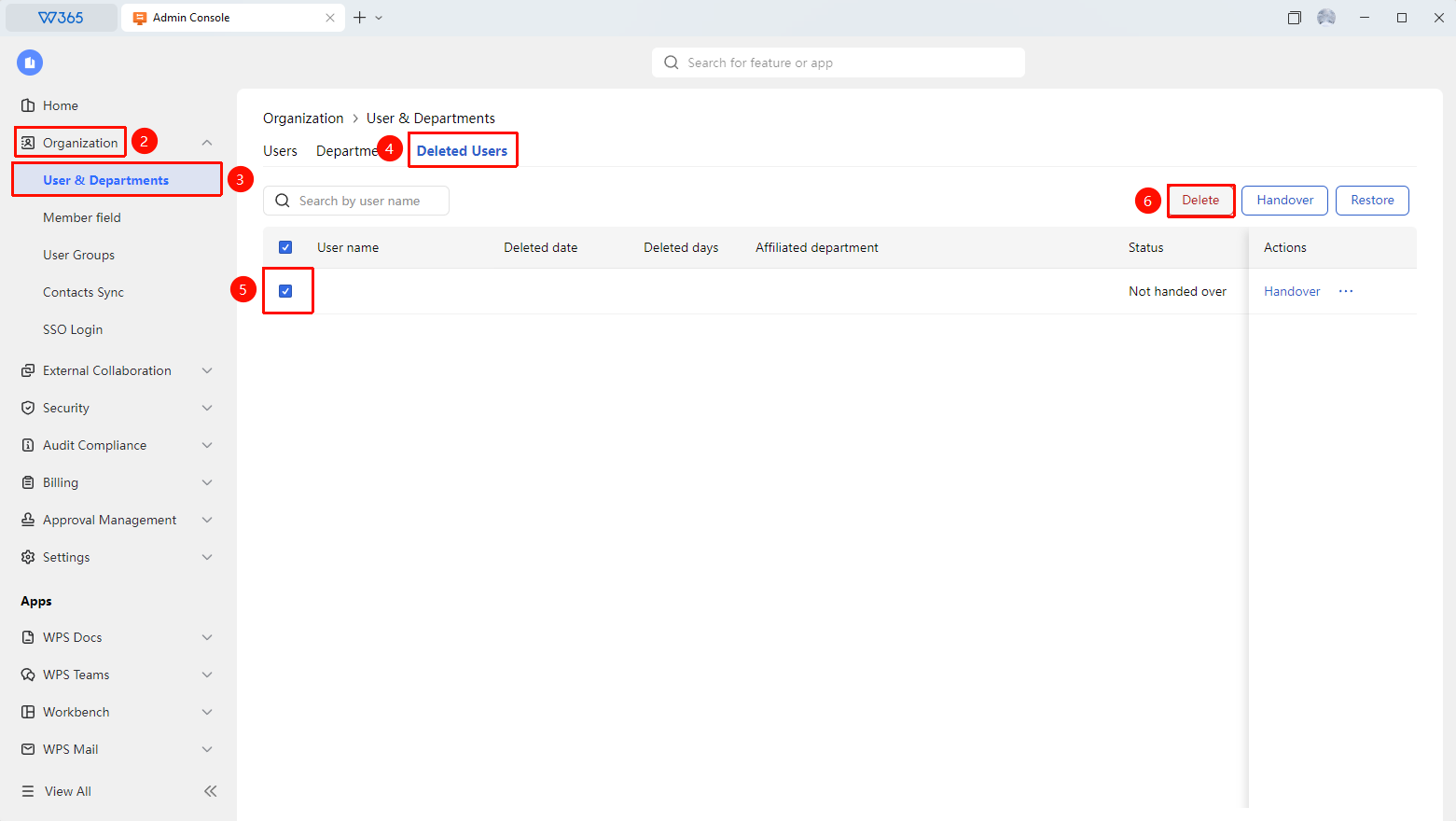
Office Document→Contacts→organizational structure→Former Users→Delete
- Open the WPS365 client, and click Office Document in the lower-left corner of the client homepage
- Click 「Contacts」 in the left-side list
- Click 「organizational structure」 in the drop-down list
- Switch to the 「Former Users」 interface
- Select the member to be deleted from the former User list
- Click the 「Delete」 button at the top right of the page
- The system pops up a confirmation prompt, informing that this operation is irreversible
- If the member still has untransferred data, you will be prompted whether to transfer data or 「Permanently Delete」 the member data
- After confirming there are no errors, click 「Confirm」 to complete the deletion
- After deletion, the member Record is permanently removed from Contacts
FAQ
Q1: Do I need to transfer Documents before deleting a former User?
- Solution: Yes. If the former User still has organization Documents, it is recommended to complete the Document transfer first. After deleting the member, handling untransferred Documents will be more complicated. The system will check the Document status and provide a prompt before deletion.
Q2: What is the difference between deleting a former User and disabling a User?
- Solution: Deletion permanently removes the member Record, and the operation is irreversible, processing member information and data together. Disabling is a temporary deactivation, where member information is retained and can be restored at any time. It is recommended to retain former User records for a period of time and confirm there are no issues before deleting.
Notes
- The operation of deleting a former User is irreversible, please proceed with caution
- Before deletion, ensure that data transfer and Document transfer have been completed
- It is recommended to retain the former User Record for a period of time and confirm there are no subsequent needs before deleting