Feature Summary
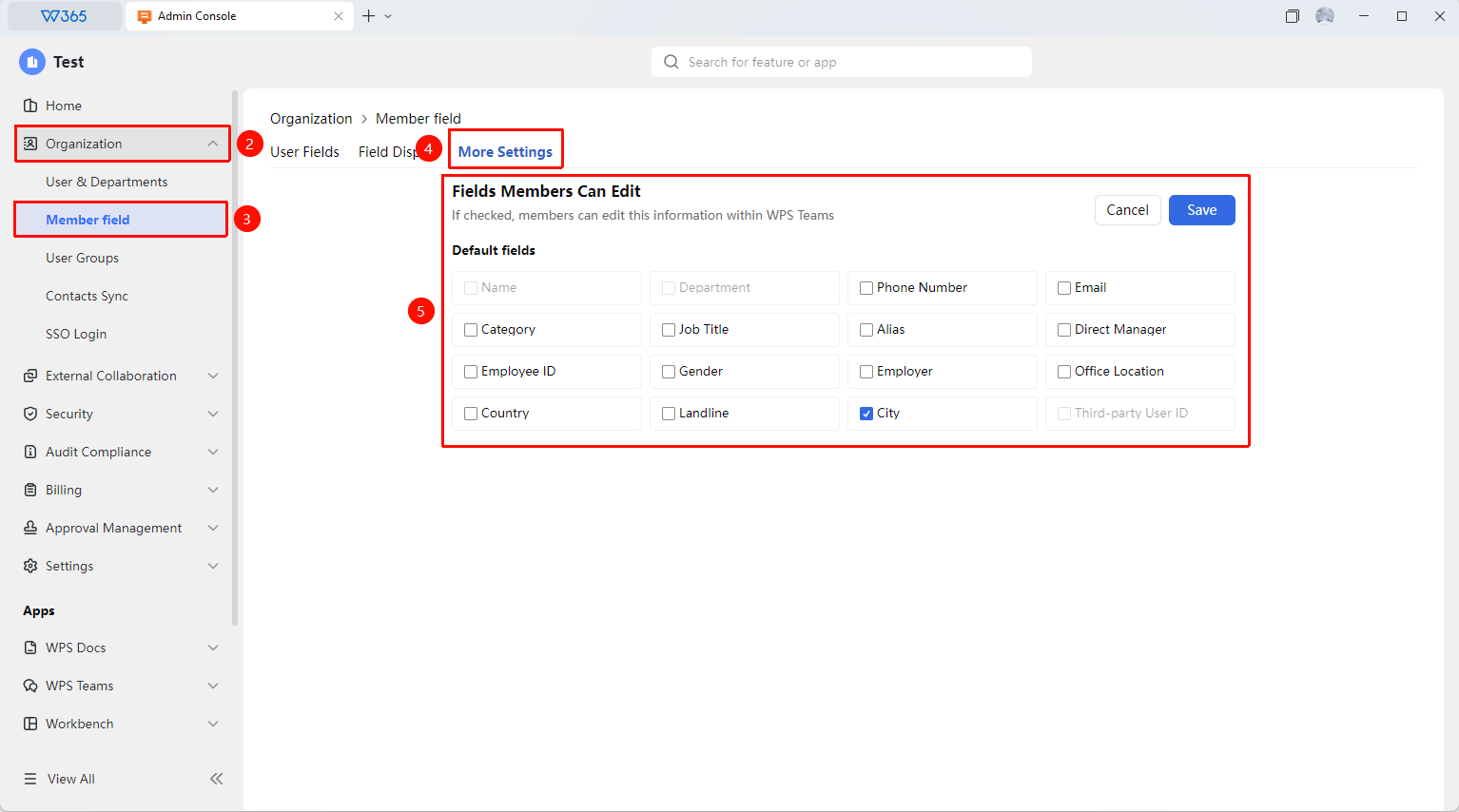
Control whether members can edit information fields in their personal business cards, enabling flexible management of information editing permissions
Feature Description
| Feature Dimension | Description |
|---|---|
| Plan Restrictions | No plan restrictions |
| Version Restrictions | No version restrictions |
Operation Steps
Set Fields That Can Be Self-Edited
Feature Entry
Office Document → Contacts → Member Fields → More Settings
- Open the WPS365 client, and click Office Document in the lower-left corner of the client homepage
- Click 「Contacts」 in the left-side list
- Click 「Member Fields」, and after entering the page, click 「More Settings」
- The page lists all business card information fields. Click 「Edit」 to enter Read Mode
- Check the fields that members are allowed to edit themselves
- Unchecked fields can only be edited by the Admin
- Click 「Save」 to complete the settings

FAQ
Q1: If editing permissions for all fields are turned off, what can members still modify?
- Solution: After all fields are turned off, members can only modify their own profile picture and binding method. Information such as name, department, and position must be modified by contacting the Admin, ensuring the uniformity of the organization's Contacts data.
Q2: Will the Admin receive a notification after a member modifies their information?
- Solution: No automatic notification will be sent. After a member modifies their information, the Contacts data in Office Document will be updated synchronously, and the Admin can view the changes in Contacts. It is recommended to regularly check the accuracy of Contacts data.
Q3: After allowing members to modify information, can the Admin change it back?
- Solution: Yes. The Admin always has the permission to modify all fields and is not affected by this setting. Even if members are allowed to modify information, the Admin can still adjust any information in Contacts.
Notes
- The Name and Department fields do not allow members to edit them by default
- It is recommended that core information (such as Name and Department) be maintained uniformly by the Admin
- Non-core information (such as phone number and profile picture) can be opened for members to update themselves