Feature Summary
Synchronize the organizational structure and member information from an organization's self-built account system to WPS 365 Contacts via open APIs
Feature Description
| Feature Dimension | Description |
|---|---|
| Plan Restriction | Requires a subscribe to an organization plan |
| Version Restriction | No version restriction |
Operation Steps
Configure Self-Built System Sync
Feature Entry
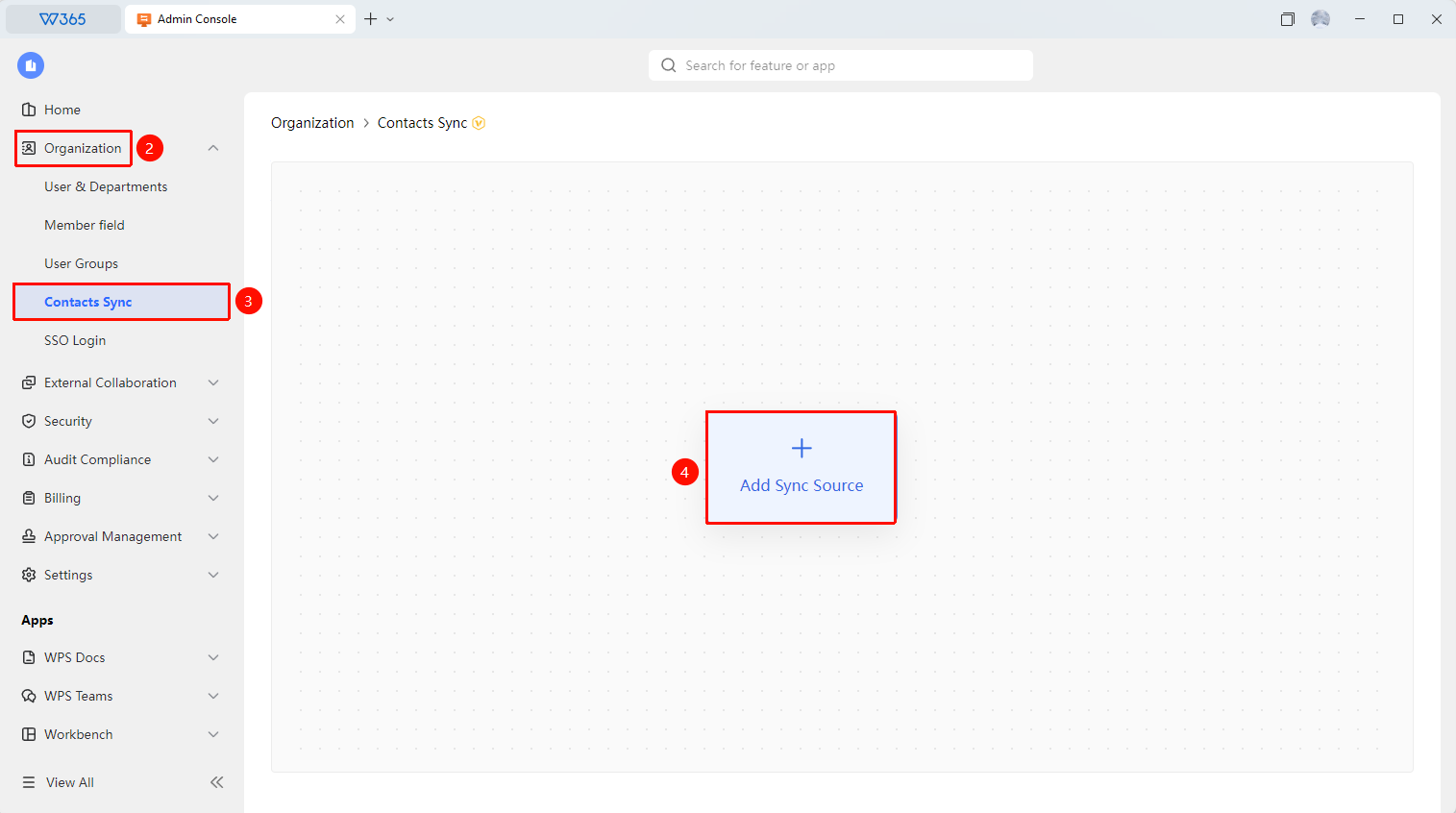
Office Document → Contacts → Contacts Sync → Self-Built Account System
- Open the WPS 365 client, and click Office Document at the bottom left corner of the client homepage
- Click 「Contacts」 in the left-side list
- Click 「Contacts Sync」 in the dropdown list
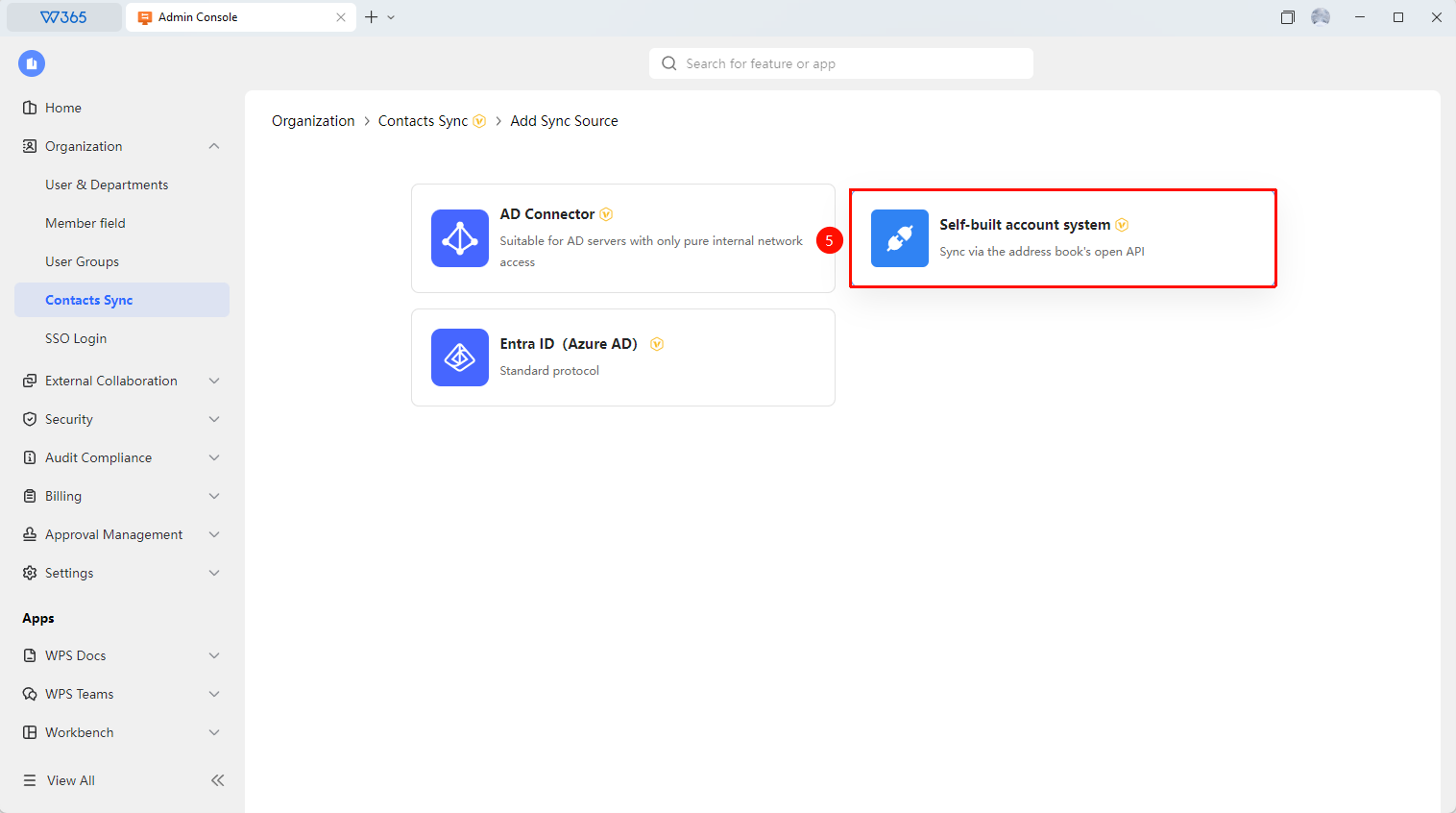
- Select the 「Self-Built Account System」 mode
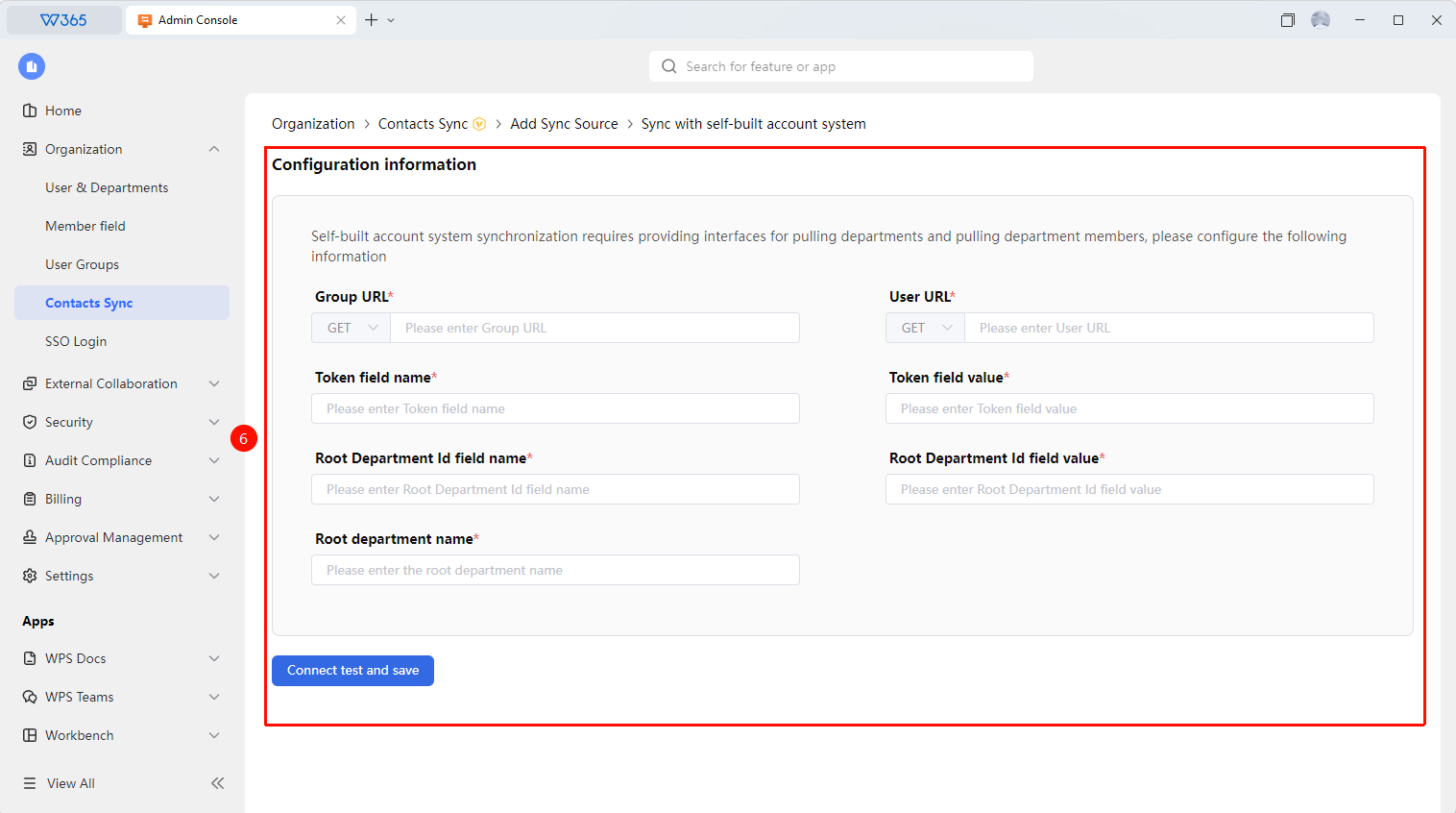
- You need to provide interfaces for pulling departments and department members, and configure the following information:
- Group URL
- Token Field Name
- Root Department Id Field Name
- Root Department Name
- User URL
- Token Field Value
- Root Department Id Field Value
6.Click 「Test Connection and Save」 to verify that API communication is normal
7.Enable automatic sync or sync on demand via API

Manage Sync Objects
Feature Entry
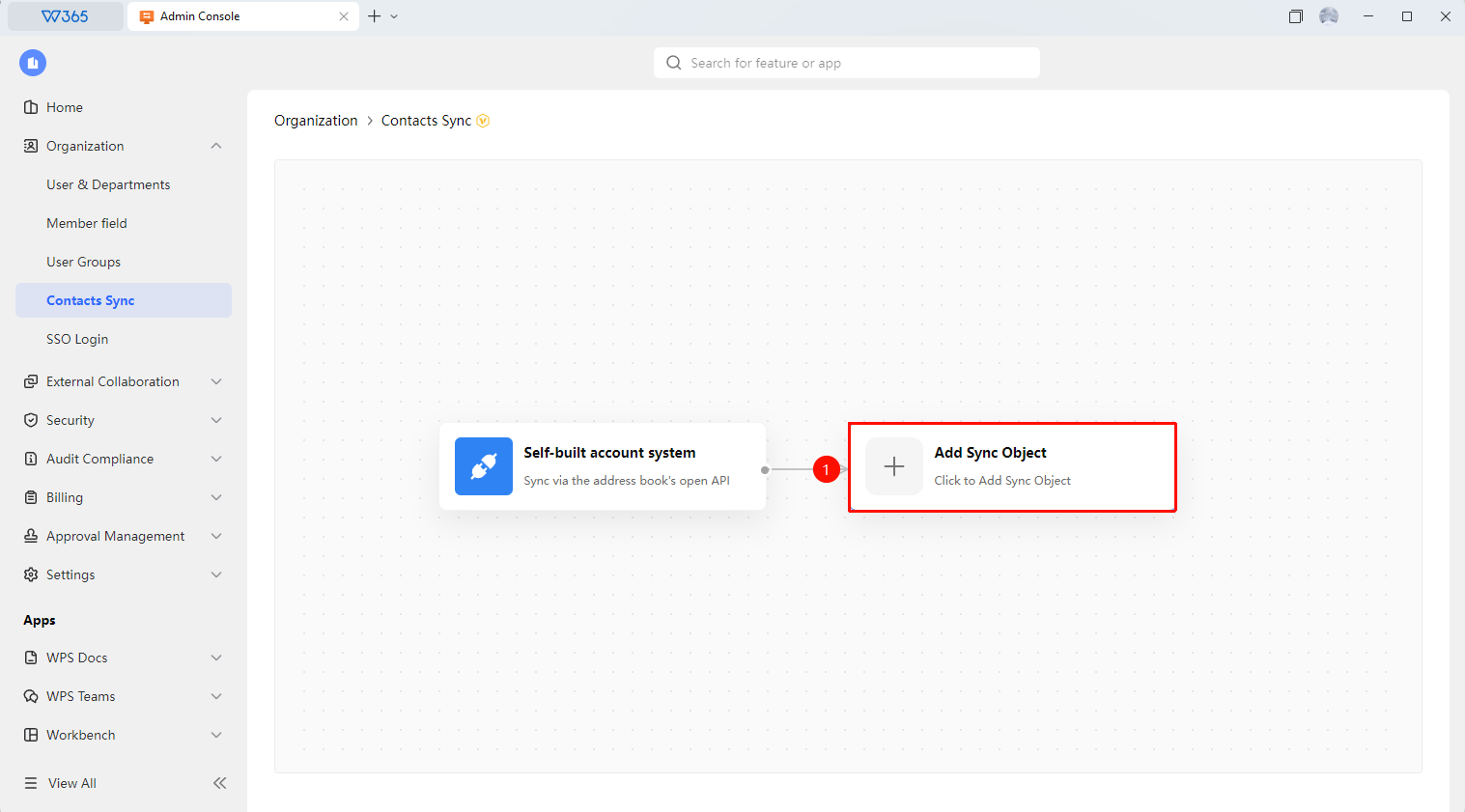
Self-Built Account System Sync Page → Add Sync Object
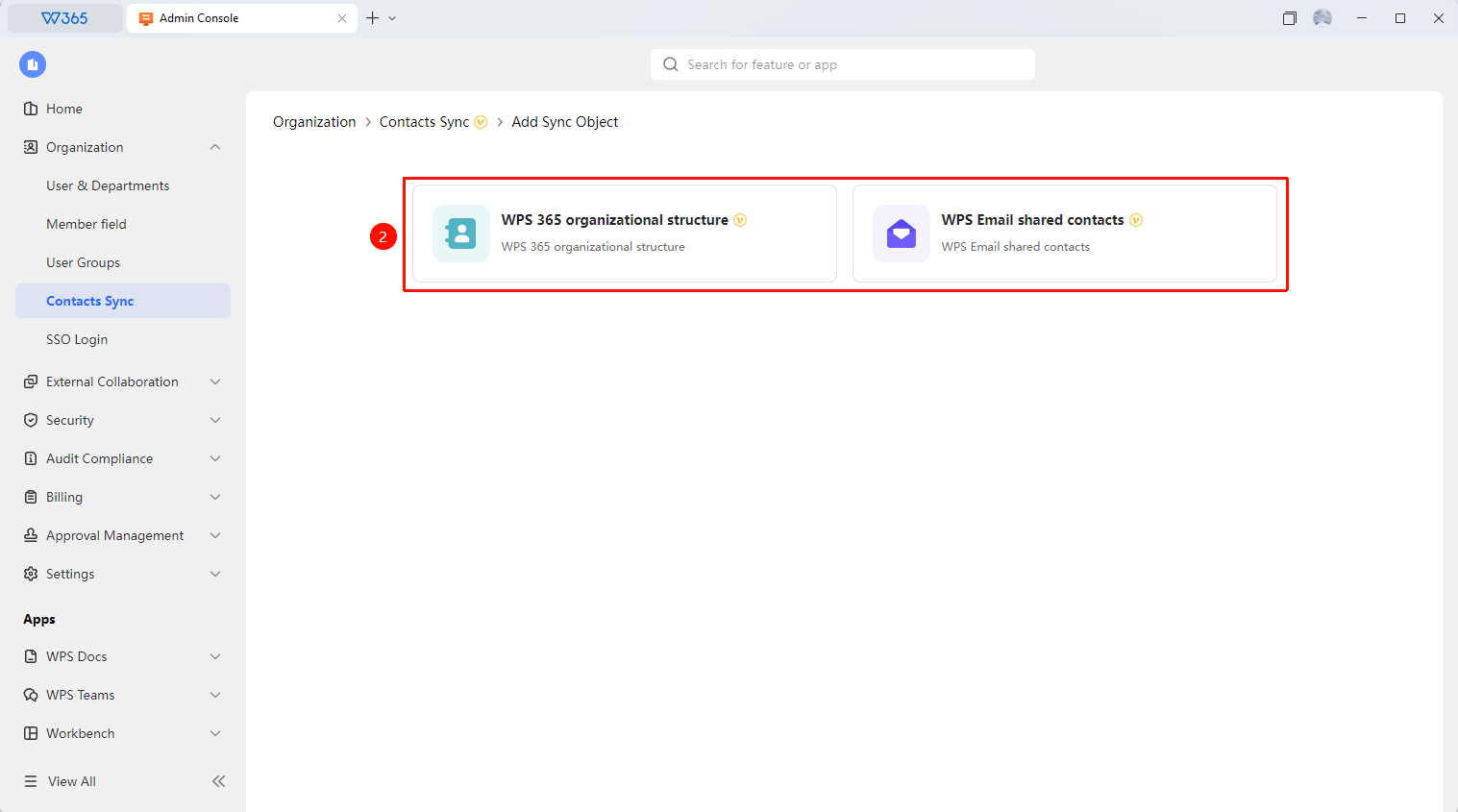
- After configuring the self-built account system sync, click 「Add Sync Object」
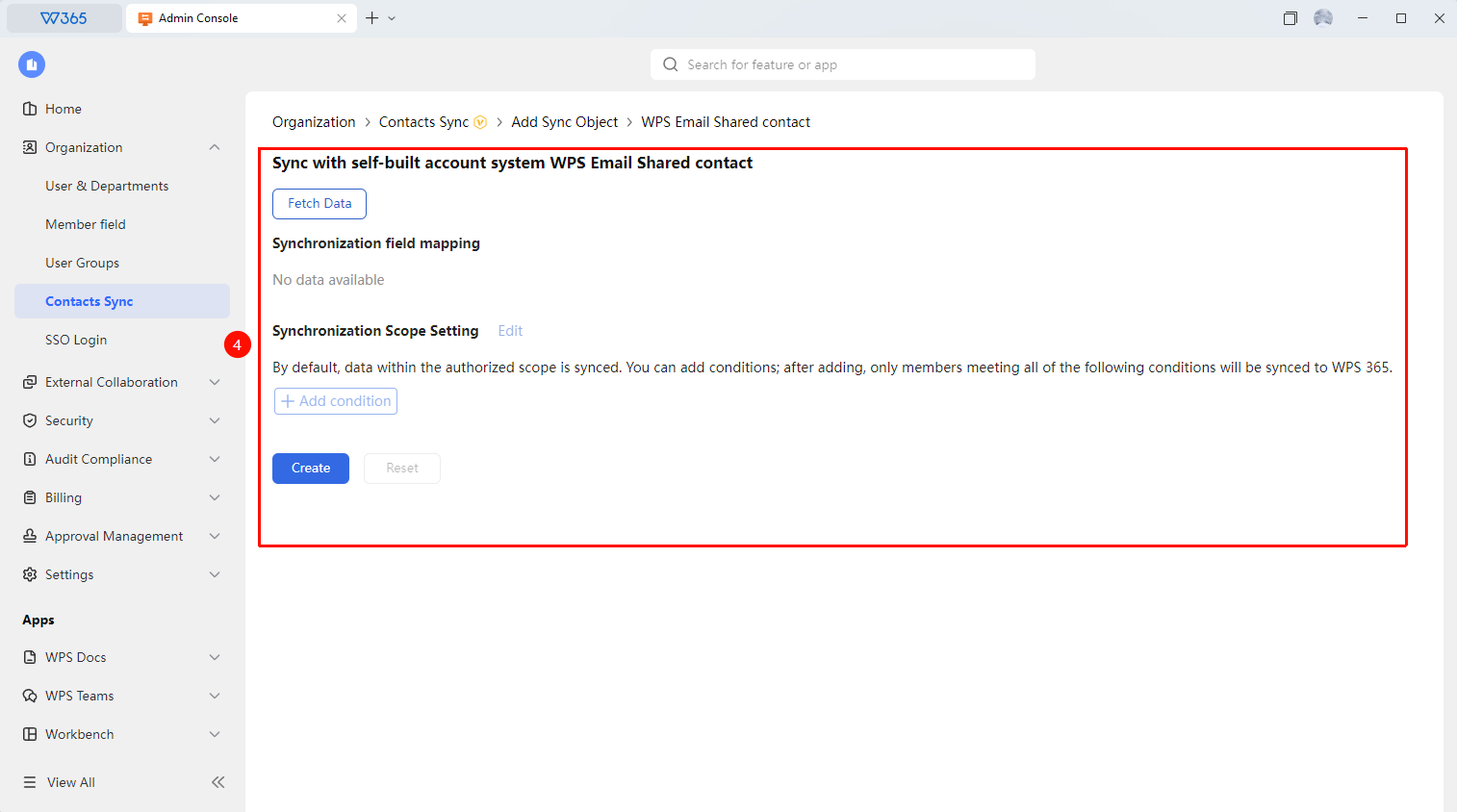
- Select 「365 Organizational Structure」 / 「WPS Email Shared Contact」 for sync management
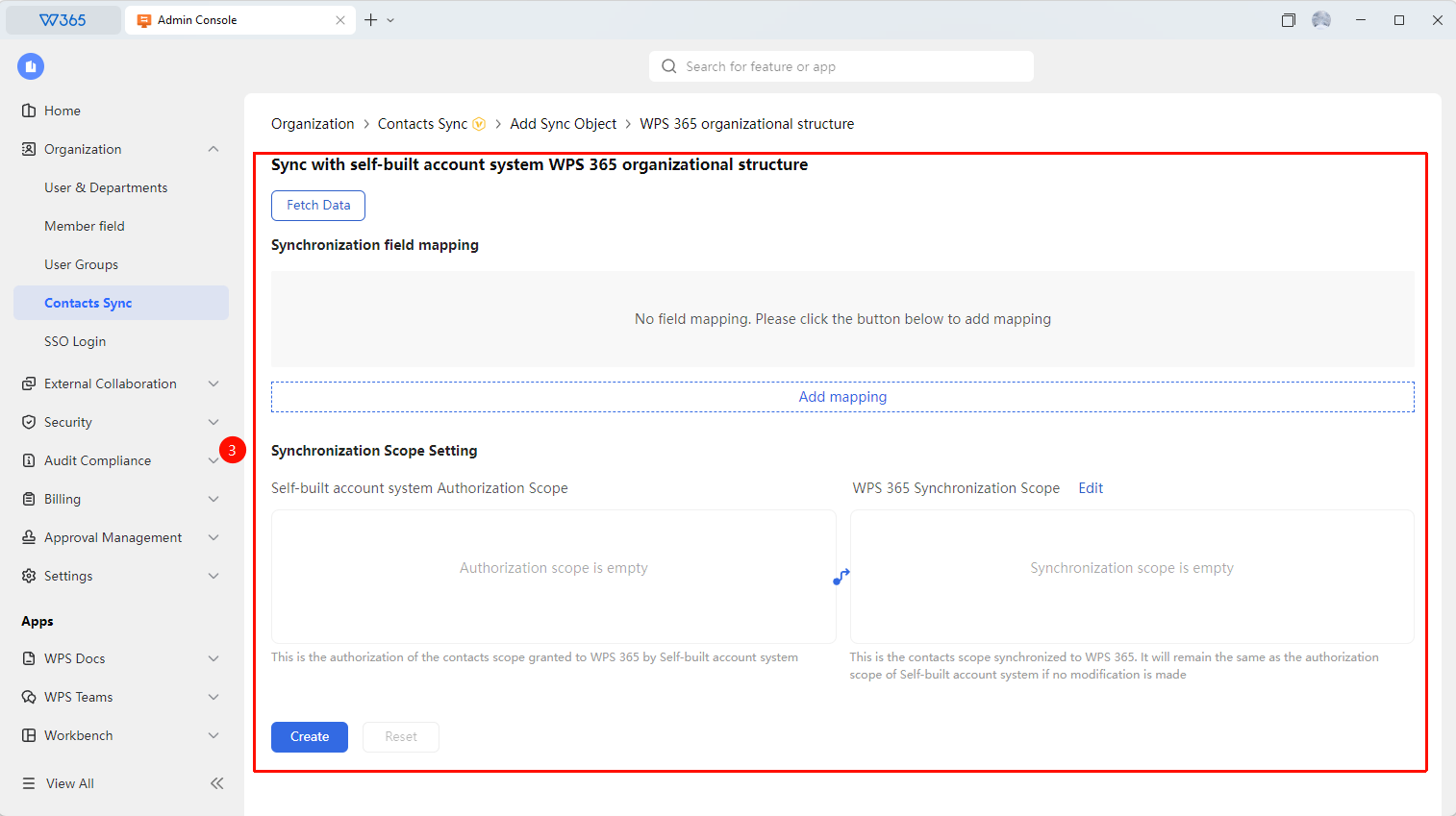
- Click 「Pull Data」 to start fetching data from the self-built account system and view the following sync content:
- Self-Built Account System Authorization Scope: The authorization scope of the current self-built system
- WPS 365 Sync Scope: Toggle to keep consistent with the authorization scope / specify only departments/members
- Sync Field Mapping: View the current sync field mapping status
4.Click 「Connection Test」 to verify if the configuration is normal
5.Click 「Create」 and enable automatic sync. Click 「Reset」 to clear the entered configuration information and set policies, and reconfigure
FAQ
Q1: Does self-built system sync require development integration?
- Solution: Yes. Self-built system sync requires the organization's development team to write API integration code based on the WPS 365 open platform documentation to achieve Contacts synchronization. If the organization lacks development capabilities, it is recommended to use AD sync or manual import.
Q2: Does API sync support incremental updates?
- Solution: Yes. WPS 365's API supports incremental updates, allowing you to sync only changed member or department information without needing a full sync every time. It is recommended to record the last sync time in the self-built system and push only incremental data.
Q3: How to delete a configured self-built system sync?
- Solution: Office Document → Contacts → Contacts Sync → Self-Built Account System, click 「Delete Sync Source」 to complete the deletion of the self-built account system. After deletion, you can re-sync using the AD connector.
Notes
- Self-built system sync requires development resources for API integration
- It is recommended to test sync on a small scale first, and proceed with full sync after confirming it is normal
- Please keep API credentials (App Secret) properly to avoid leakage
- If frequent errors occur during the sync process, it is recommended to check the data specifications of the self-built system