Feature Summary
Control the visibility scope of member field information (such as phone number, email, etc.) in member cards for internal members, protecting personal privacy
Feature Description
| Feature Dimension | Description |
|---|---|
| Plan Restriction | Requires subscribing to an organization plan |
| Version Restriction | No version restriction |
Operation Steps
Add Field Visibility Policy
Feature Entry
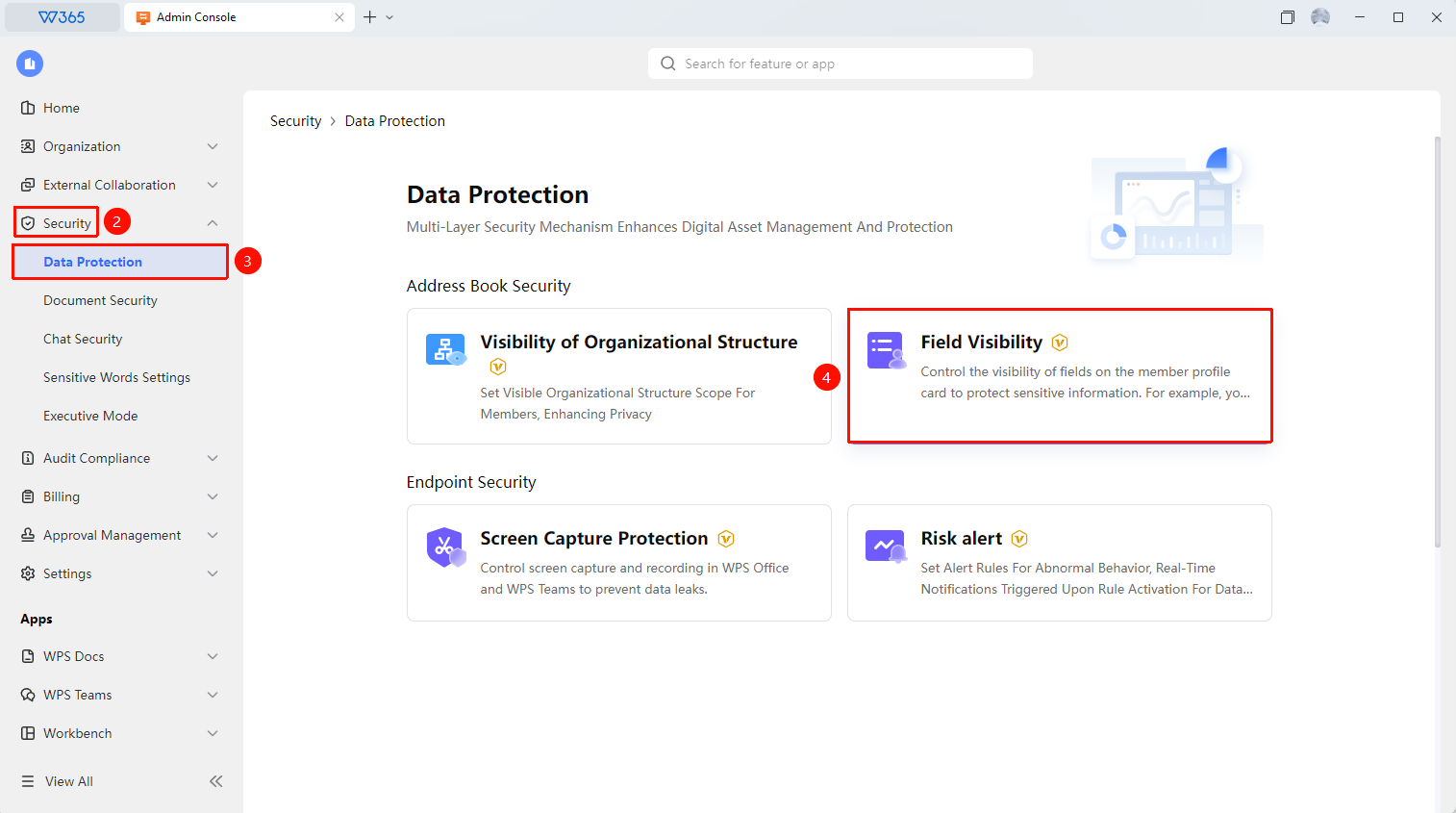
Office Document → Organization Security Control → Field Visibility → Add Policy
- Open the WPS365 client, click to enter Office Document in the lower left corner of the client homepage
- Click 「Security Control」 in the left list to expand the drop-down list
- Click 「Data Protection」 in the drop-down list, then click 「Field Visibility」
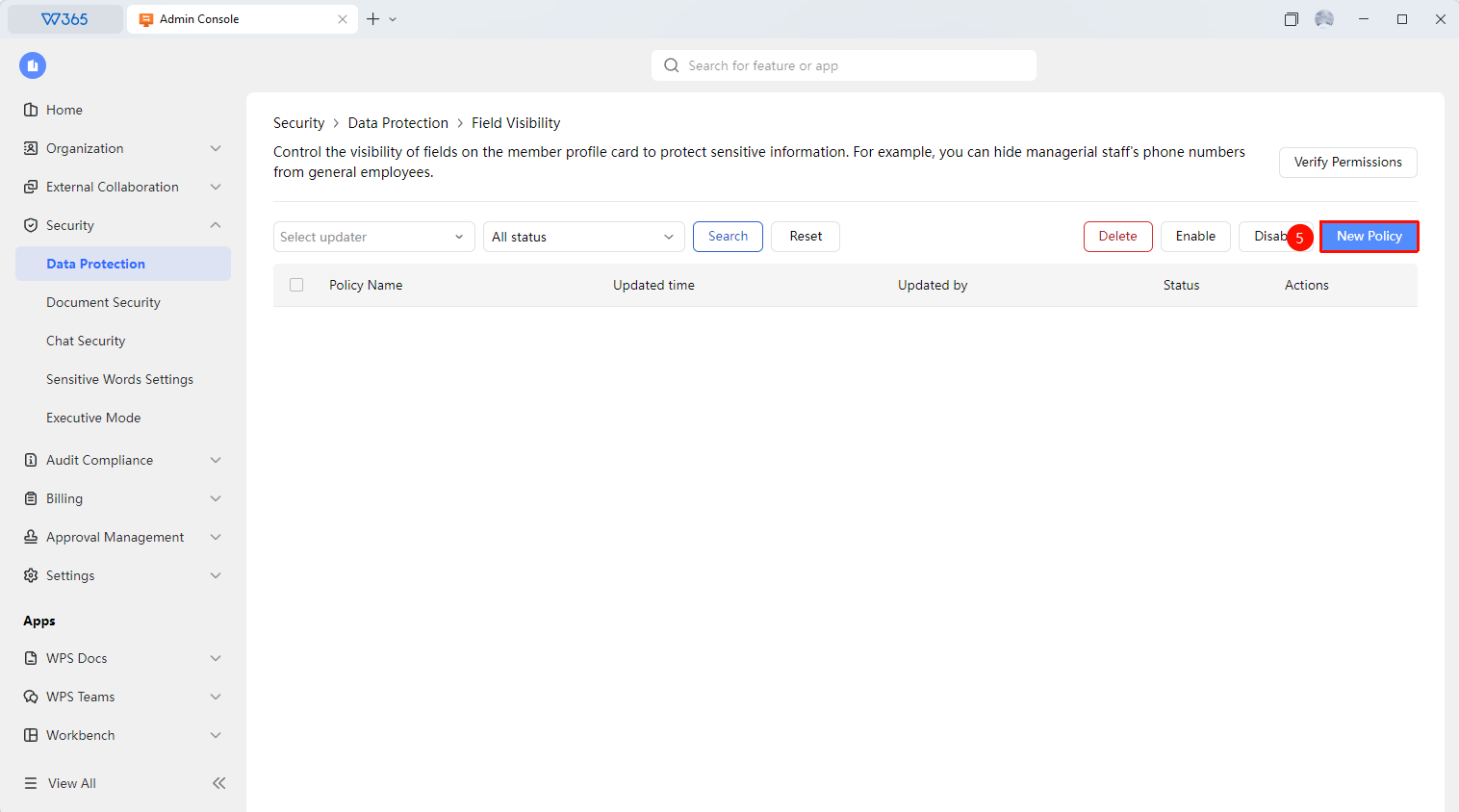
- Click 「Add Policy」 to configure the field visibility policy:
- Policy Name
- Select Sensitive Member Scope: The scope of members to which the policy applies (All Members/Specified Members)
- Select Fields to Hide: Set the fields to hide, check employee information fields such as mobile phone, email, position, etc.
- Whitelist: Check the whitelist members who can view the fields hidden for sensitive members, including the direct superior of sensitive members, the department head of sensitive members, and specified members
5.Click 「Save」 to save the policy

Manage Field Visibility Policy
Feature Entry
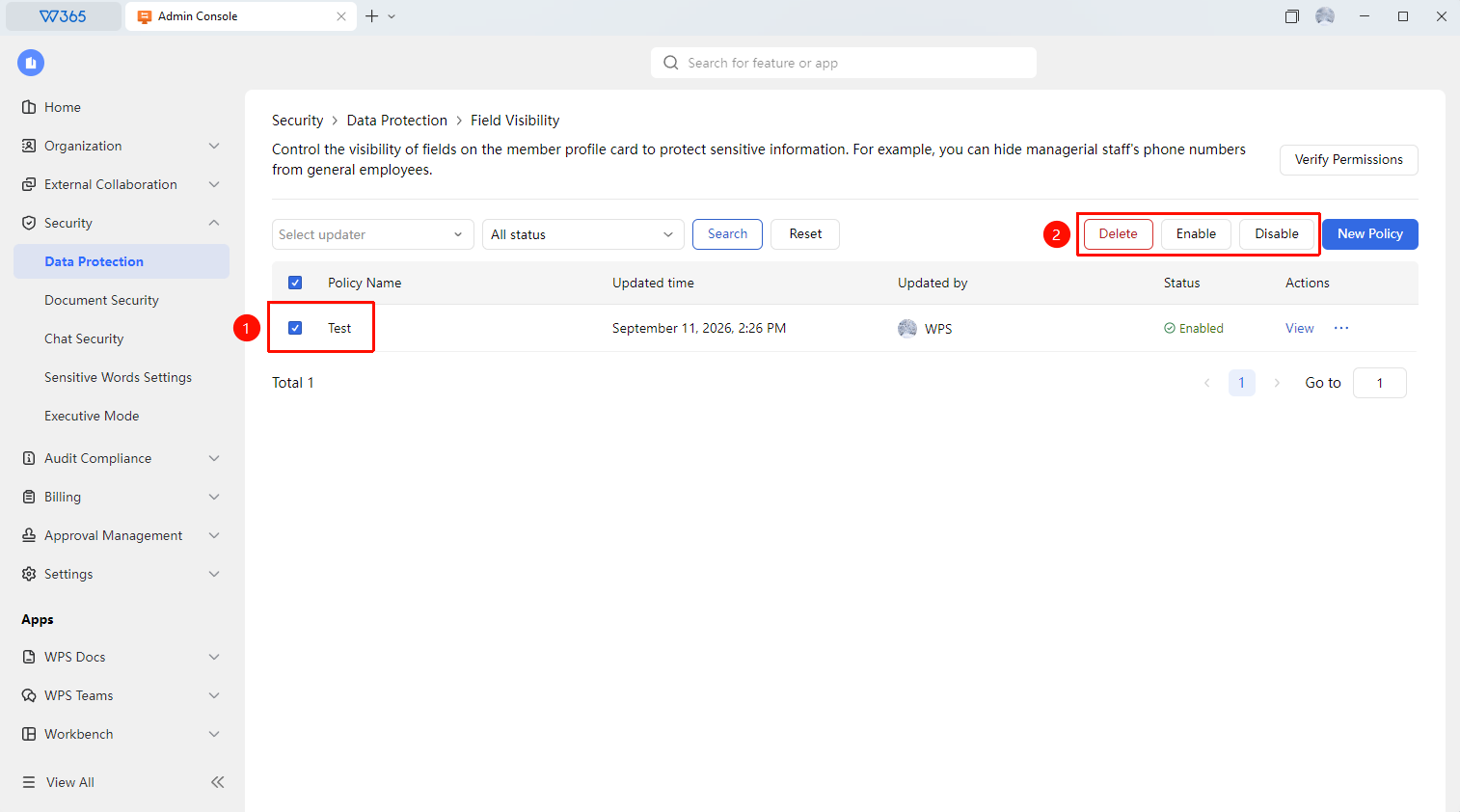
Field Visibility Policy Interface
- On the screenshot control interface, filter the required field visibility policies by updater and effective status options
- Select the relevant policy and click the options in the upper right corner to manage:
- Delete : Delete policy
- Enable : Enable policy
- Disable : Prohibit policy execution
- Verify Permission : Verify permission execution effect
FAQ
Question 1: What is the difference between field visibility and member card display settings?
- Solution: Member card display settings control whether fields are displayed in the Contacts card, which is a global switch. Field visibility controls the viewing permissions of different roles, allowing for more fine-grained access control. The two can be used together.
Question 2: How long does it take for field visibility settings to take effect?
- Solution: Settings take effect immediately after saving. After members refresh the member card or reopen the client, the field visibility will be executed according to the new rules.
Notes
- It is recommended to configure field visibility in conjunction with the organization's privacy policy and compliance requirements