Feature Summary
Screenshot control can restrict members from taking screenshots within WPS Office/WPS Teams, preventing sensitive information in organization documents from being leaked via screenshots.
Feature Description
| Feature Dimension | Description |
|---|---|
| Plan Restrictions | Requires a subscribe to organization plan |
| Version Restrictions | No version restrictions |
Operation Steps
Add Screenshot Control Policy
Feature Entry
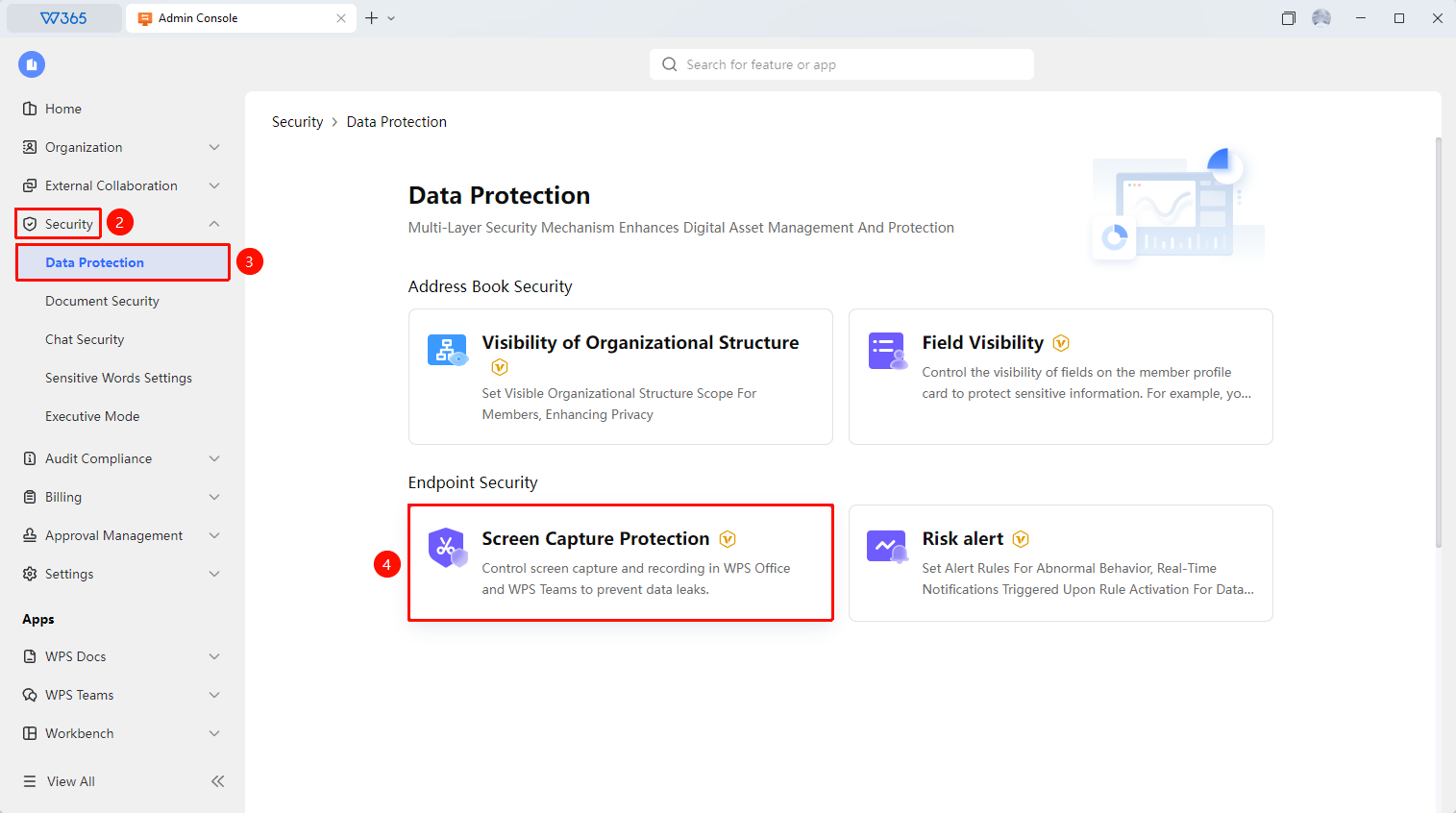
Office Document → Enterprise Security Control → Screenshot Control → Add Policy
- Open the WPS365 client, click Office Document in the lower-left corner of the client homepage.
- Click 「Security Control」 in the left-side list to expand the dropdown list.
- Click 「Data Protection」 in the dropdown list, then click 「Screenshot Control」.
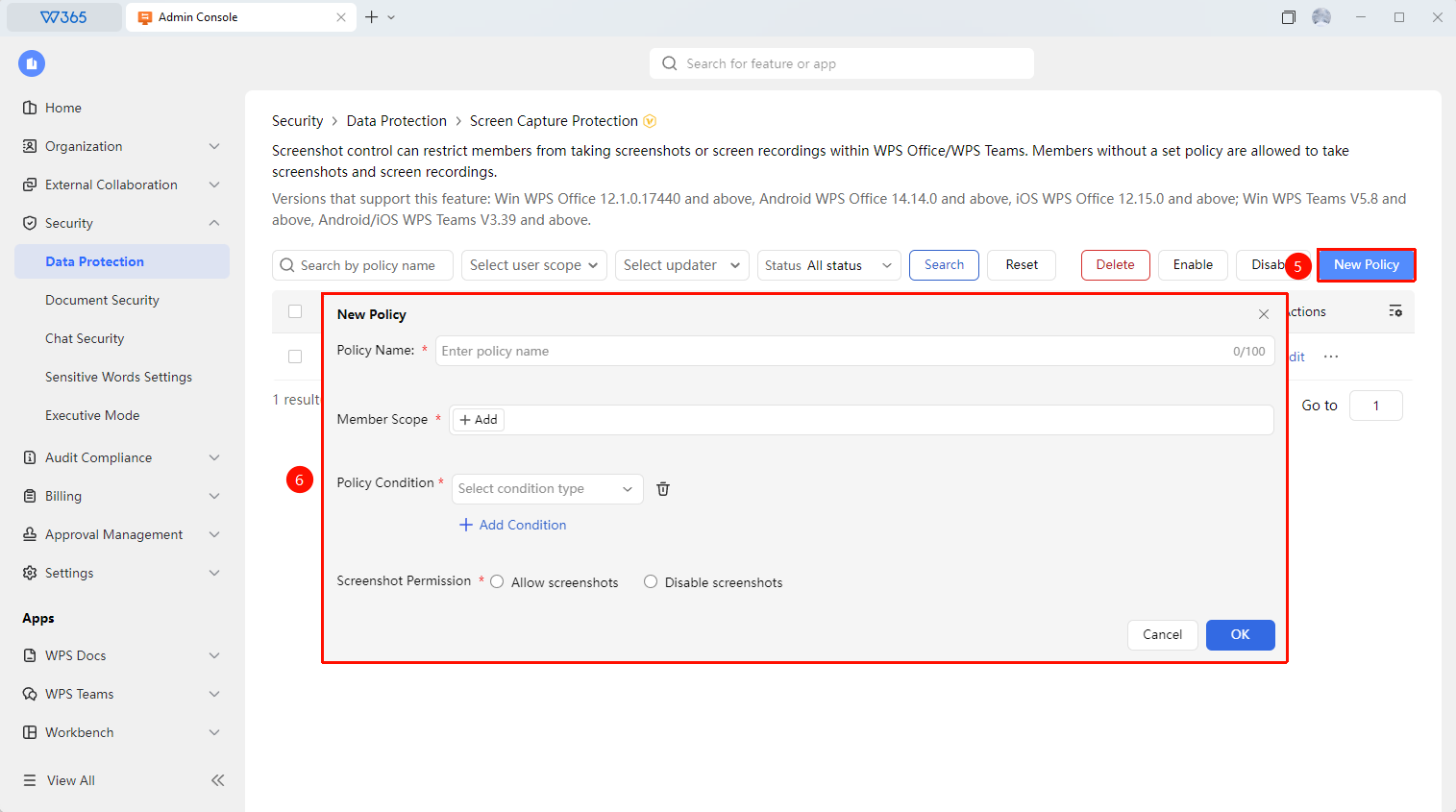
- Click 「Add Policy」 to configure the screenshot control policy:
- Policy Name
- Member Scope: The scope of members to which the policy applies.
- Policy Conditions: Set the product conditions, product types, and platform types included in the screenshot control policy (supports multiple conditions taking effect simultaneously).
- Screenshot Permission: Allow/Disallow screenshots.
5.Click 「Confirm」 to save the policy.

Manage Screenshot Control Policies
Feature Entry
Screenshot Control Interface
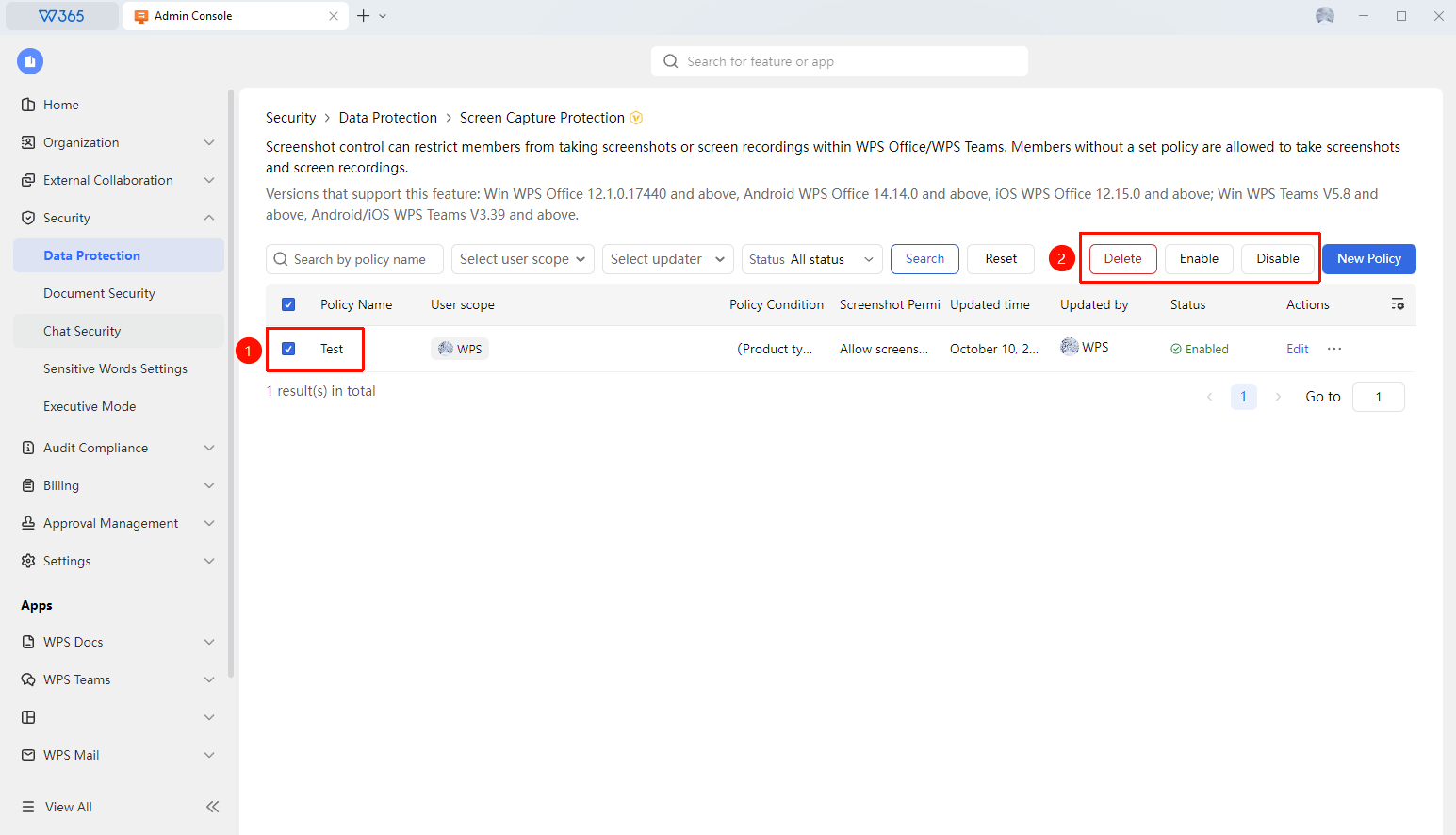
- On the Screenshot Control interface, filter the screenshot control policies you need to manage by options such as Policy Name, Member Scope, and Updater.
- Select the relevant policy and click the options in the upper right corner to manage it:
- Delete: Delete the policy.
- Enable: Enable the policy.
- Disable: Disable the policy from running.
FAQ
Q1: After enabling screenshot control, are all documents blocked from being screenshotted?
- Solution: Only the members within the managed screenshot control policies are affected. Members/Admins outside the policies are not affected.
Q2: Will enabling screenshot control affect normal usage?
- Solution: In controlled documents, screenshot shortcuts and screenshot tools will be disabled. However, taking photos with a mobile phone cannot be completely prevented by technical means.
Notes
- It is recommended to use this in conjunction with other security policies such as document copy control and download control.