Feature Summary
Control whether organization documents can be shared with external parties, as well as the sharing scope and approval rules
Feature Description
| Feature Dimension | Description |
|---|---|
| Plan Restrictions | Requires subscribe to organization plan |
| Version Restrictions | No version restrictions |
Operation Steps
Configure External Sharing Rules
Feature Entry
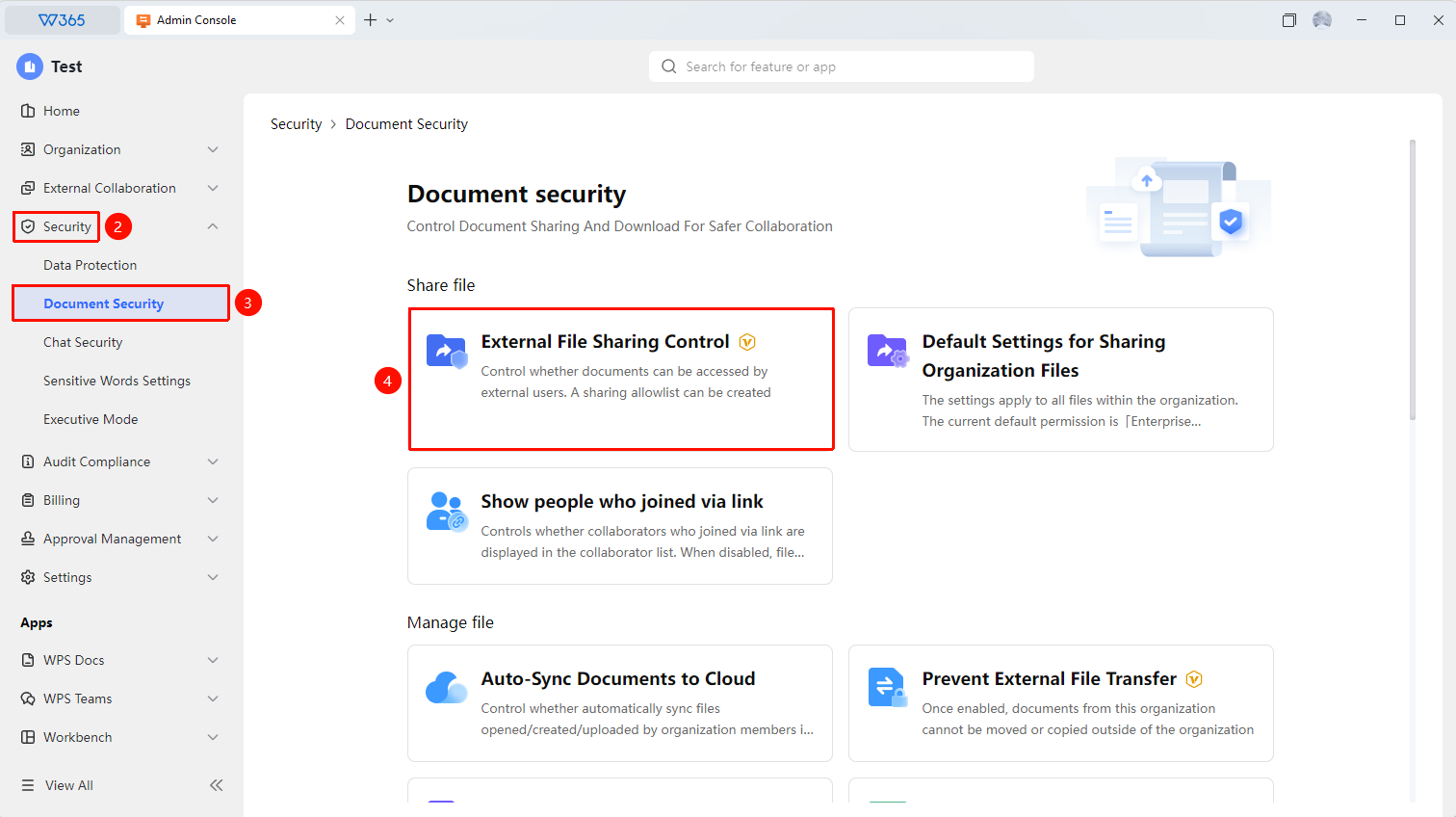
Office Document → Security Control → Document Security → Organization Document External Sharing Control
- Open the WPS365 client, and click Office Document in the lower-left corner of the client homepage
- Click 「Security Control」 in the left-side list
- Click 「Document Security」 in the drop-down list
- Find and click 「Organization Document External Sharing Control」 to open the control policy configuration interface
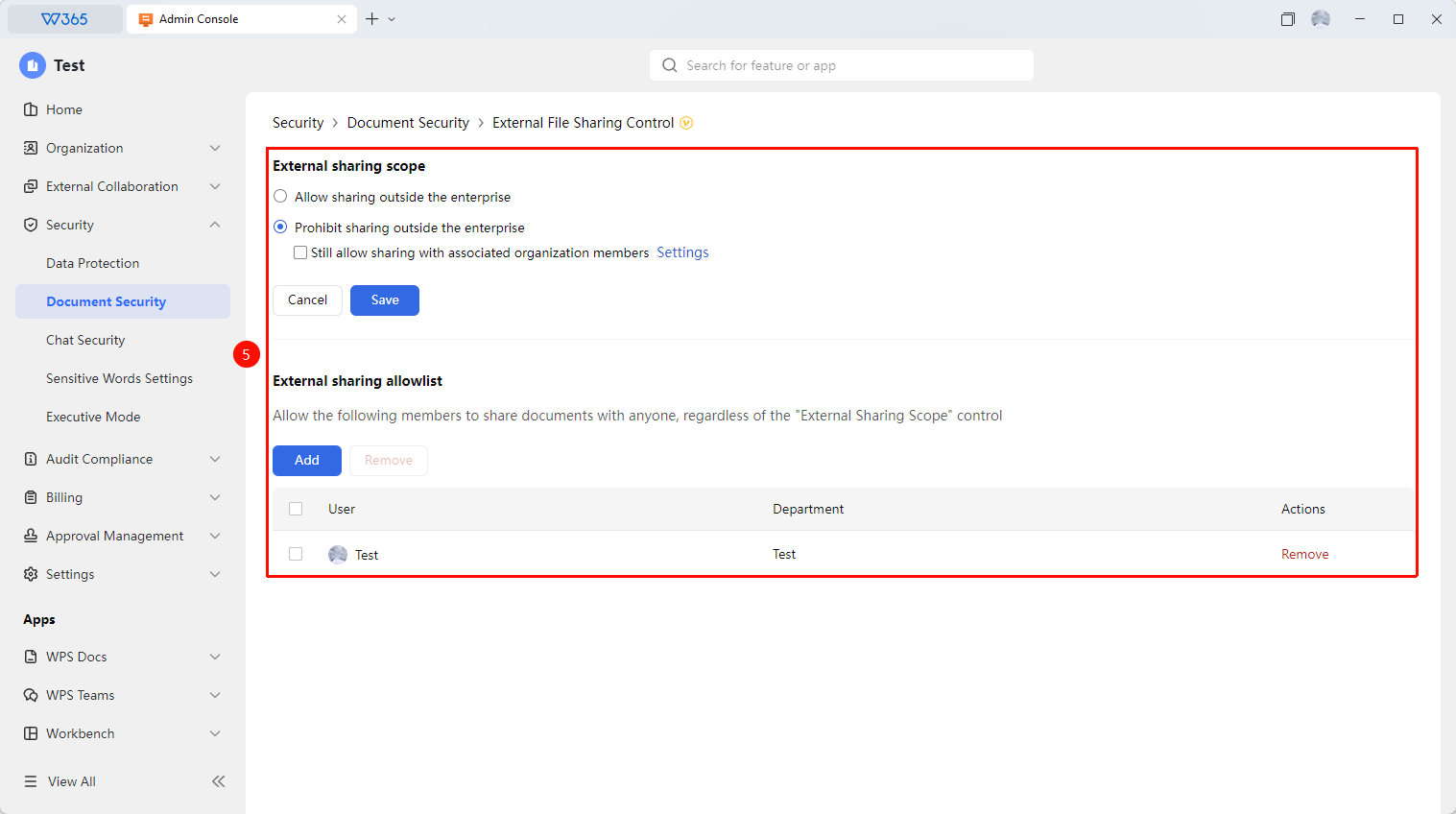
- Select the external sharing scope:
- Allow External Sharing: Members can freely share documents with external parties
- Prohibit External Sharing: All organization documents are prohibited from being shared with external parties(Optionally allow sharing with members of affiliated organizations)
6.Set up the external sharing allowlist:
- Add: Add members to the external sharing allowlist, exempting them from restrictions
- Remove: Remove external sharing allowlist member permissions
7.Click 「Save」 to take effect

FAQ
Q1: Can allowlist members share with anyone?
- Solution: Allowlist members are not subject to external sharing restrictions and can freely share documents with any external party. It is recommended to only add members who genuinely need to collaborate externally to the allowlist, and to regularly review the allowlist for appropriateness.
Notes
- External sharing control does not affect document collaboration between internal members
- Allowlist permissions are extensive; it is recommended to strictly control the number of allowlist members
- It is recommended to regularly check external sharing records and promptly clean up abnormal sharing links