Feature Summary
The client prohibit save-as feature is used to control whether organization members can save Cloud documents to the local disk via the "Save" / "Save As" operation in the WPS client, preventing core Document leakage.
Feature Description
| Feature Dimension | Description |
|---|---|
| Plan Restriction | Requires subscribe to organization plan |
| Version Restriction | No version restriction |
Operation Steps
Prohibit Saving Documents to Local
Feature Entry
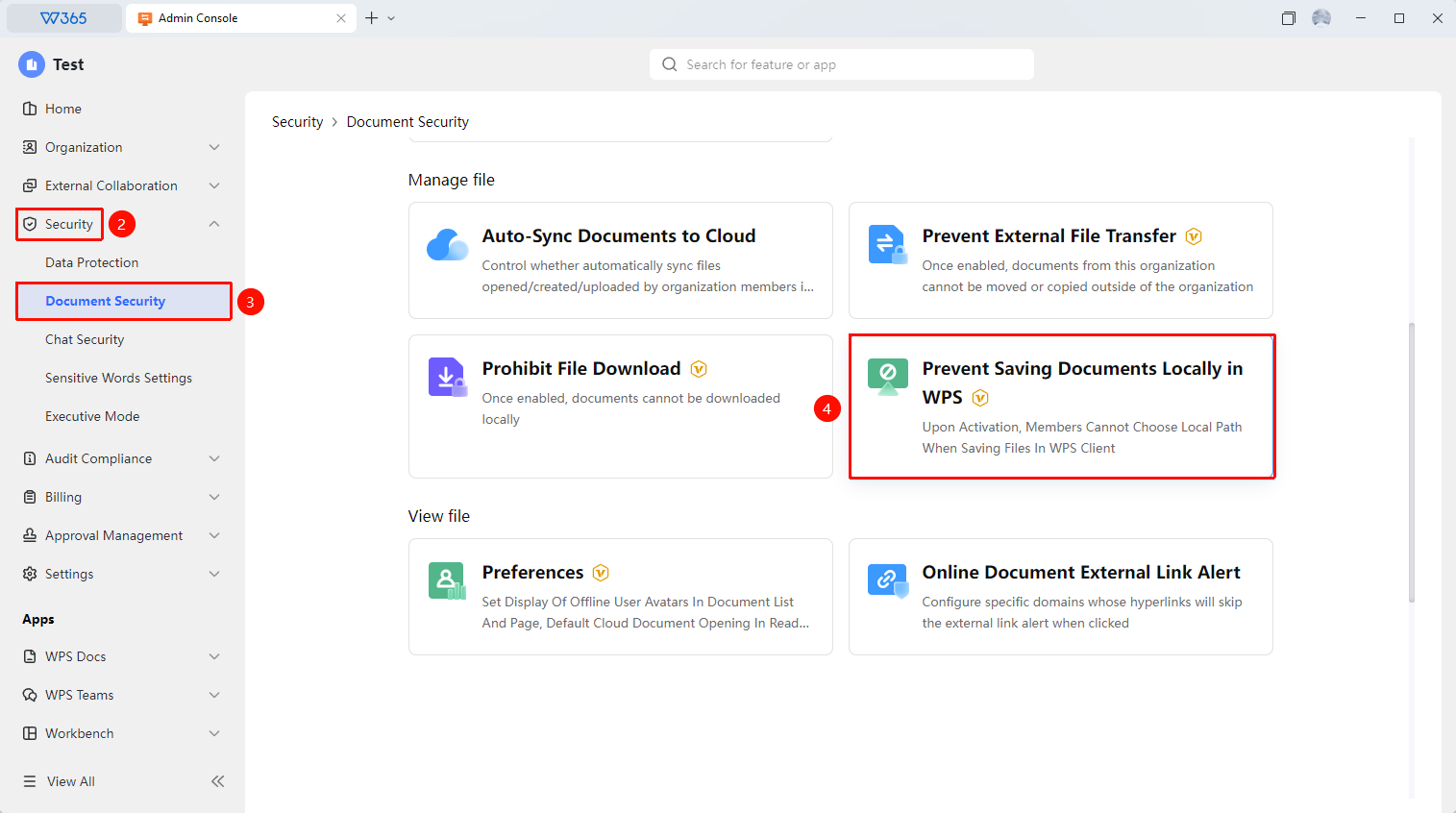
Office Document → Security Control → Document Security → WPS365 Client Prohibit Saving Documents to Local
- Open the WPS365 client, click "Office Document" in the lower left corner of the homepage to enter the organization Office Document
- Find and click "Security Control" in the left navigation bar
- Click "Document Security" in the drop-down list to expand the right panel
- Find and click "WPS365 Client Prohibit Saving Documents to Local" to enter the security policy list
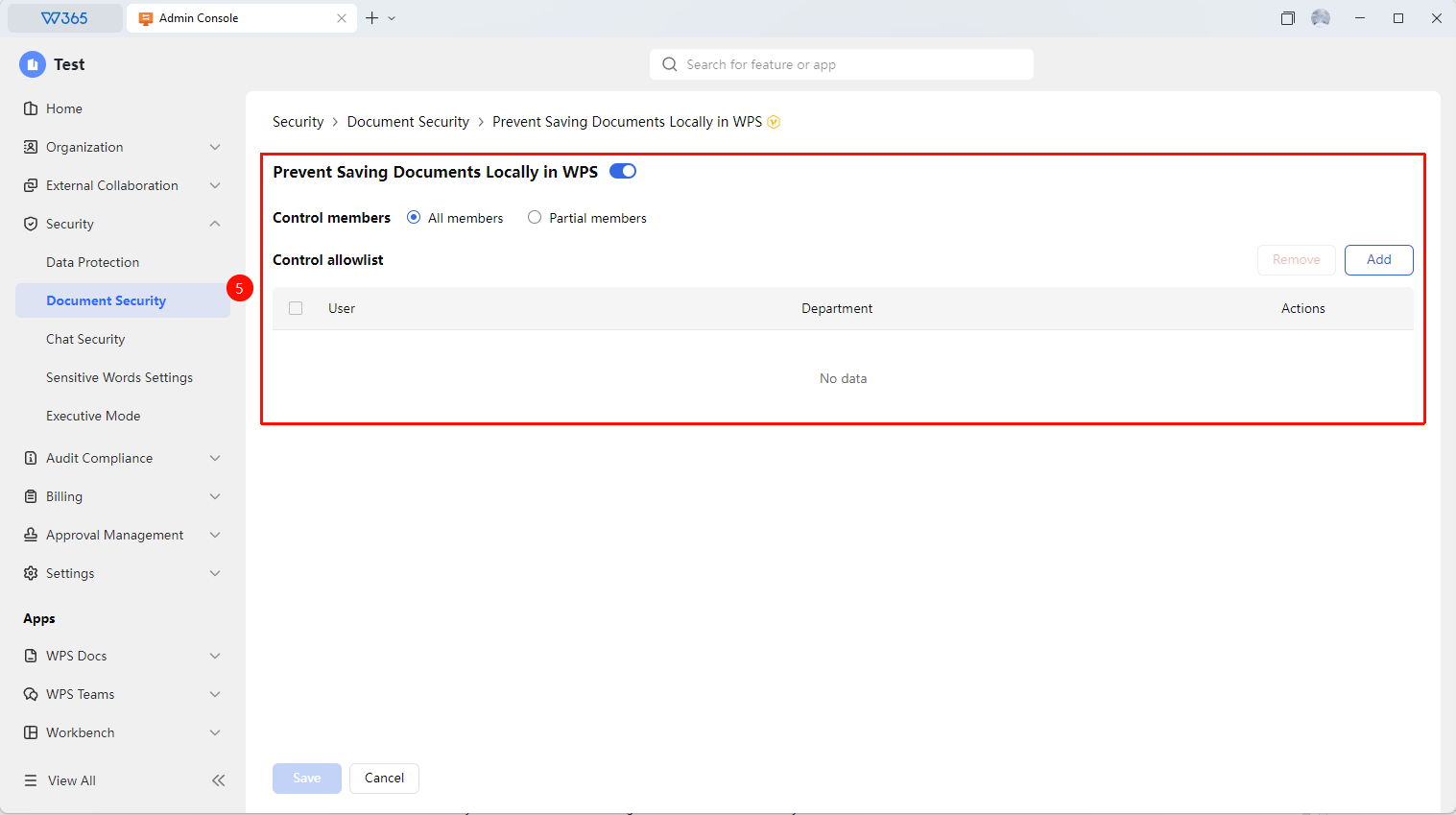
- Find "WPS Client Prohibit Saving Documents to Local" and set the switch on the right to "Enabled"
- Switch the controlled members to: "All Members" / "Specific Members"
- Add/remove "Control Whitelist" users who are not affected by the prohibition of saving documents to local

Notes
- Prohibiting save as = prohibiting copying. If you need to prohibit copying content at the same time, it is recommended to use it in conjunction with other security policies such as "Prohibit Screenshots"
- It is recommended to notify all members before enabling to avoid confusion caused by members being unable to save files