Feature Summary
When a member clicks an external hyperlink in a document, a security reminder pop-up is displayed to prevent security risks caused by accidentally clicking malicious links.
Feature Description
| Feature Dimension | Description |
|---|---|
| Plan Restrictions | No plan restrictions |
| Version Restrictions | No version restrictions |
Operation Steps
Enabling Hyperlink Security Reminder
Feature Entry
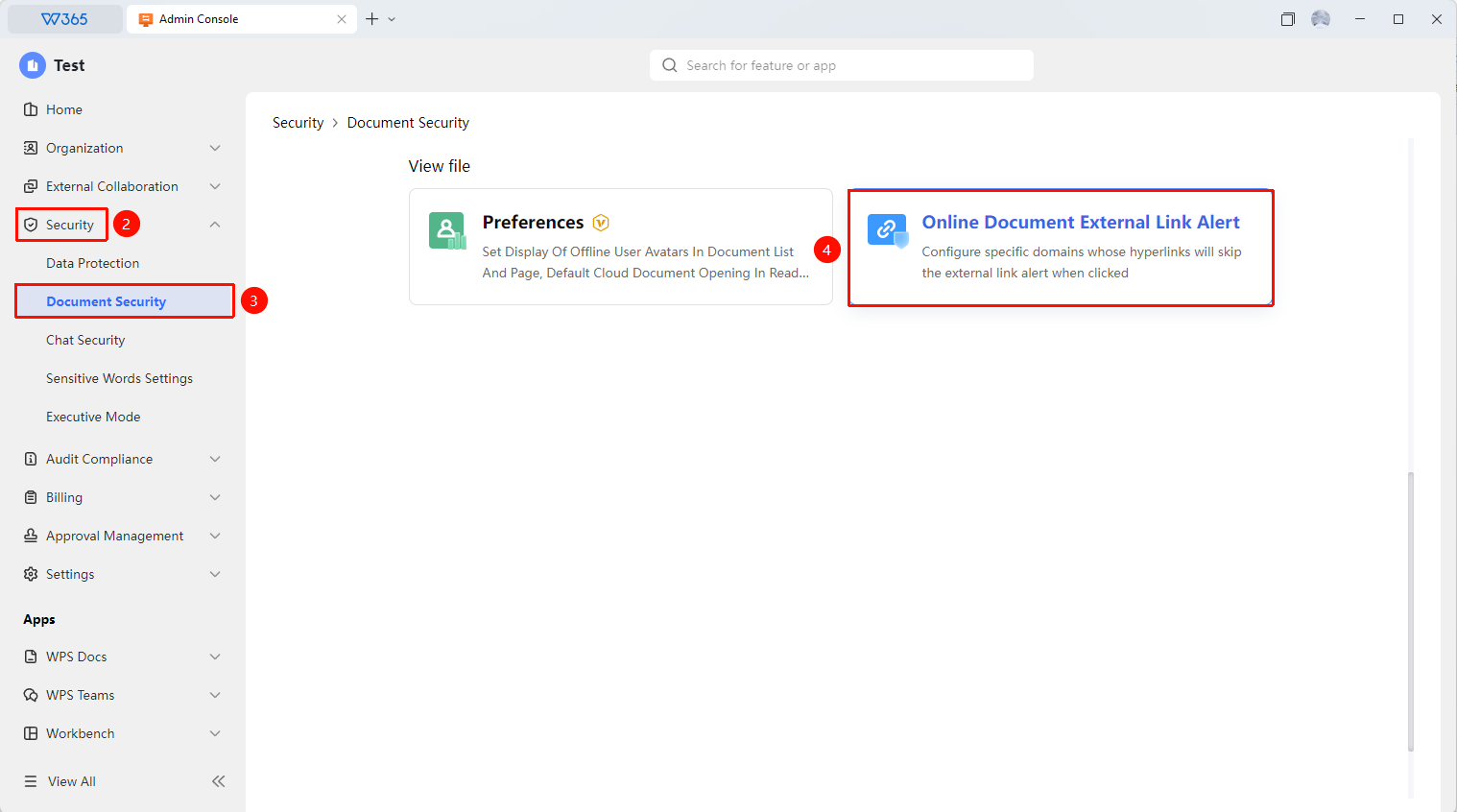
Office Document → Security Control → Document Security → Online Document Hyperlink Click Security Reminder
- Open the WPS365 client, and click Office Document in the lower-left corner of the client homepage.
- Click 「Security Control」 in the left-side list.
- Click 「Document Security」 in the drop-down list.
- Click 「Online Document Hyperlink Click Security Reminder」 in the expanded panel.
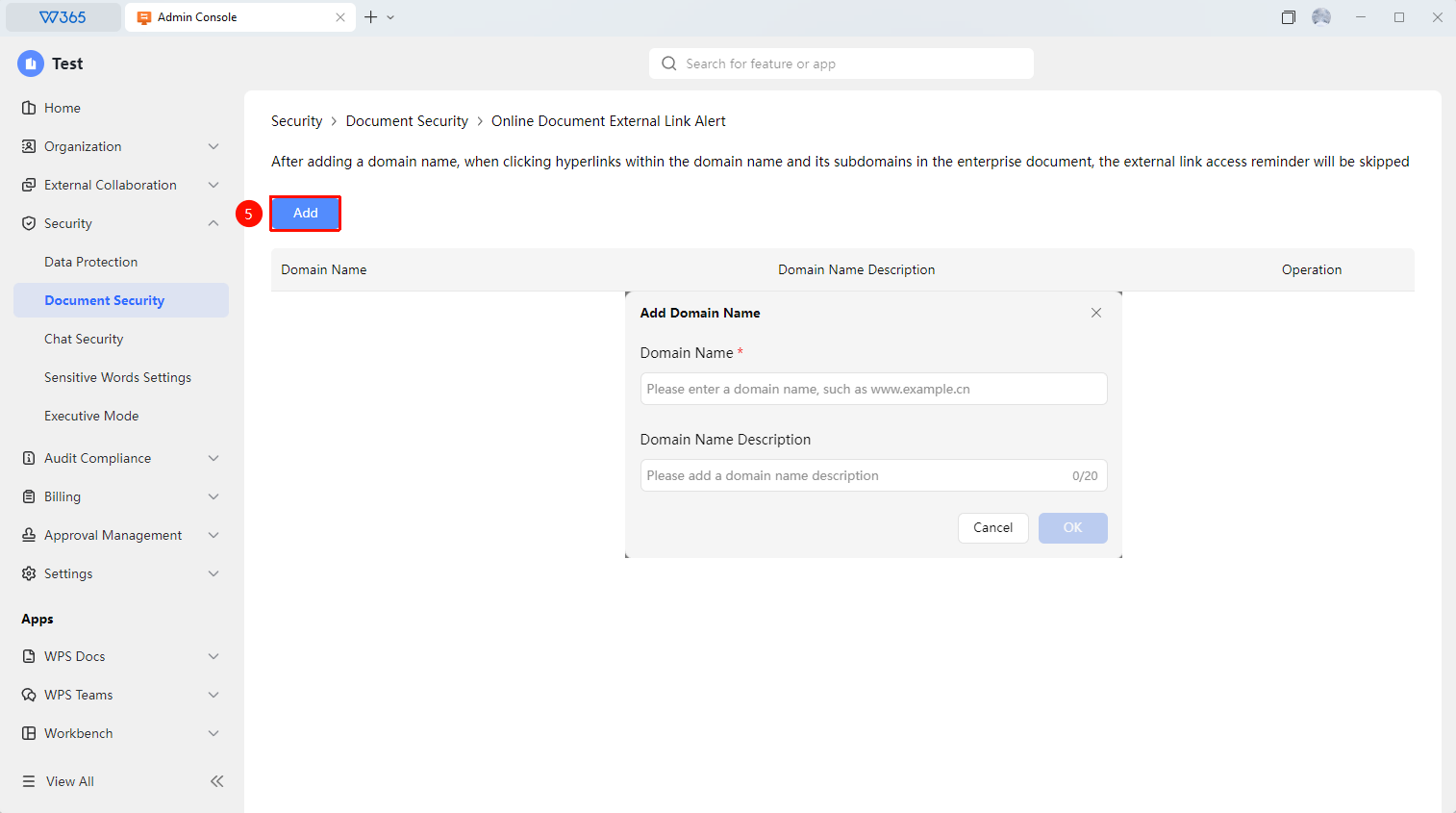
- Click 「Add」 to add the domain address and domain description that require a reminder:
- Click 「Confirm」 to take effect.

FAQ
Q1: Can the security reminder pop-up be closed?
- Solution: After seeing the security reminder pop-up, members can choose to continue visiting or cancel the visit. This reminder cannot be permanently disabled by members; the reminder will pop up every time a controlled hyperlink is clicked.
Q2: Will the security reminder affect work efficiency?
- Solution: There may be a slight impact, especially for members who frequently click links. However, the security reminder can effectively prevent members from accidentally clicking phishing links or malicious websites. It is recommended to strike a balance between security and efficiency and configure the whitelist reasonably.
Q3: How to remove a domain that has been added for security reminders?
- Solution: In Office Document → Security Control → Document Security → Online Document Hyperlink Click Security Reminder, find the domain that has been added for reminders. Click 「Edit」 on the right to re-edit the domain address and text, or click 「Delete」 to remove the domain address.
Notes
- This feature works best when used in conjunction with cybersecurity awareness training.