Feature Summary
Admins can centrally configure mobile Document security policies in the organization Office Document to prevent organization data leakage via mobile devices.
Feature Description
| Feature Dimension | Description |
|---|---|
| Plan Restrictions | No plan restrictions |
| Version Restrictions | No version restrictions |
Operation Steps
Mobile Security Settings
Feature Entry
「Organization Office Document」→「Security Control」→「Chat Security」→「Mobile Security Settings」
Office Document→Security Control→Chat Security→Chat Client sign in Device Quantity Limit
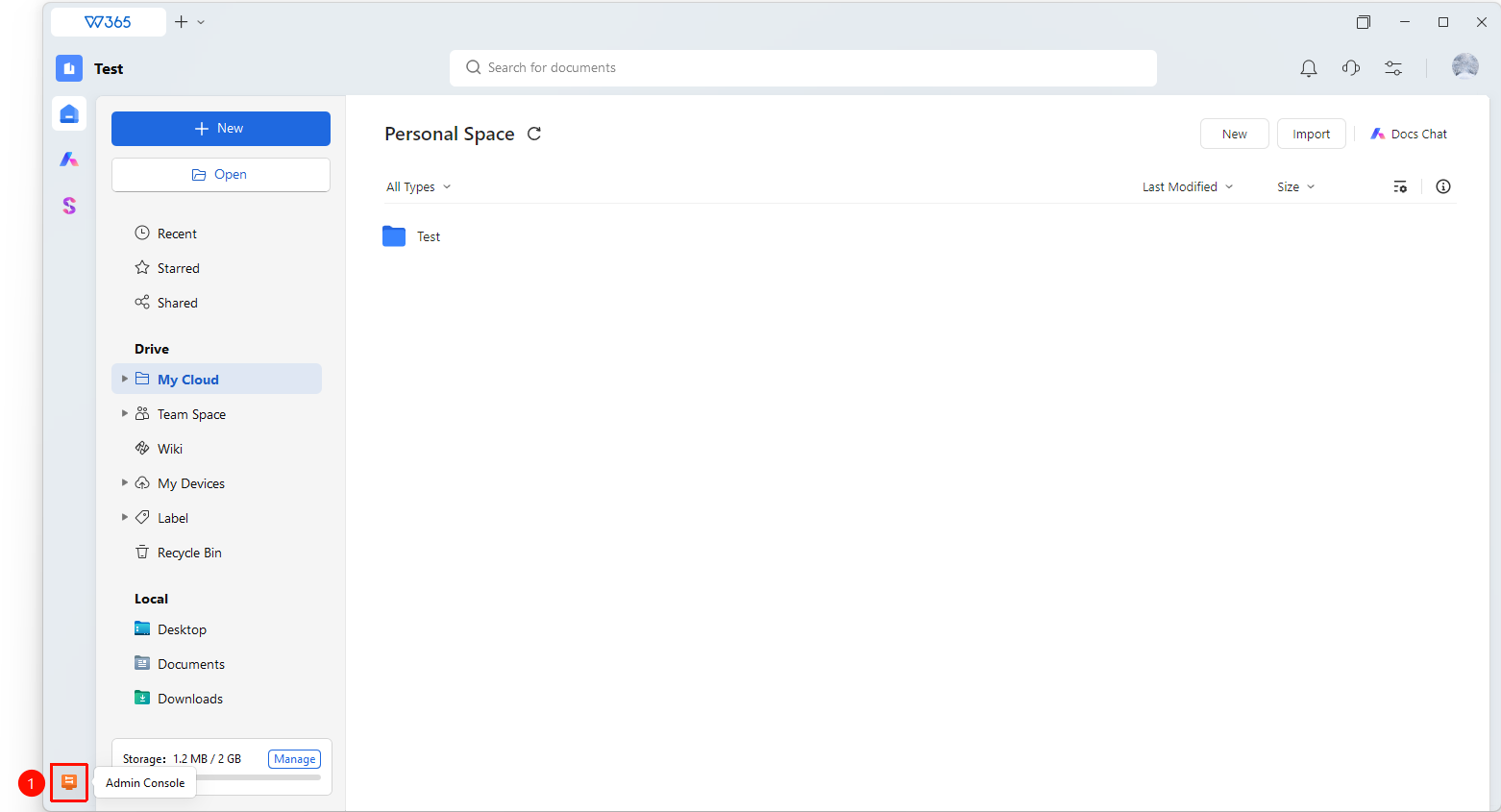
- Open the WPS365 client, click Office Document in the lower-left corner of the client homepage
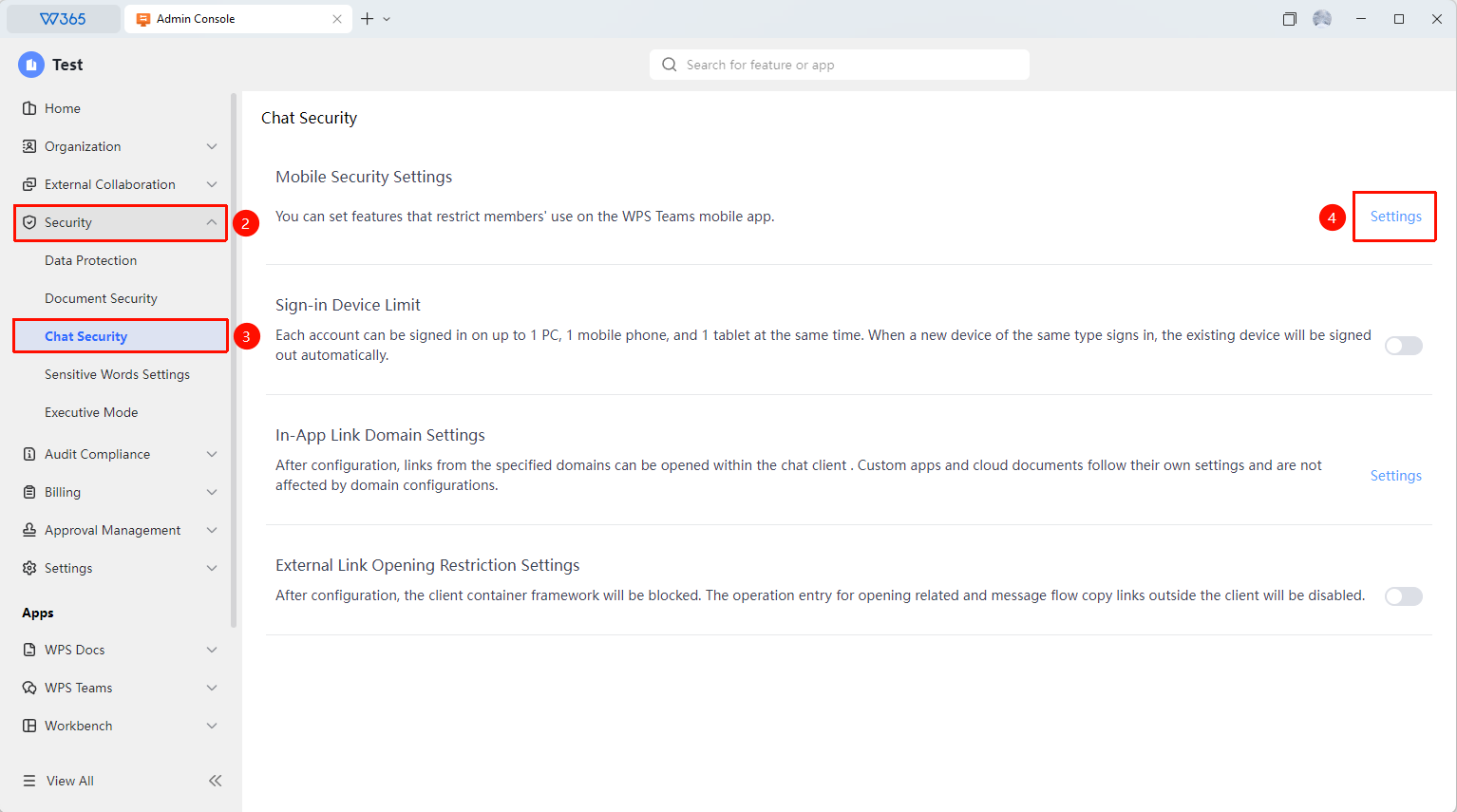
- Click 「Security Control」 in the left-side list
- Click 「Chat Security」 in the dropdown list
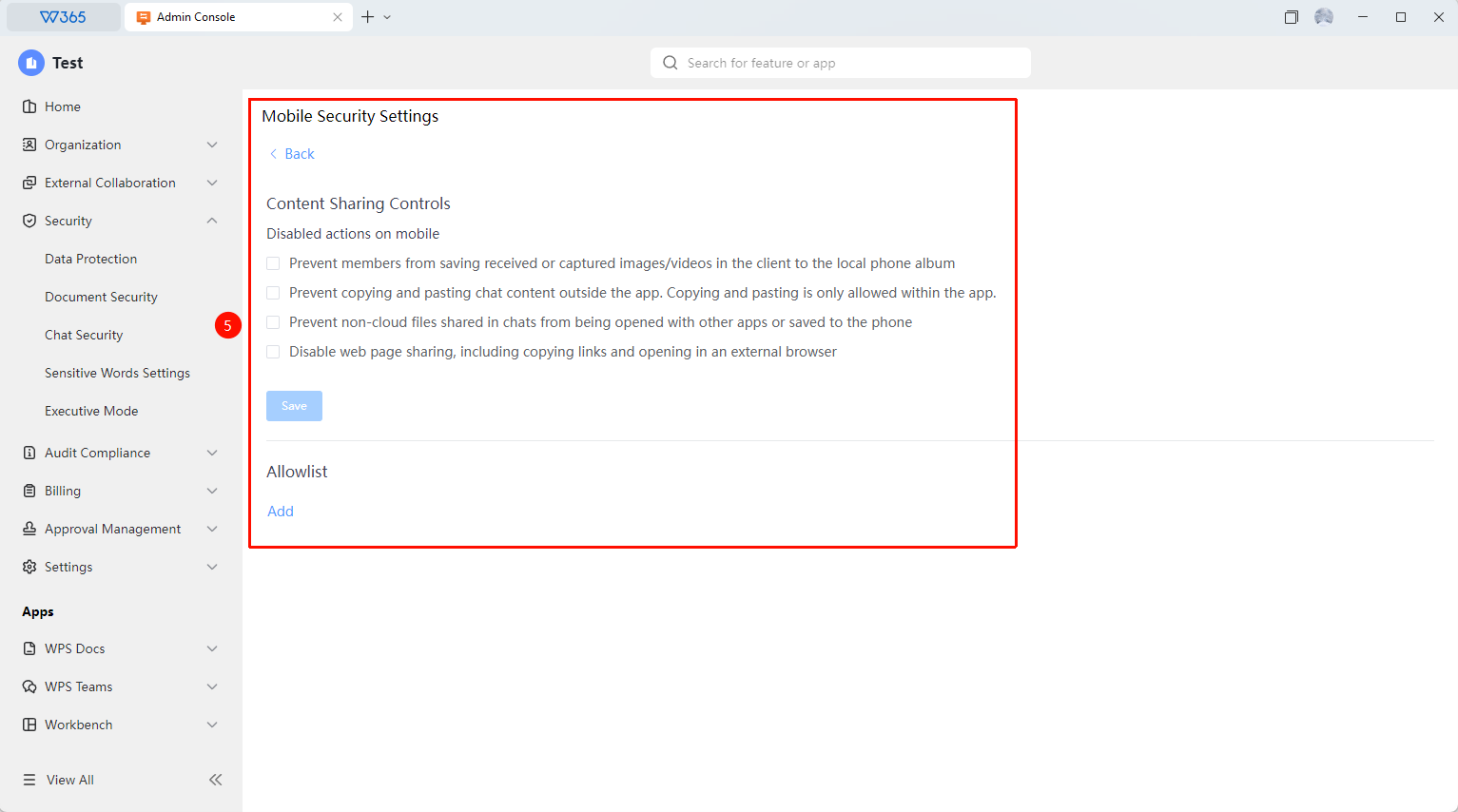
- In the expanded panel, click 「Mobile Security Settings」 → 「Edit」 to enter the policy configuration page:
- Set 「Content Sharing Control」
- Set 「Allowlist」
5.Click 「Save」 to apply the configuration
Notes
- After modifying the mobile security configuration, it is recommended to notify all members via an organization announcement to avoid impacting normal work.