Feature Summary
Configure links for corresponding domains to open within the chat client.
Feature Description
| Feature Dimension | Description |
|---|---|
| Plan Restrictions | No plan restrictions |
| Version Restrictions | No version restrictions |
Operation Steps
Configure Link Domain
Feature Entry
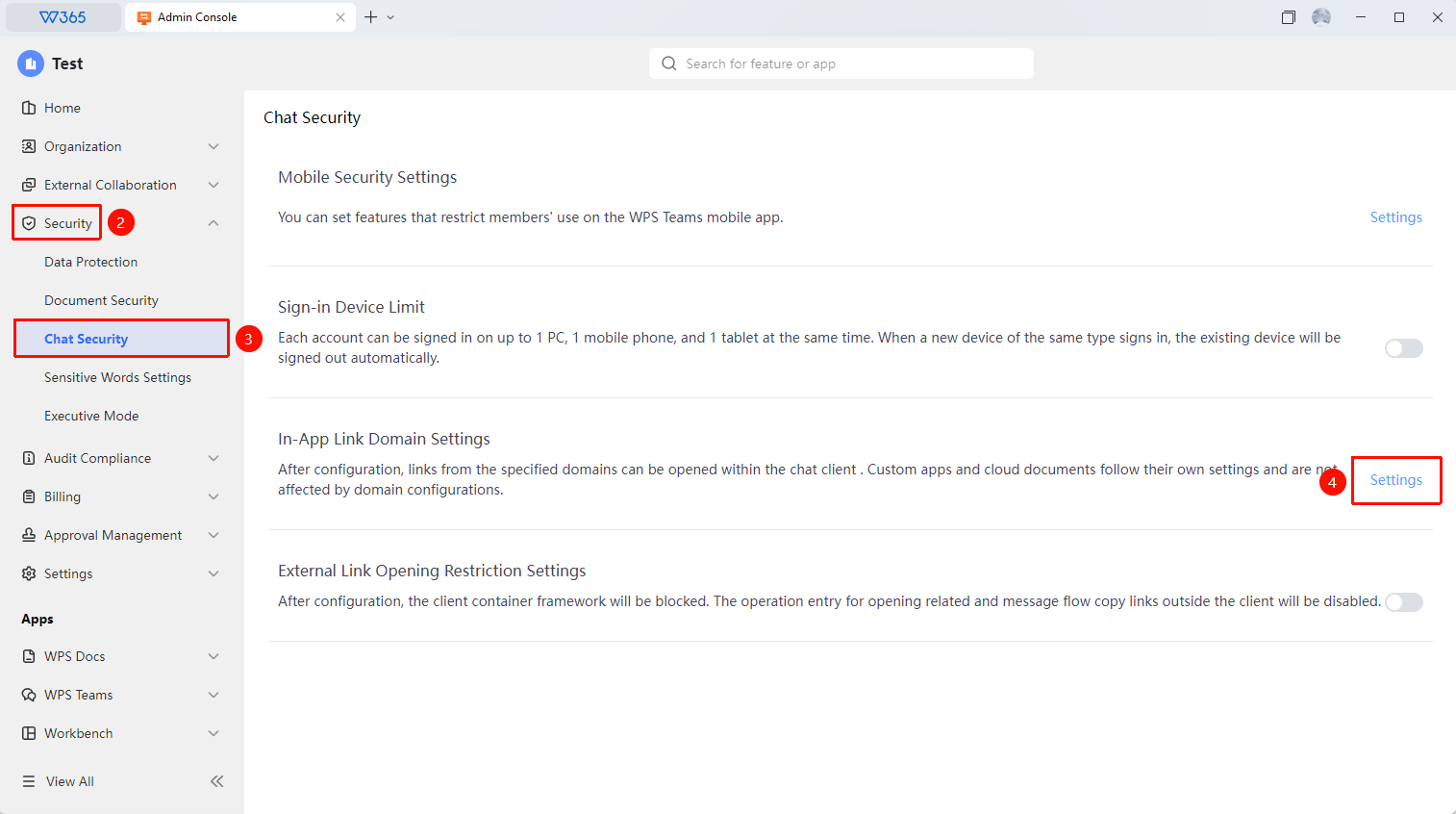
Office Document → Security Control → Chat Security → Open Link Domain Setting in Chat Client
- Open the WPS365 client, click Office Document in the lower-left corner of the client homepage
- Click Security Control in the left-side list
- Click Chat Security in the drop-down list
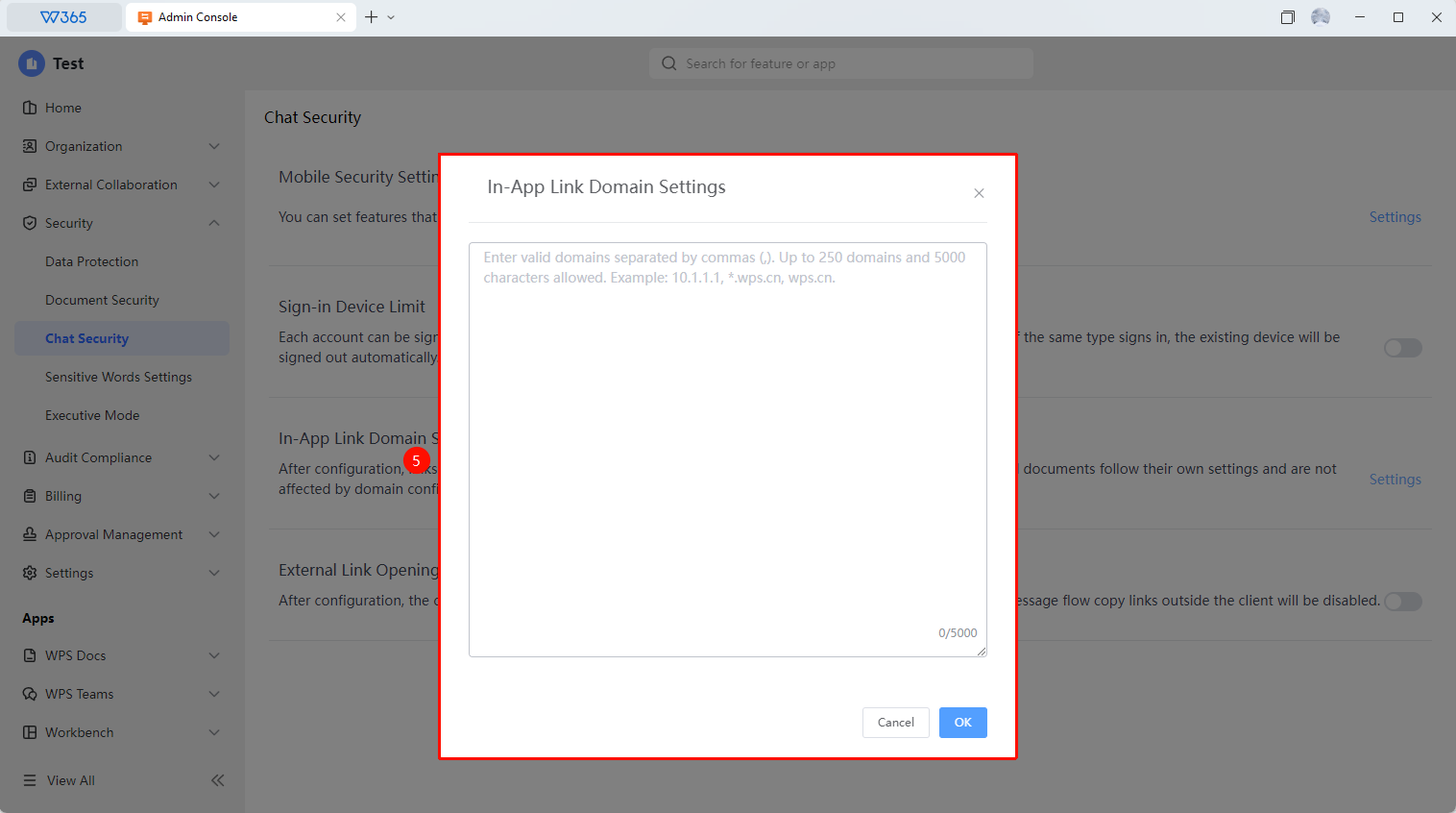
- Click the Settings button to the right of Open Link Domain Setting in Chat Client to enter the settings interface:
- Enter a valid domain allowlist, separated by half-width commas. A maximum of 250 domains and 5,000 characters can be configured.
5.Click OK to apply

FAQ
Q1: Will the allowlist mode cause inconvenience for members?
- Solution: There may be some impact. Links to domains not on the allowlist cannot be opened directly by clicking; members will need to manually copy the link and access it in a browser. It is recommended to configure the allowlist reasonably based on the organization's business needs, adding commonly used websites to the allowlist.
Notes
- The chat link domain setting only takes effect for links within the WPS chat client
- It is recommended to configure the allowlist reasonably based on the organization's business needs