Feature Summary
Blocks the client container framework, as well as operation entries related to external opening and message stream copy link.
Feature Description
| Feature Dimension | Description |
|---|---|
| Plan Restriction | No plan restriction |
| Version Restriction | No version restriction |
Operation Steps
External Open Operation Feature Blocking Settings
Feature Entry
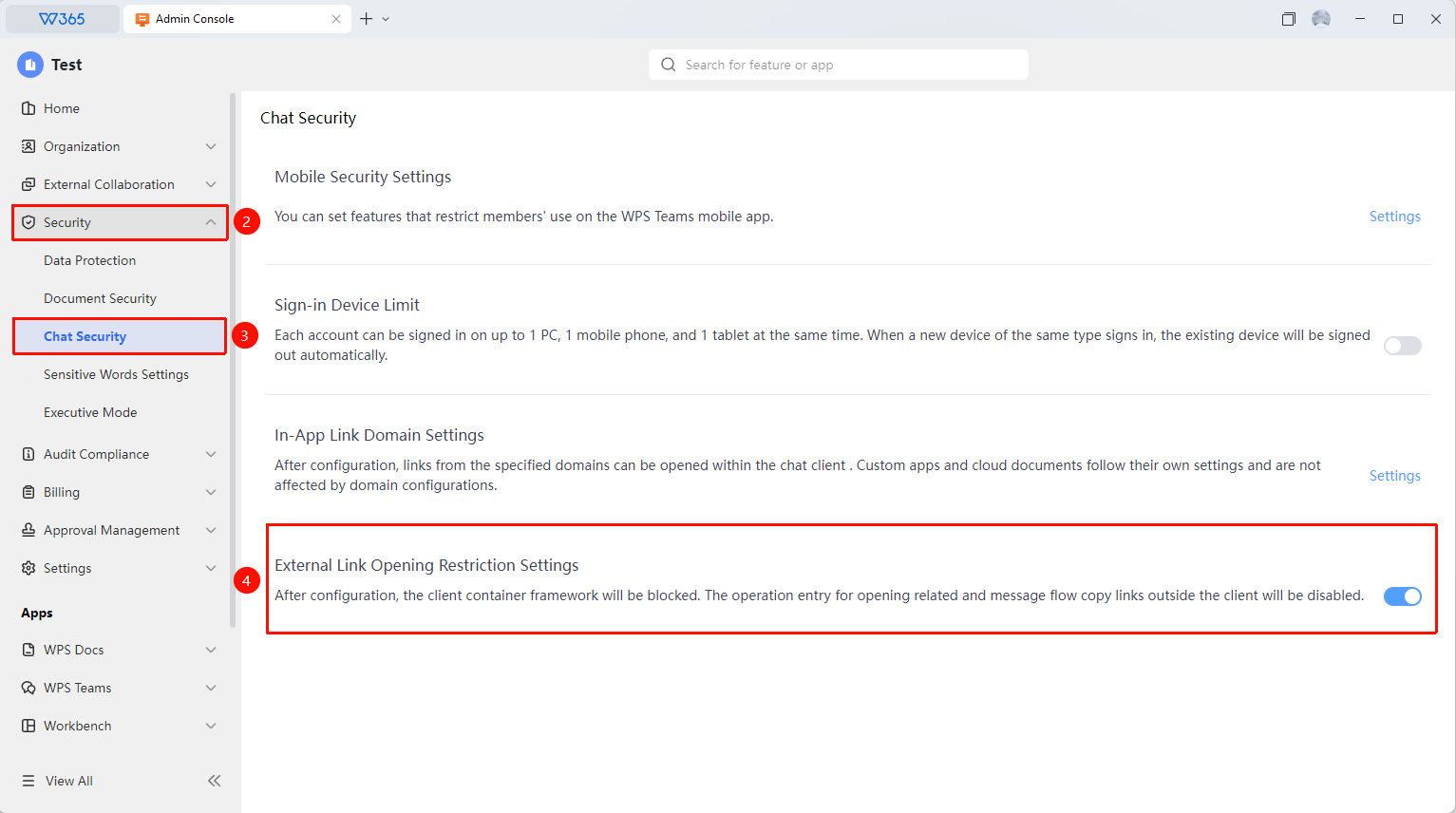
Office Document → Security Control → Chat Security → External Open Operation Feature Blocking Settings
- Open the WPS365 client, and click Office Document in the lower-left corner of the client homepage.
- Click Organization Security Control in the left-side list.
- Click Chat Security in the drop-down list.
- Click the Enable/Disable toggle button on the right side of External Open Operation Feature Blocking Settings to switch the activation status.
- Once enabled, the client container framework, as well as operation entries related to external opening and message stream copy link, will be blocked.