Feature Summary
View the operation records of sensitive word hits and trace the disclosure of sensitive information
Feature Description
| Feature Dimension | Description |
|---|---|
| Plan Restrictions | No organization plan restrictions |
| Version Restrictions | No version restrictions |
Operation Steps
View Hit Records
Feature Entry
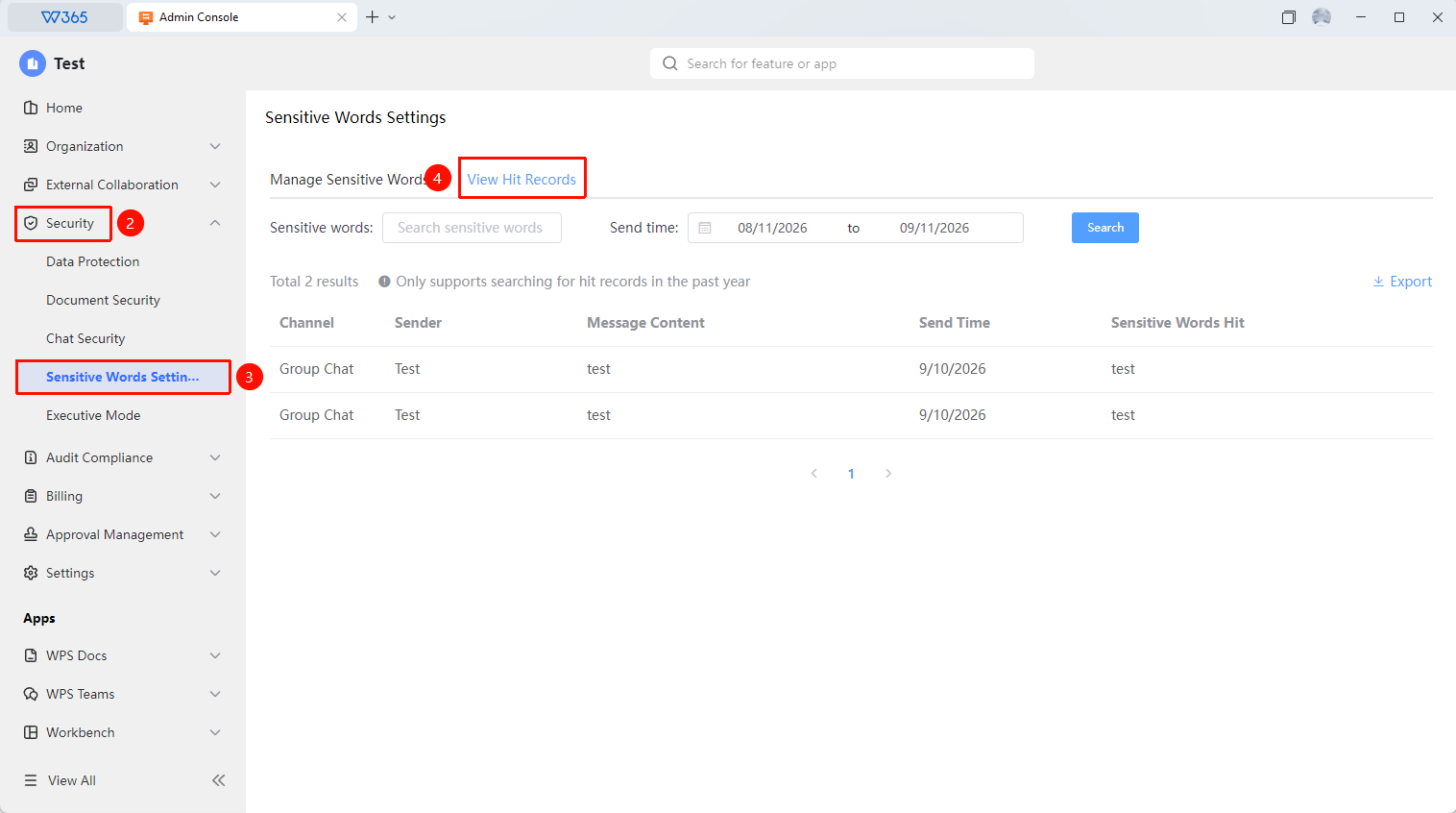
Office Document → Security Control → Sensitive Word Settings → View Hit Records
- Open the WPS365 client, and click Office Document in the lower-left corner of the client homepage
- Find and click 「Security Control」 in the left-side list to expand the drop-down list
- Click 「Sensitive Word Settings」 in the drop-down list
- Search for sensitive word trigger records in 「View Hit Records」
- Filter by time and sensitive word criteria (supports searching hit records from the past year)
- In the trigger list, you can view the Channel, Sender, Content Sent, Sending Time, and Hit Sensitive Word

Export Hit Records
Feature Entry
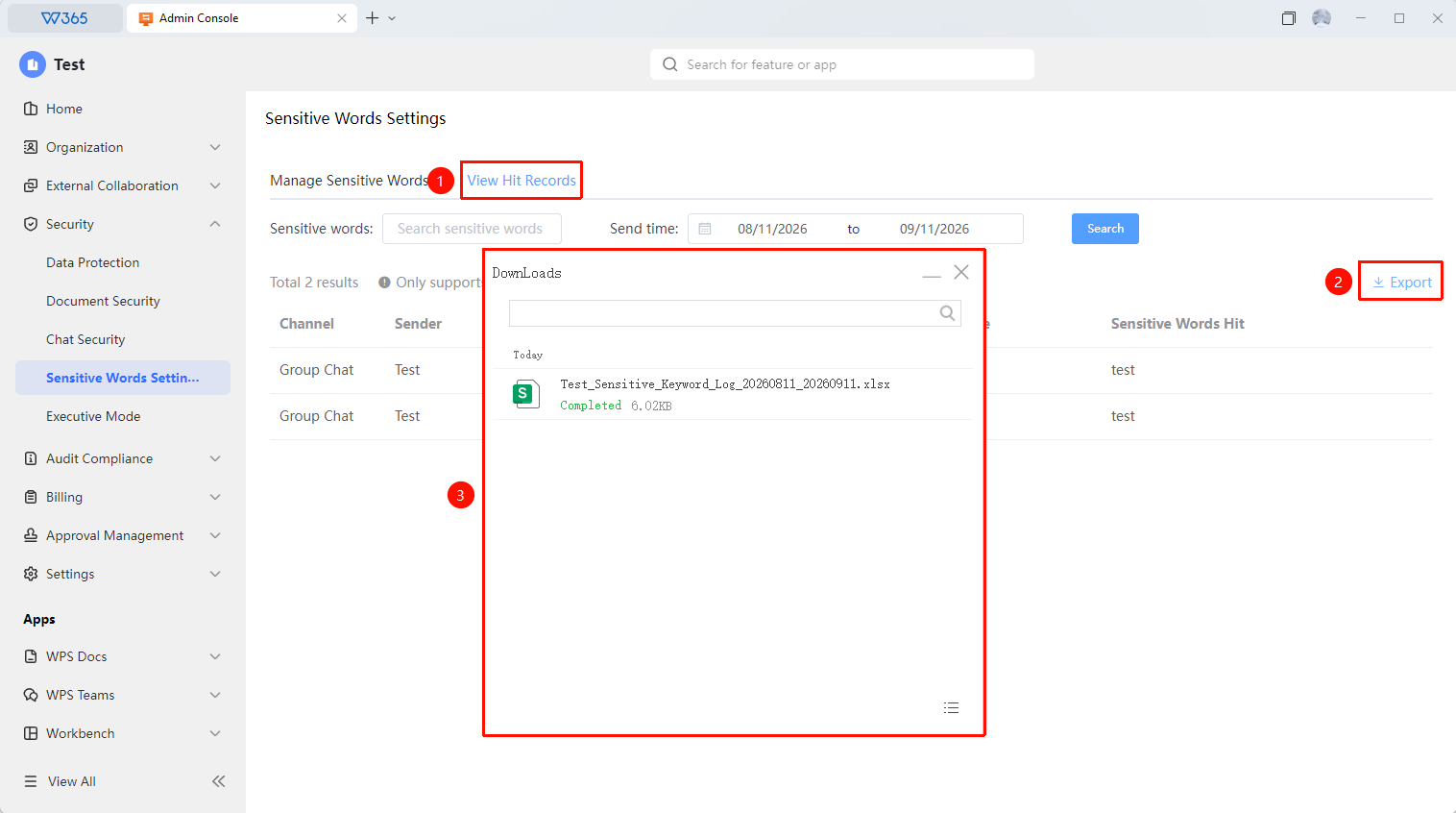
View Hit Records → Export
- Click the 「Export」 button on the right side of 「View Hit Records」
- The retrieved records will be exported as an .xlsx Sheets document and saved locally
- This facilitates subsequent organization and archiving
FAQ
Q1: What permissions are required to operate the sensitive word hit record feature?
- Solution: A Super Admin or a admin assigned the corresponding management permissions is required to operate this feature.
Notes
- The organization's Office Document can only be accessed by Super Admins and admins with the corresponding permissions
- If you find that WPS collaboration fails to send a message and prompts that it cannot be sent due to sensitive words, please communicate with the Admin