Feature Summary
Centrally manage all shared links within the organization, supporting search and cancellation of sharing
Feature Description
| Feature Dimension | Description |
|---|---|
| Plan Restrictions | Requires subscribe to an organization plan |
| Version Restrictions | No version restrictions |
Operation Steps
Manage Share Links
Feature Entry
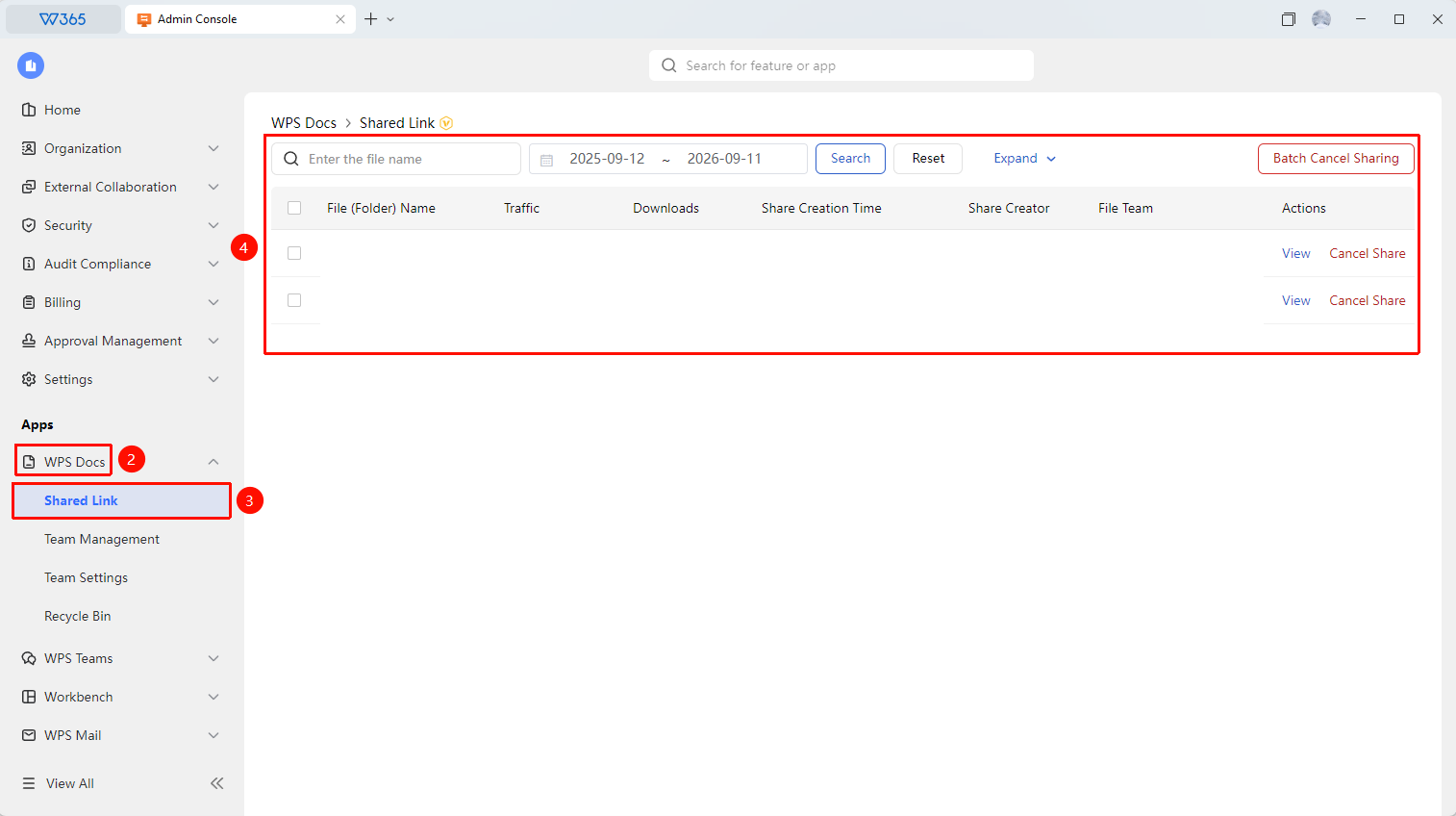
Office Document → Documents & Teams → Share Link Management
- Open the WPS365 client and click Office Document in the lower-left corner of the client homepage
- Find and click 「Documents & Teams」 in the left-side list to expand the dropdown list
- Click 「Share Link Management」 in the dropdown list
- Search for share links by criteria such as file name, time, creator, and team
- View link details (permission type, validity period, etc.)
- Click 「Cancel Sharing」 to immediately deactivate the link
- Check the box in front of files to select multiple files, then click 「Batch Cancel Sharing」 to perform batch operations

Frequently Asked Questions
Q1: Can I find all shared links?
- Solution: Yes. The backend supports searching for all created share links within the organization by criteria such as file name, creator, team, and creation time.
Q2: After canceling sharing, can the other party still access the document?
- Solution: The link becomes invalid immediately after canceling sharing, and access via the original link is no longer possible. However, the file itself will not be deleted, and members can still access it through other means.
Q3: How can I recover a share link that has been canceled?
- Solution: Canceled share links cannot be recovered. If you need to share again, you must create a new share link and resend it to the relevant personnel.
Notes
- It is recommended to regularly review the share link list and promptly close links that are no longer needed
- Share Link Management only supports viewing and canceling sharing; modifying share permissions is not supported
- If abnormal sharing behavior is detected, it is recommended to immediately cancel sharing and investigate the cause