Feature Summary
Records all operational actions in Office Document, enabling traceability of administrative behaviors
Feature Description
| Feature Dimension | Description |
|---|---|
| Plan Restrictions | Requires a subscribe to organization plan |
| Version Restrictions | No version restrictions |
Operation Steps
Viewing Admin Logs
Feature Entry
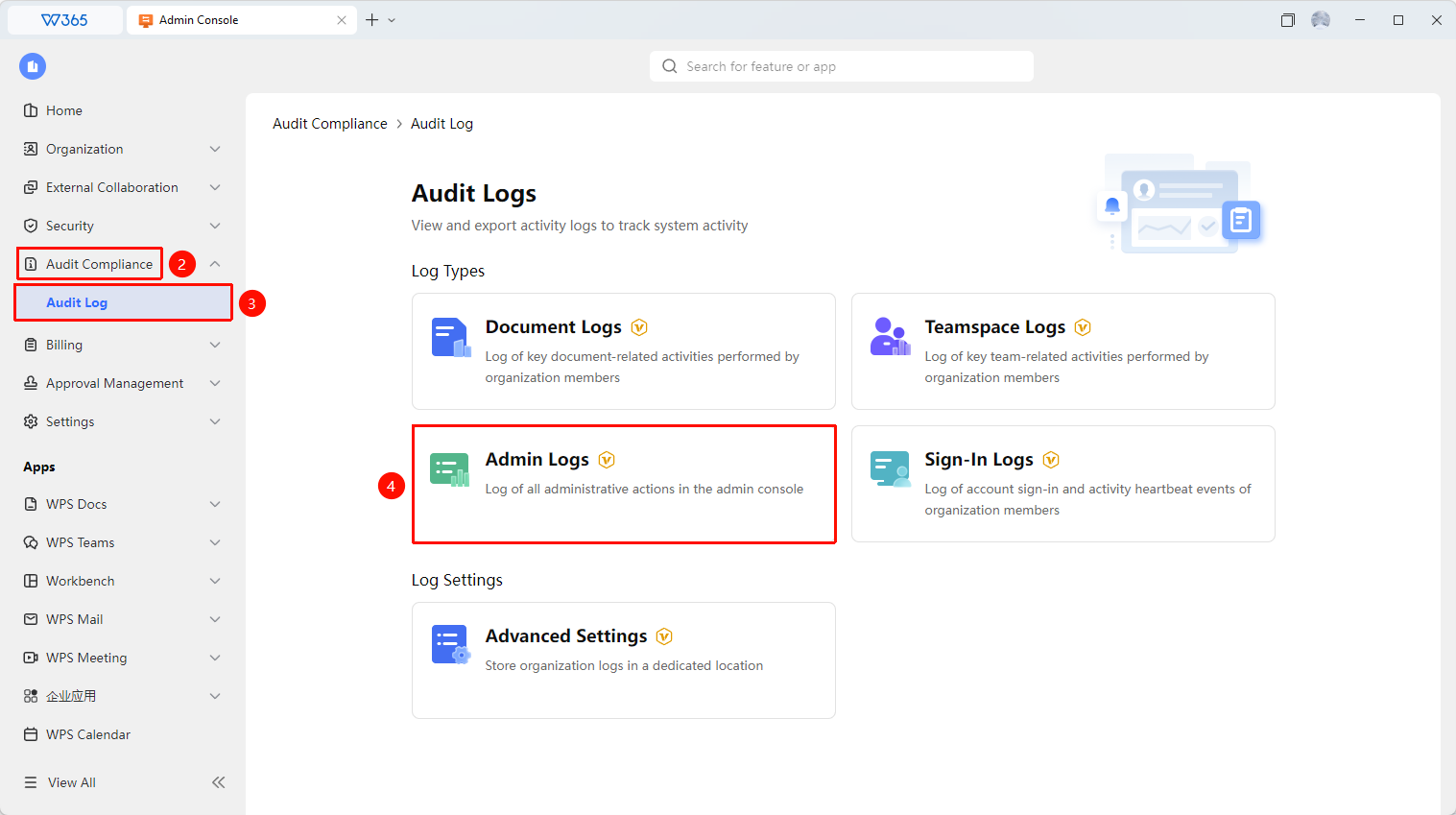
Office Document → Audit Compliance → Audit Log → Admin Log
- Open the WPS365 client, and click Office Document in the lower-left corner of the client homepage
- Locate and click Audit Compliance > Audit Log in the list on the left.
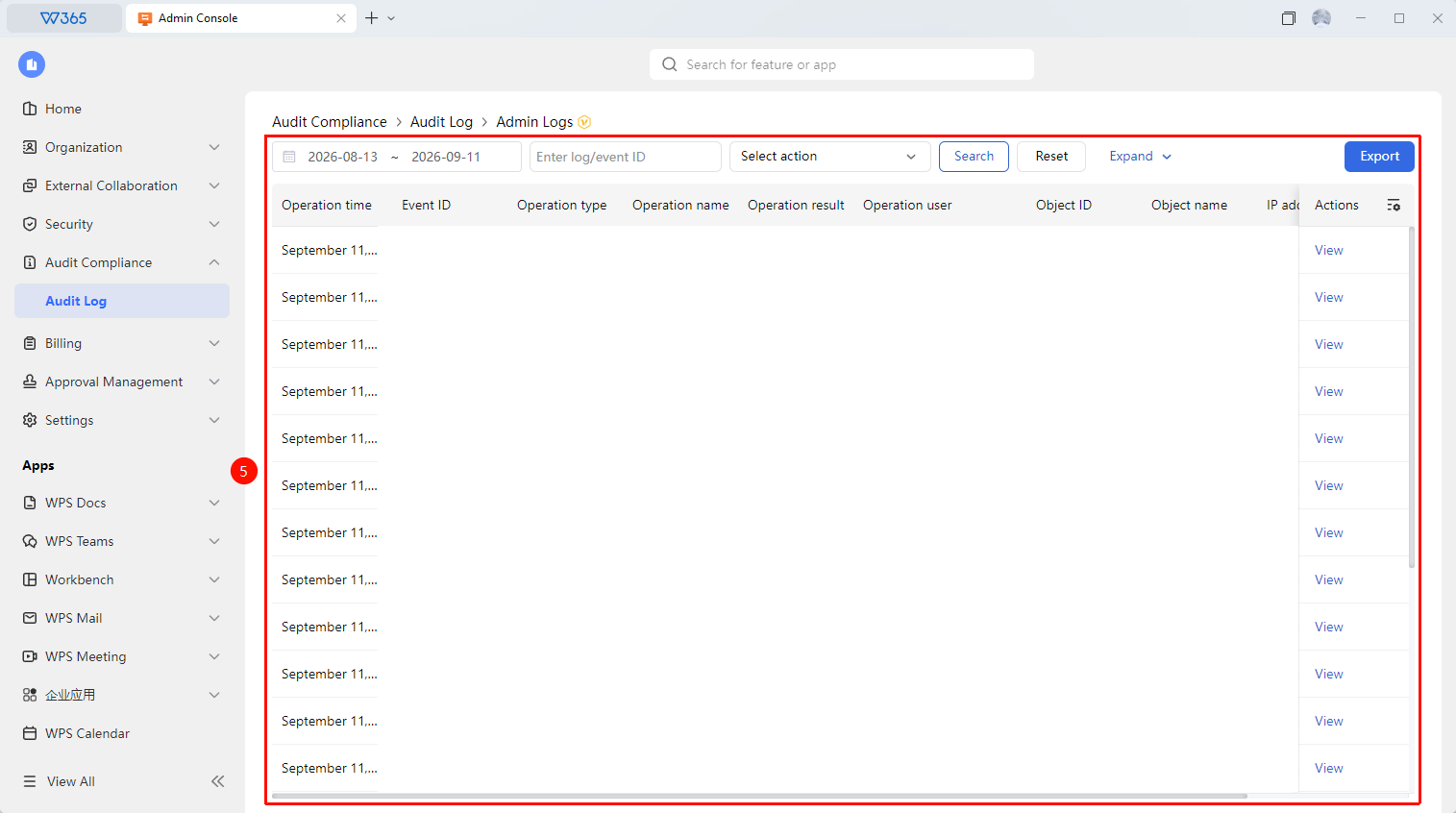
- On the page that opens, click the "Admin Log" tab.
- Filter by criteria such as personnel, time, and operation type
- Click 「Export」 to export the log file

FAQ
Q1: What administrative operations are recorded in the admin log?
- Solution: The admin log records all operations in Office Document, including administrative behaviors such as role creation, permission configuration, rule modification, organization information changes, and security policy changes.
Q2: Are operations performed by regular admins recorded?
- Solution: Yes. Operations performed by all members with admin console permissions are recorded, including super admins and regular admins, ensuring full-chain traceability of administrative behaviors.
Q3: What can the admin log be used for?
- Solution: It is primarily used for compliance auditing, administrative behavior tracing, and abnormal operation investigation, meeting the audit requirements of regulatory compliance.
Notes
- Admin logs do not support deletion or modification of generated Records
- It is recommended to regularly review admin logs to promptly detect abnormal permission changes or configuration modifications
- Admin logs cannot view specific Document content operations; to view Document operations, please use file logs
- It is recommended to regularly export admin log files for archiving