Feature Summary
Review new team creation requests to safeguard document security
Feature Description
| Feature Dimension | Description |
|---|---|
| Plan Restriction | No plan restriction |
| Version Restriction | No version restriction |
Operation Steps
Team Approval
Feature Entry
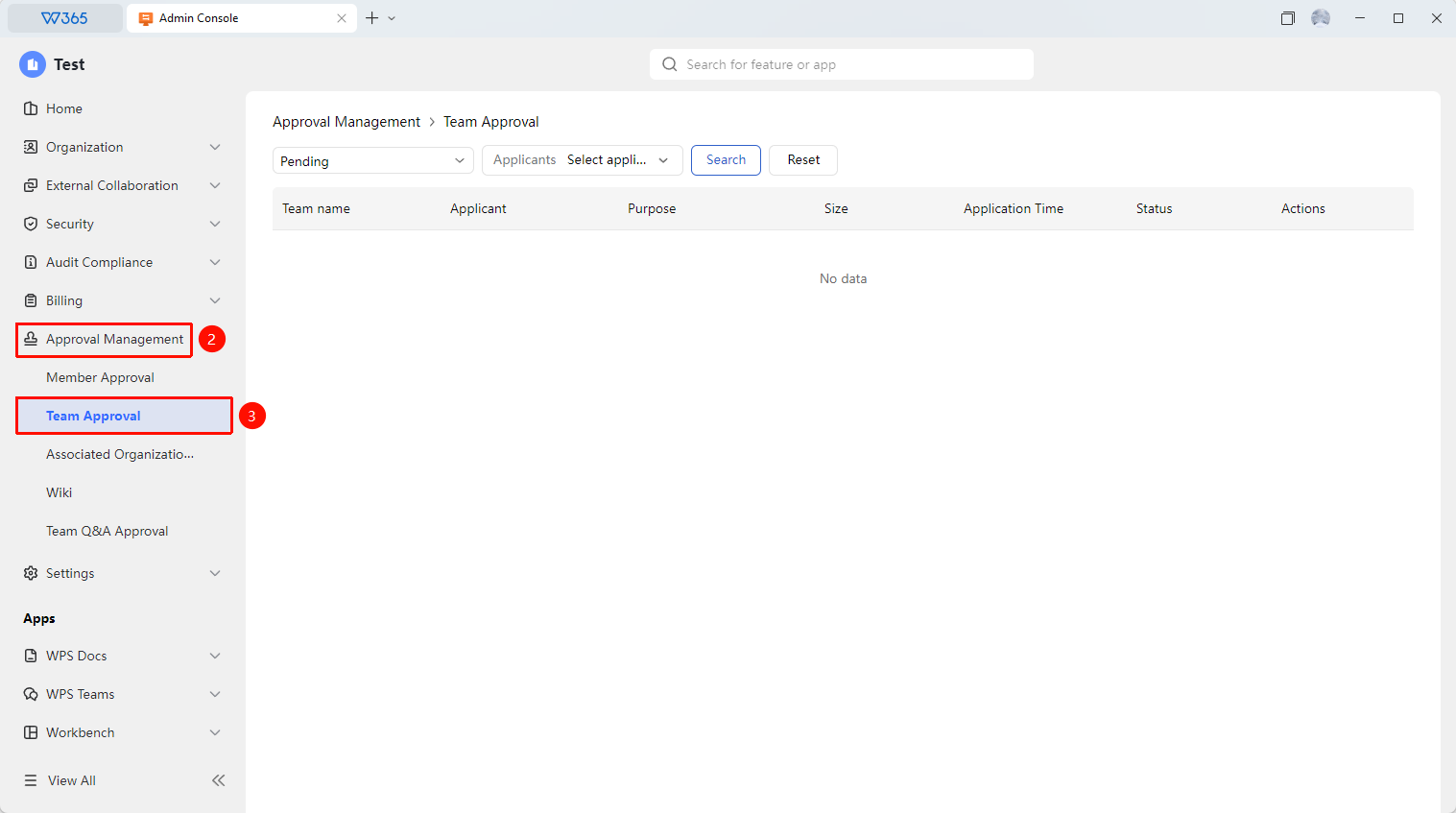
Office Document → Approval Management → Team Approval
- Open the WPS365 client, and click Office Document in the lower-left corner of the client homepage
- Find and click 「Approval Management」 in the left-side list to expand the dropdown list
- Click 「Team Approval」 tab in the dropdown list to open it
- Quickly filter the required approval objects by processing status and applicant
- Click 「Approve」 or 「Reject」
- Create a new team after approval

FAQ
Q1: Are existing teams managed by the team approval feature?
- Solution: Team approval only applies to newly created teams and does not affect existing teams