Feature Summary
Approve requests for associating with external organizations
Feature Description
| Feature Dimension | Description |
|---|---|
| Plan Restrictions | No plan restrictions |
| Version Restrictions | No version restrictions |
Operation Steps
Associated Organization Approval
Feature Entry
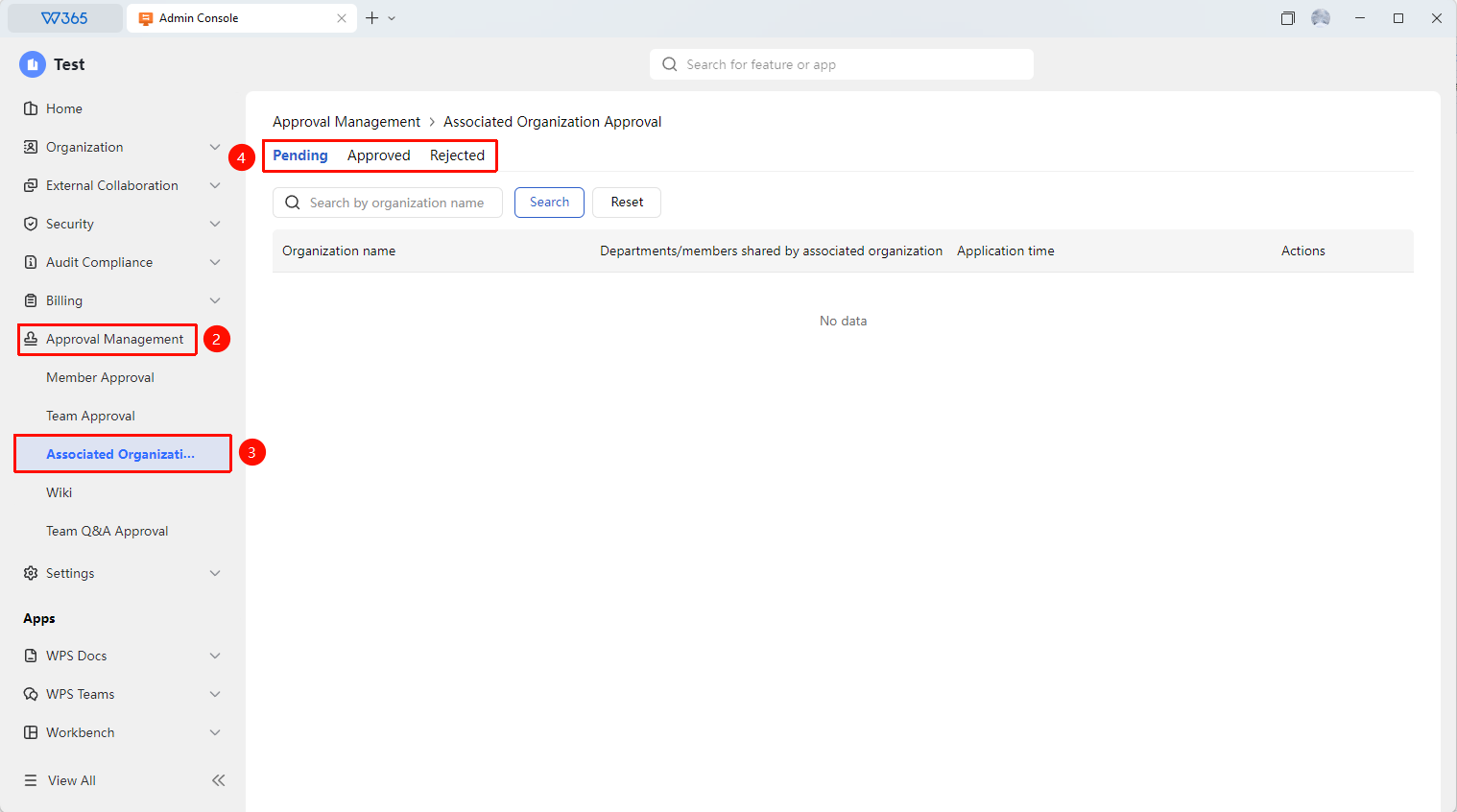
Office Document → Approval Management → Associated Organization Approval
- Open the WPS365 client, and click Office Document at the bottom left of the client homepage
- Find and click Approval Management in the left-side list to expand the dropdown list
- Click to open the Associated Organization Approval tab in the dropdown list
- Quickly filter the required approval requests by processing status and organization name
- Click Approve or Reject
- After approval, the association request from the external organization will be approved