Feature Summary
Set the official contact address of your organization to complete the organization profile.
Feature Description
| Feature Dimension | Description |
|---|---|
| Plan Limit | No plan limits |
| Version Limit | No version limits |
Operating Steps
Set Contact Address
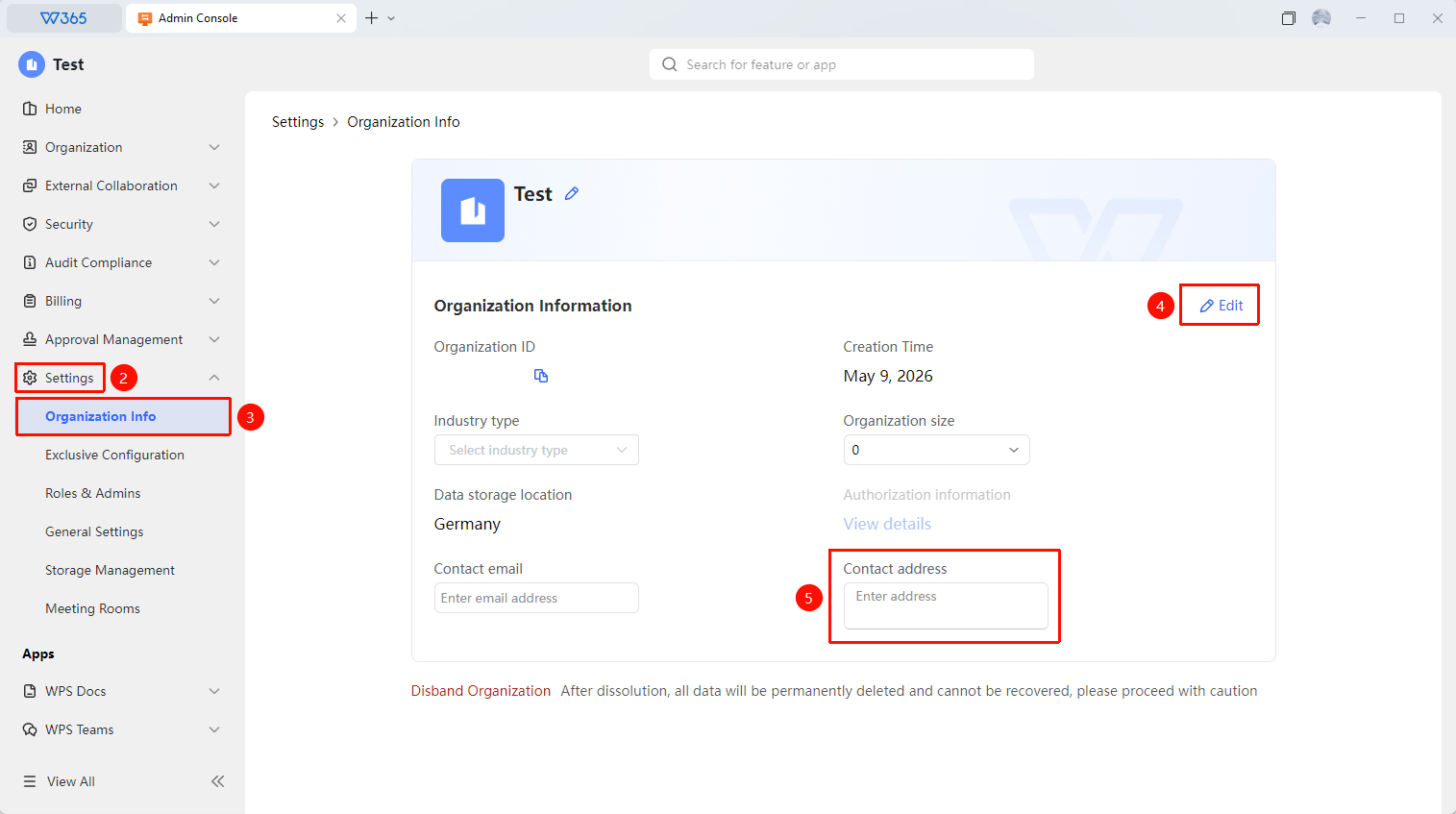
Feature Entry: Admin Console > Organization Settings > Organization Information
- Open the WPS 365 client, and click Admin Console in the lower-left corner of the homepage.
- Click Organization Settings > Organization Information.
- Click Edit in the Organization Information panel.
- Enter the detailed address of the organization in the contact address field.
- Click Save to complete the settings.

FAQ
Question 1: How precise should the contact address be?
- Solution: We recommend entering the registered address or office address of the organization, precise to the room number. This address is mainly used for invoice issuance and official mailings.
Question 2: Can the contact address be modified after being entered?
- Solution: Yes. Go to Organization Settings > Organization Information to modify the address, and save the changes. The modification will take effect immediately.
Question 3: Is the contact address visible to the public?
- Solution: No, it is not visible to the public. This information is only used to complete the organization profile and for official communication. It will not be displayed to members or external users.
Notes
- We recommend entering an office address that is valid for the long term.
- Update the organization address in a timely manner when it changes.
- The address information must match the commercial registration information to ensure smooth invoice issuance.
- Modifying organization information requires an organization super Admin account.