Feature Summary
Custom create internal organization badges for employee motivation and identity recognition.
Feature Description
| Feature Dimension | Description |
|---|---|
| Plan Limit | No plan limit |
| Edition Limit | No edition limit |
Operation Steps
Configure Culture Badges
Feature Entry:
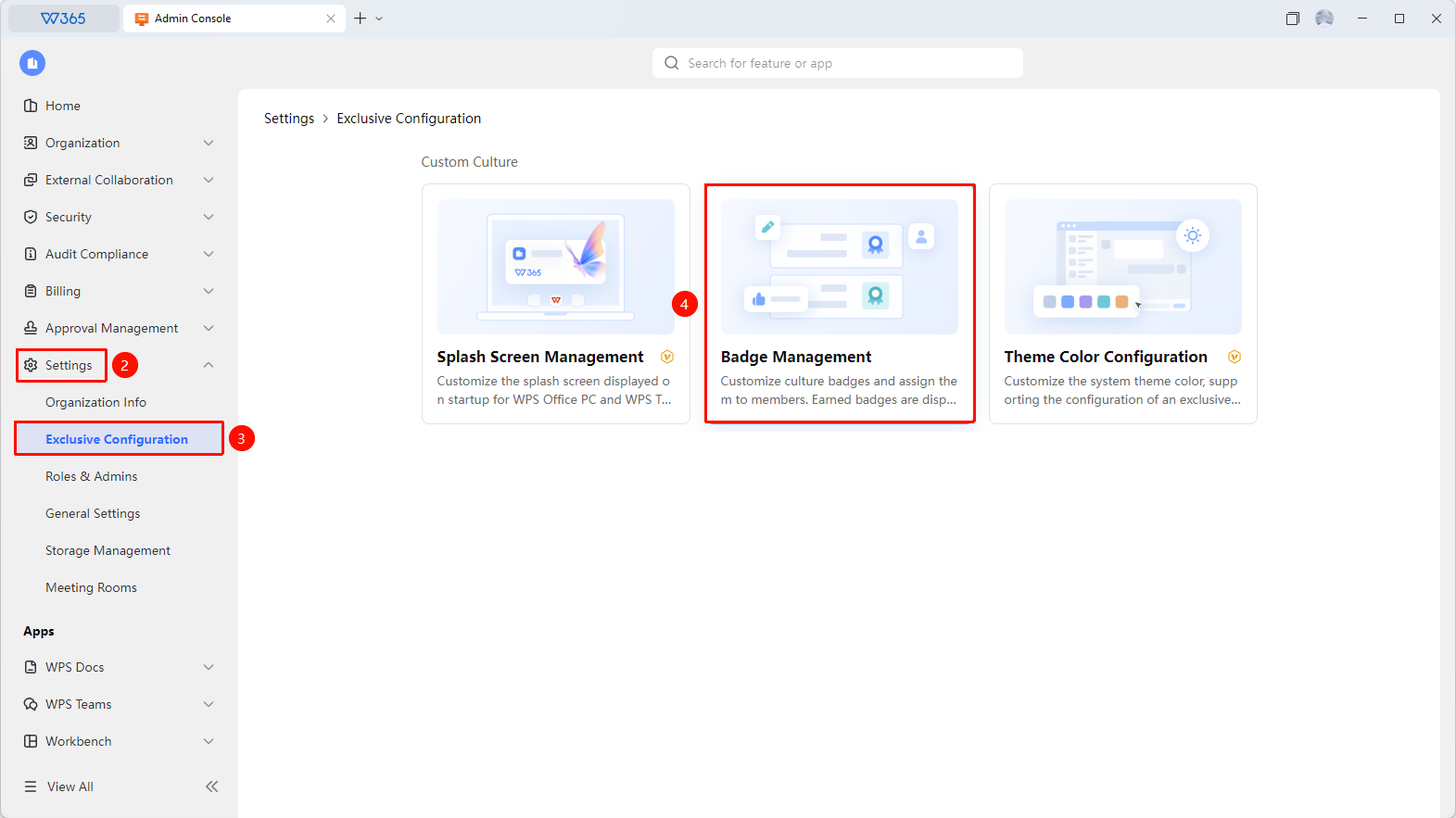
Admin Console > Organization Settings > Exclusive Configuration > Badge Management
Open the WPS 365 client, and click Admin Console in the lower-left corner of the homepage.
Find and click Organization Settings in the left list to expand the dropdown list.
Click to open the Exclusive Configuration > Badge Management tab in the dropdown list.
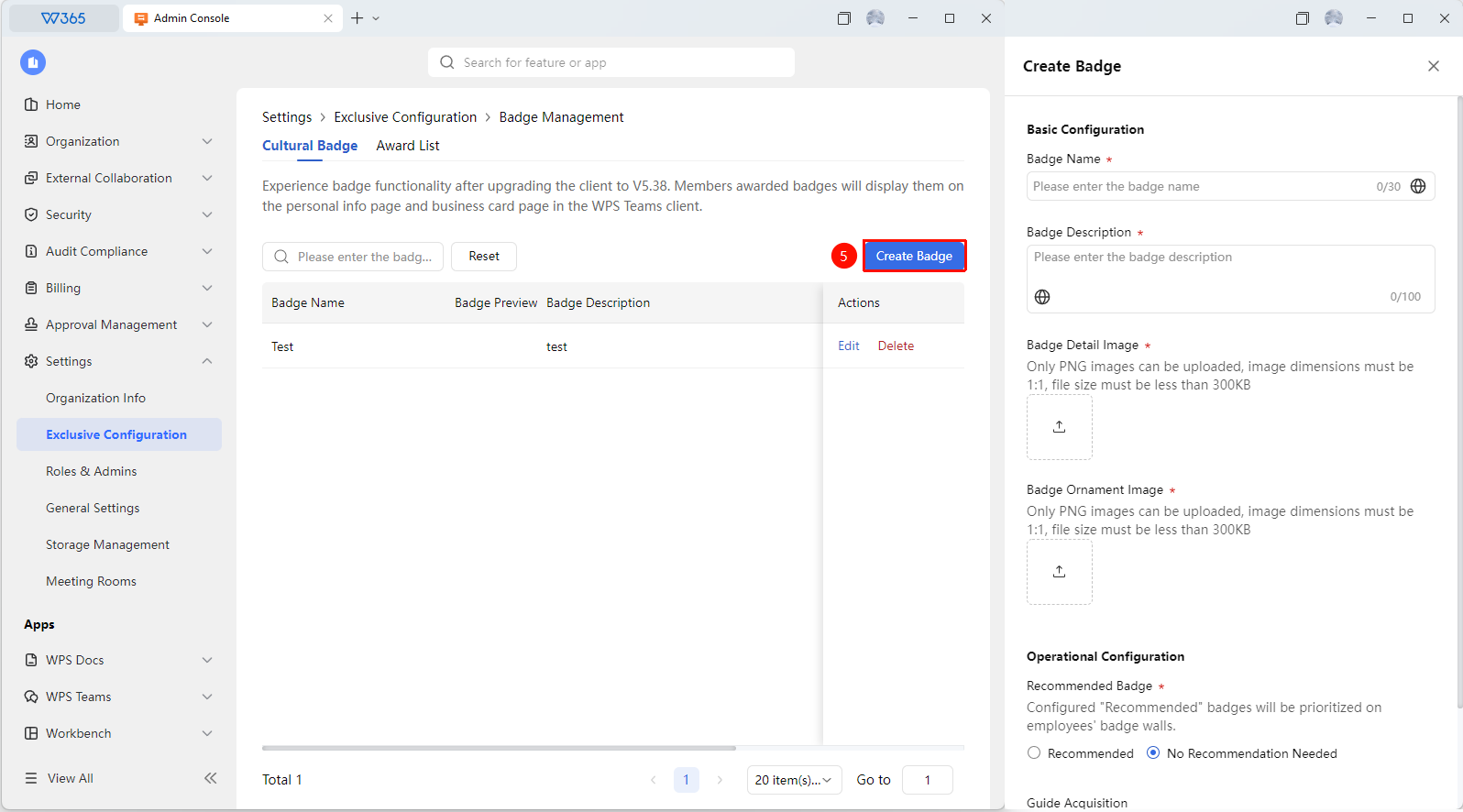
Click New Badge to configure specific details:
- Badge Name
- Badge Description: Add description content for the badge.
- Badge Detail Image: Add the badge detail image.
- Badge Pendant Image: Add the badge pendant image.
- Recommended Badge: Configured "recommended" badges will be displayed preferentially on the employee's badge wall.
- Acquisition Guide: Guide employees to obtain the badge.
Click Save to apply the changes.

Grant Badges
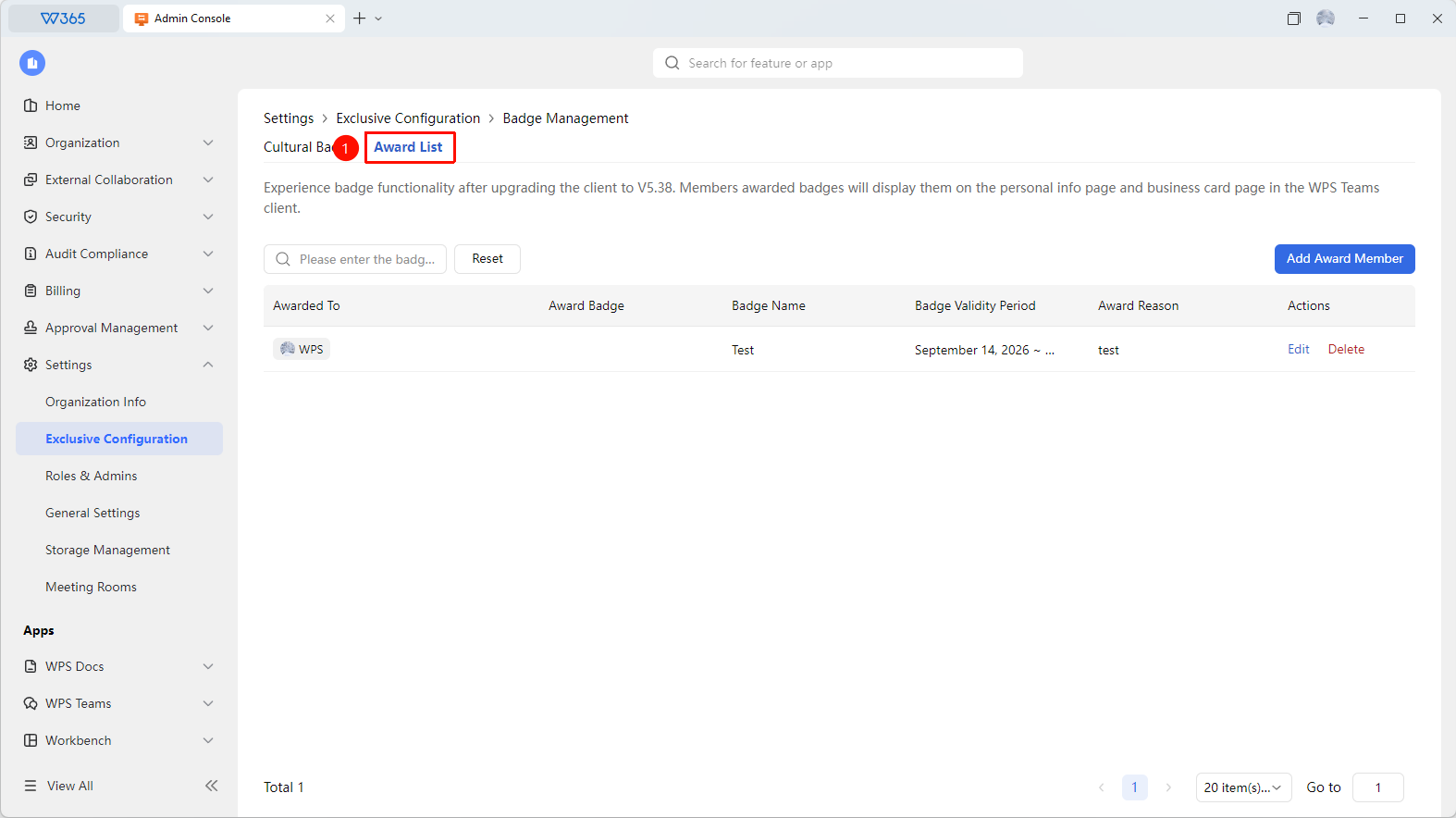
Feature Entry: Badge Management > Recipient List
- Click Recipient List at the top of the Badge Management interface.
- You can query the badge granting status and Add Recipients.
FAQs
Q1: Can badges be granted to multiple members in batches?
- Solution: Yes. After selecting the target badge on the Badge Management page, click Add Recipients to select multiple members/departments to grant in batches. This is suitable for scenarios such as outstanding employee selection and quarterly commendations.
Q2: Can members see which badges they have obtained?
- Solution: Yes. Upgrade the WPS Teams client to V5.38 to experience the badge feature. Members who are granted badges will have their badges displayed on their personal information page and business card page within the WPS Teams client.
Q3: Can badges be modified or deleted after creation?
- Solution: You can modify the name, icon, and description. However, if a granted badge is deleted, it will also be removed from the recipient's profile. Proceed with caution.
Notes
- It is recommended to keep badge names short and easy to understand.
- We recommend establishing clear badge granting standards to maintain fairness and justice.
- The badge feature is suitable for internal motivation and corporate culture building.
- You need to upgrade the WPS Teams client to V5.38 to experience the badge feature.