Feature Summary
Add and manage organization Admins, and assign different administrative responsibilities and permissions.
Feature Description
| Feature Dimension | Description |
|---|---|
| Plan Limit | Requires subscribing to an enterprise plan. |
| Version Limit | No version limits. |
Steps
Add an Admin
Feature Entry:
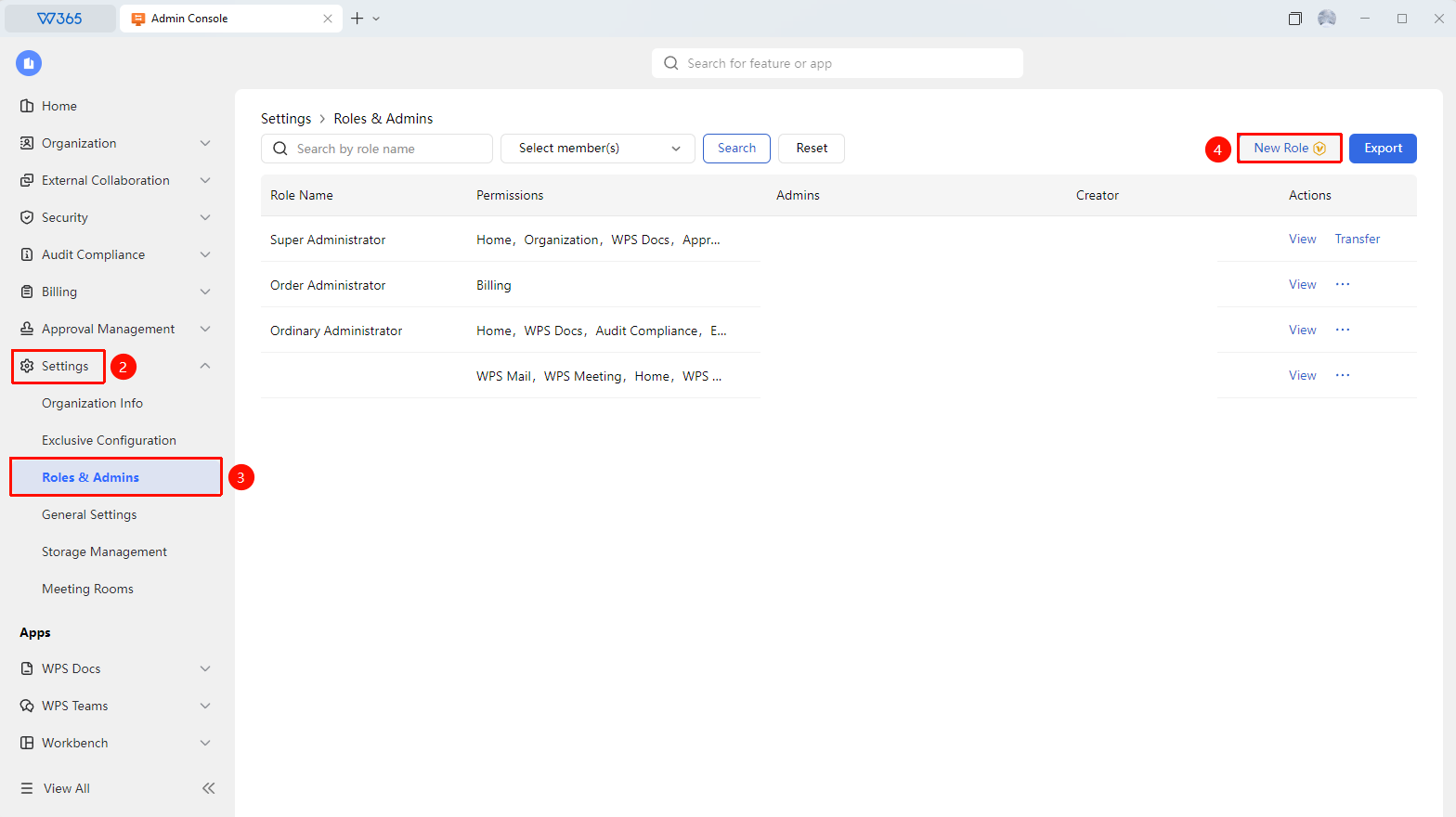
Admin Console > Organization Settings >Roles & Admins > New Role
- Open the WPS 365 client. In the lower-left corner of the homepage, click to enter the Admin Console.
- In the left list, find and click Organization Settings to expand the dropdown list.
- In the dropdown list, click to open ARoles & Admins.
- Click New Role.
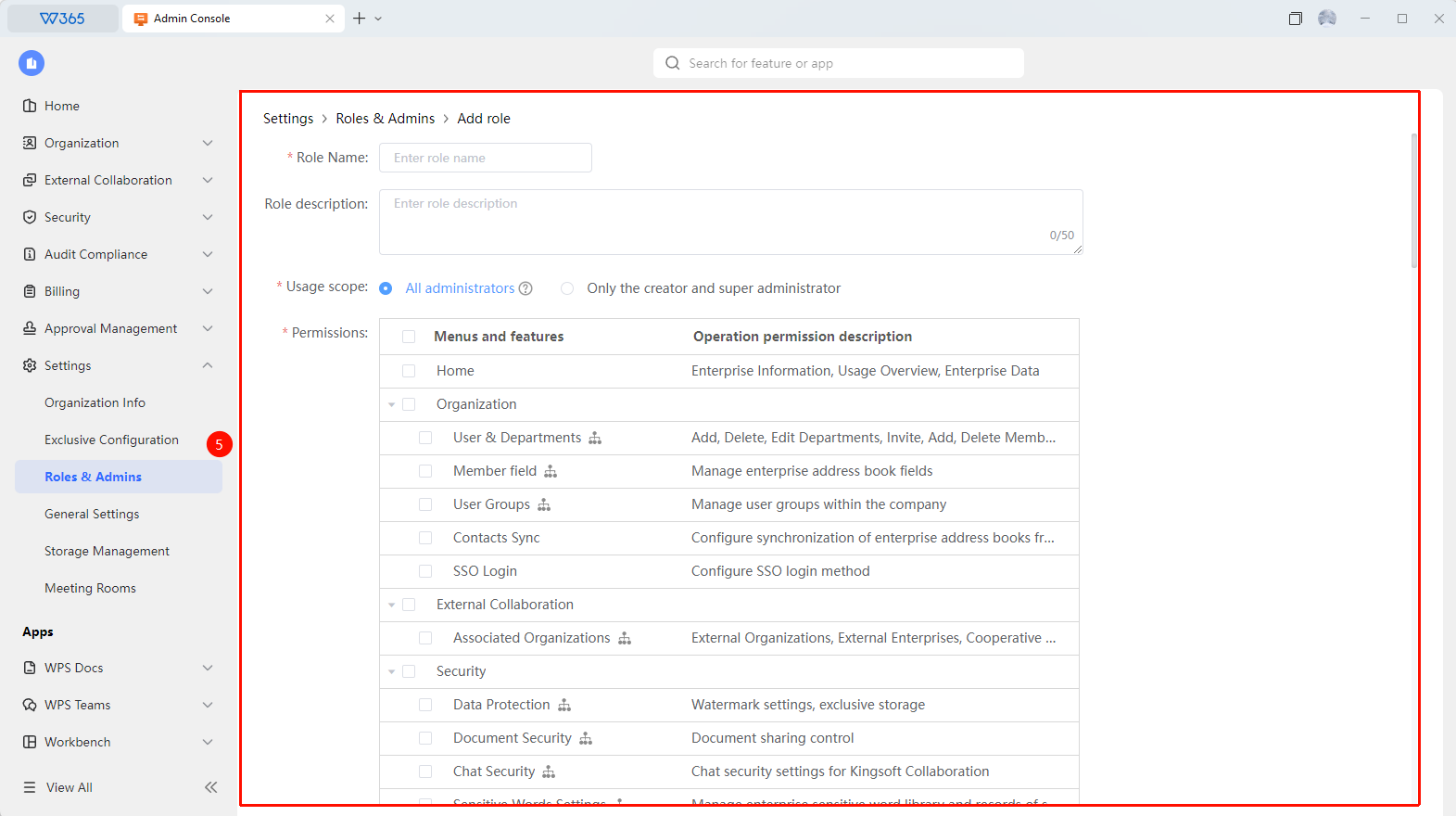
- Select the members to whom you want to grant permissions.
- Select the corresponding administrative permissions.
- Click OK to complete the authorization.

FAQ
Q1: How many Admins can an organization set up?
- Solution: There is no limit on the quantity. You can add multiple Admins based on management needs and assign different administrative permissions to achieve hierarchical management.
Q2: To what level can Admin permissions be subdivided?
- Solution: Fine-grained permission assignment is supported. You can separately control permissions for modules such as Contacts management, security control, document management, storage management, and App management.
Q3: What is the difference between a super Admin and a regular Admin?
- Solution: The super Admin has all administrative permissions and can manage all modules and settings. The permissions of regular Admins are assigned by the super Admin, and they can only operate the authorized modules.
Q4: Can assigned Admin roles be revoked?
- Solution: Yes. The super Admin can delete the Admin in the Admin Console > Admin Permissions.
Notes
- We recommend following the principle of least privilege and only assigning Admins the permissions required for their work.
- Regularly review Admin permissions, and promptly revoke the administrative permissions of members who have resigned or had their positions adjusted.
- We recommend that the super Admin account be managed by two people to avoid single-point risks.