Feature Summary
Once the add-in is enabled, organization members can initiate third-party meetings. Members must sign in to authorize third-party meetings.
Feature Description
| Feature Dimension | Description |
|---|---|
| Plan Limit | No plan limit |
| Version Limit | No version limit |
Steps
Configure Meeting Plugins
Feature Entry
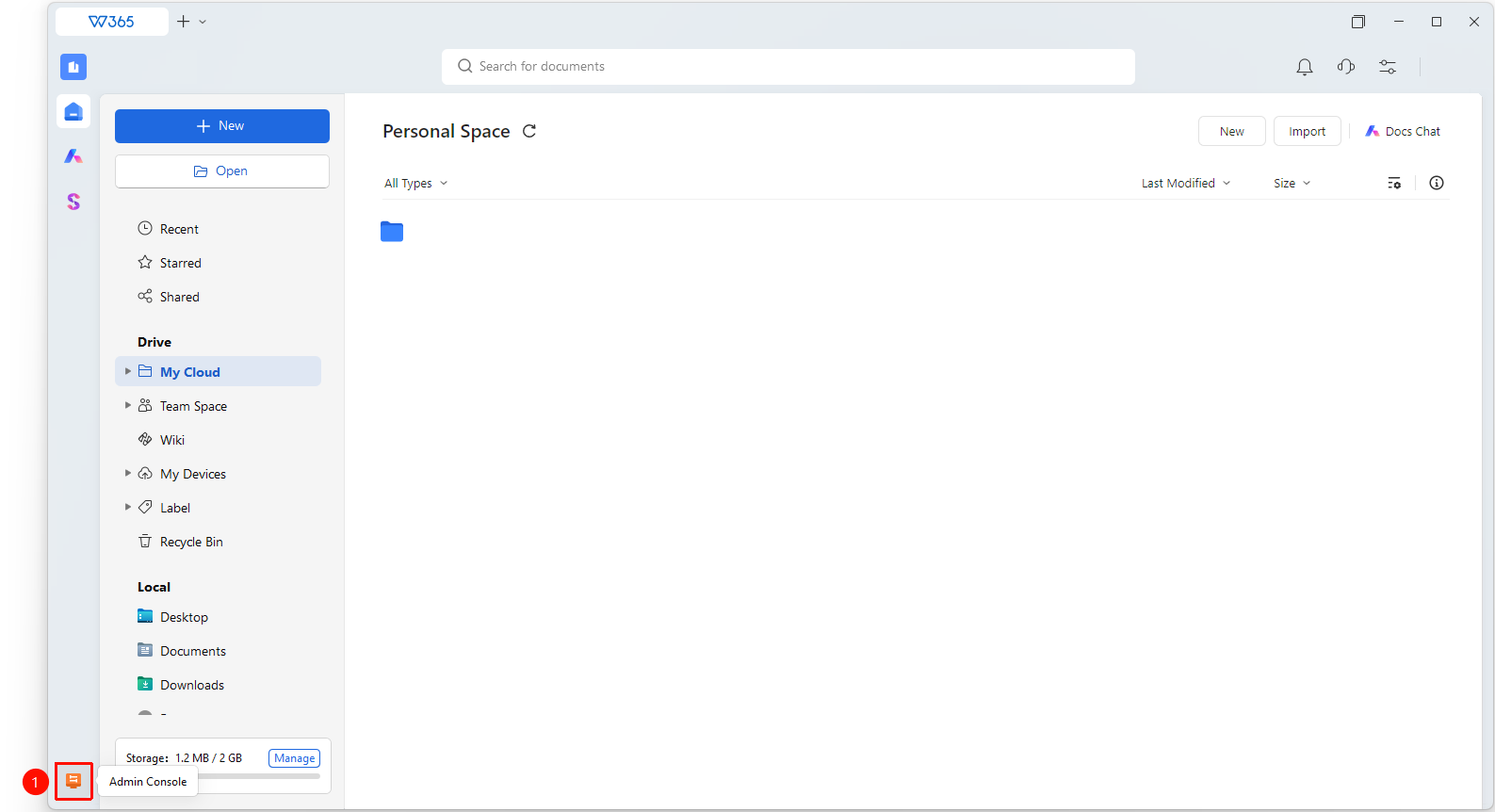
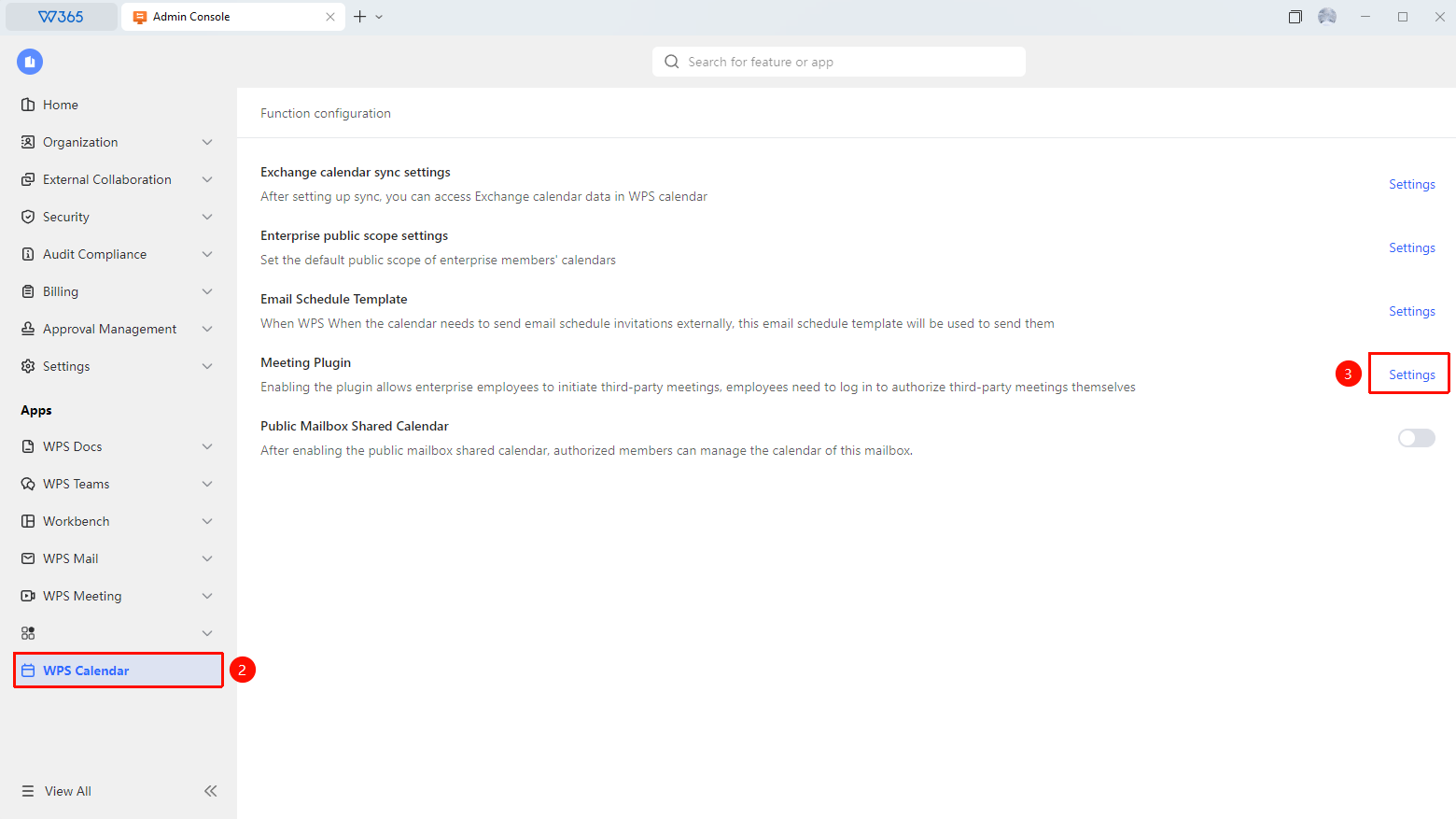
Admin Console > WPS Calendar > Meeting Plugins
- Open the WPS 365 client, and click Admin Console in the lower-left corner of the homepage.
- Click WPS Calendar in the left pane to expand the list.
- Find Meeting Plugins in the list and click Settings.
- Configure third-party Meeting Plugins as needed.
- Click Save to apply the changes.