Feature Summary
AirPage supports adding quotes, which are visually distinct from regular body text, making them ideal for highlighting important content or referencing external materials.
Feature Description
| Feature Dimension | Description |
|---|---|
| Membership Restriction | No membership restriction |
| Version Restriction | No version restriction |
Steps
Insert Quote on Desktop
Feature Entry
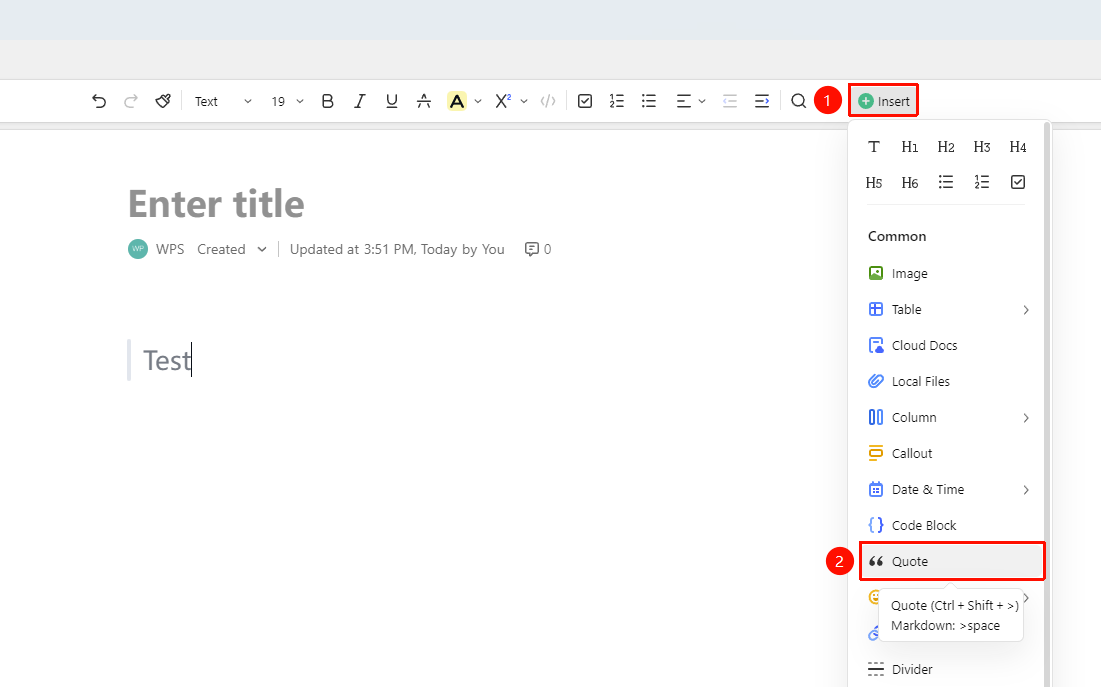
「Insert」tab → 「Quote」
- Place the cursor where you want to insert the quote
- Click the 「Insert」 button in the toolbar
- Select the 「Quote」 option
- Enter text content in the quote block
Using Quick Commands
Feature Entry
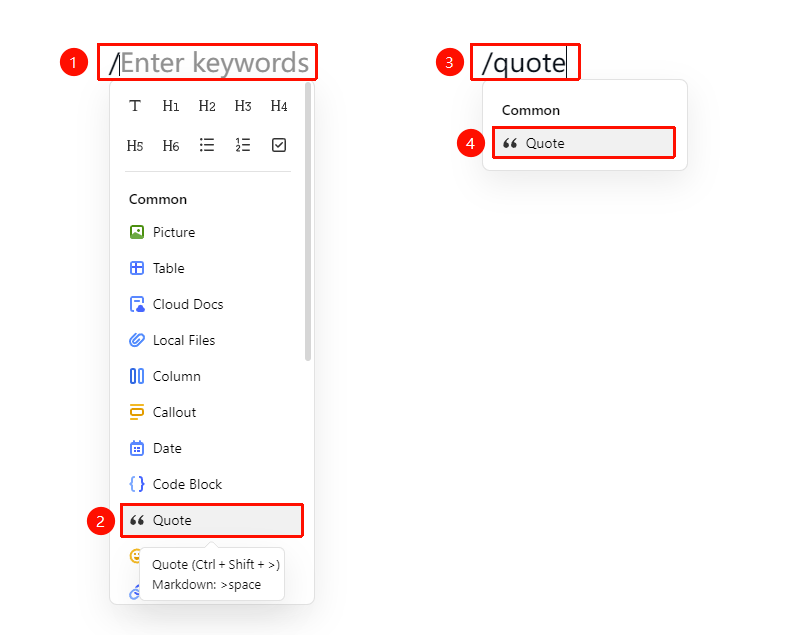
「Paragraph input」→ 「/」→ 「Quote」
- Place the cursor where you want to insert the quote
- Type / to bring up the quick menu,select the quote option to insert
- Or type /quote
- Select the quote option to insert
Using Markdown Syntax
Feature Entry
「Paragraph input」→ 「> + Space」
- Place the cursor where you want to insert the quote
- Type a greater-than sign > at the beginning of the paragraph
- Type a space
- Continue typing the quote content
FAQ
Q1: Can I insert images in a quote block?
- Solution: Currently, quote blocks only support text input and do not support inserting non-text elements such as images.
Q2: How do I exit quote block editing?
- Solution: While editing in a quote block, press the Enter key twice consecutively to exit the quote block.
Notes
- Quote blocks are suitable for highlighting key points or quoted content
- You can adjust the indentation to change the quote level
- Markdown syntax input is faster and more efficient