Feature Summary
AirPage supports inserting and editing formulas. Use LaTeX syntax in the formula editor to edit formulas and preview them in real time.
Feature Description
| Feature Dimension | Description |
|---|---|
| Membership Restriction | No membership restriction |
| Version Restriction | No version restriction |
Steps
Insert Formula from the Ribbon
Feature Entry
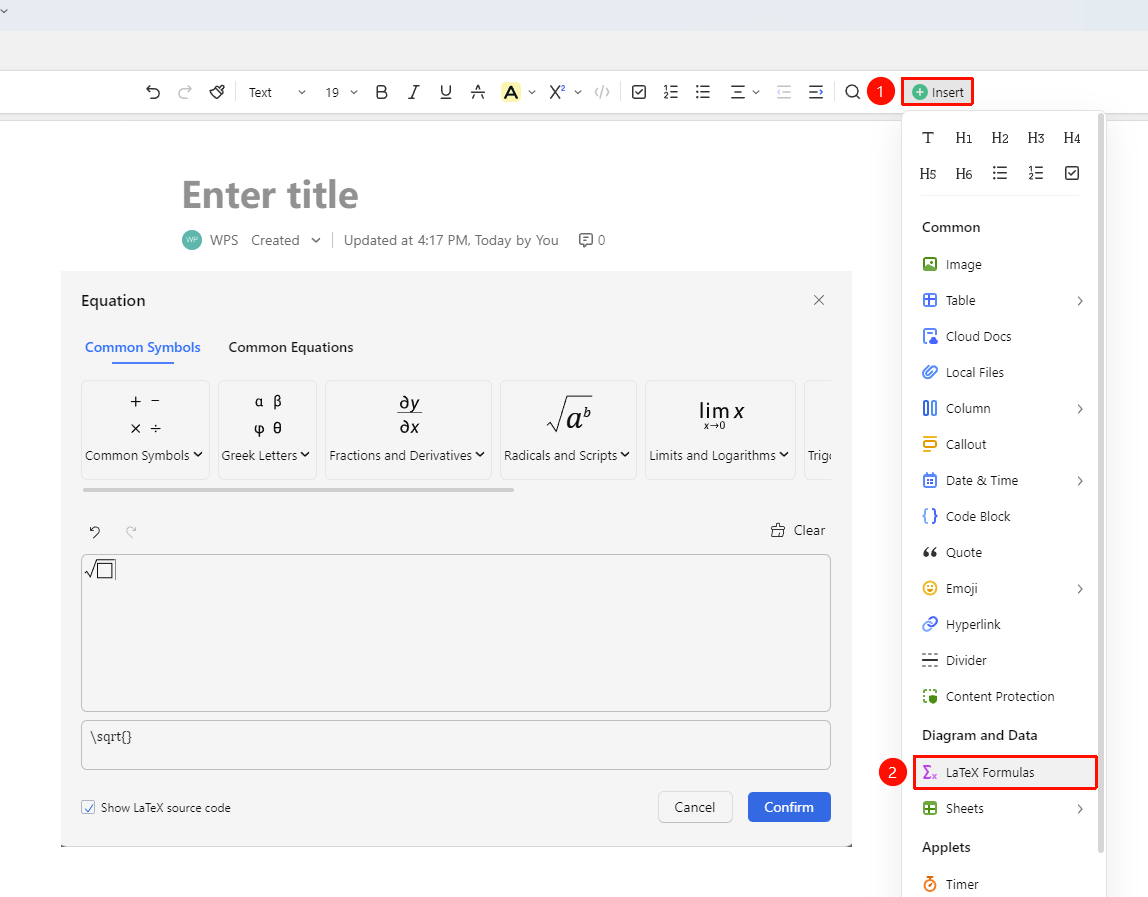
「Insert」 tab → 「Formula」
- Place the cursor where you want to insert the formula
- Click the 「Insert」 button in the ribbon
- Select the 「Formula」 option
- Enter the formula editor
- Edit the formula using LaTeX syntax
- Click Confirm to complete the insertion
Use Quick Commands
Feature Entry
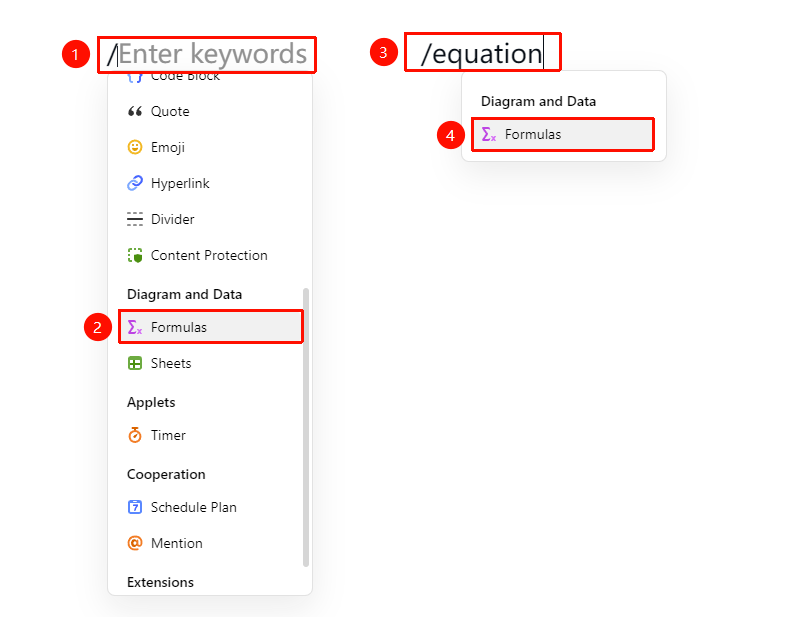
「Paragraph input」 → 「/」 → 「Formula」
- Type / in a paragraph to bring up the quick menu, select the formula option to enter the editor
- Or type /equation
- Select the formula option to enter the editor
Insert Using the + Paragraph Handle
Feature Entry
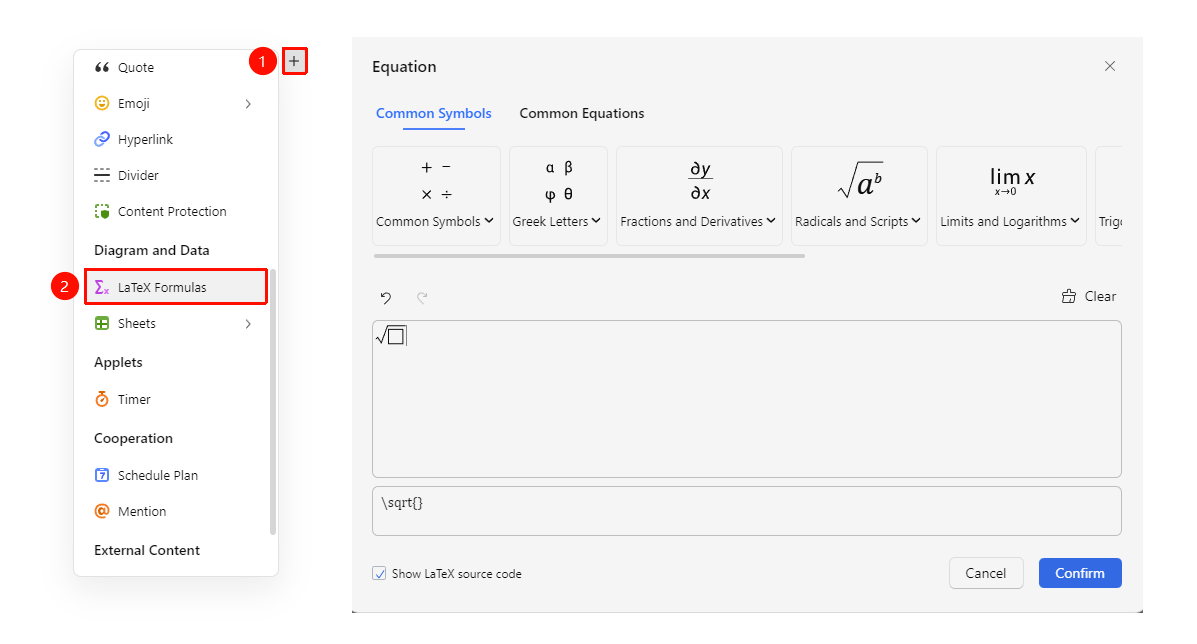
Paragraph left + → 「Formula」
- Place the cursor where you want to insert the formula
- Click the 「+」 paragraph handle on the left side of the page, and find the 「Formula」 option in the dropdown menu
- Click to enter the formula editor
- Edit the formula using LaTeX syntax
- Click Confirm to complete the insertion
Edit an Inserted Formula
Feature Entry
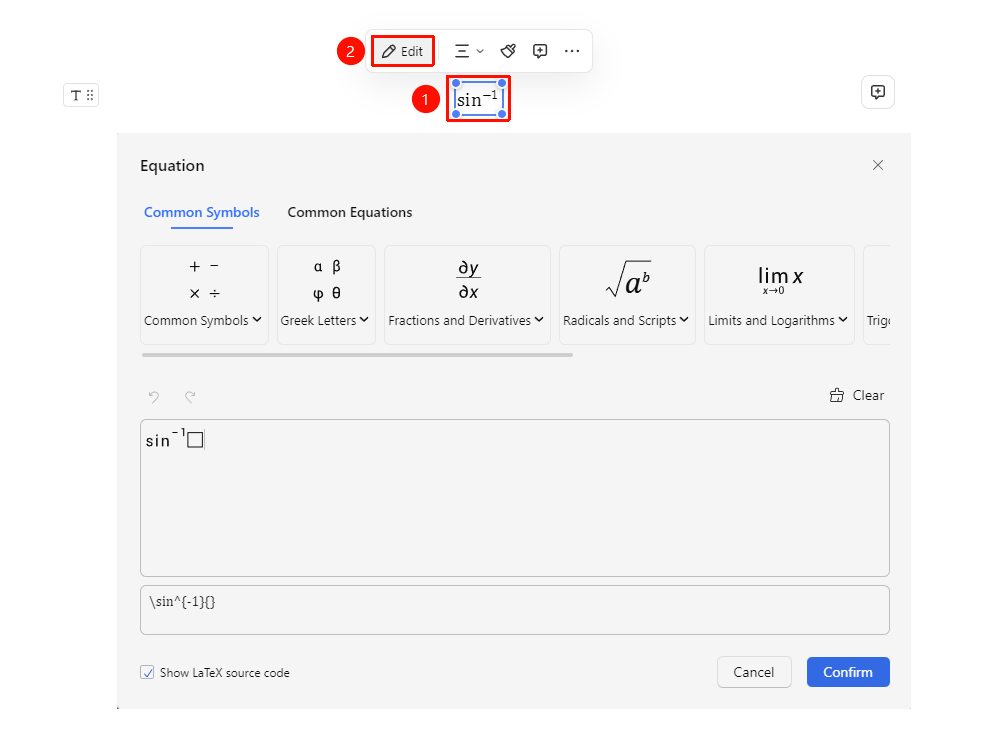
「Select formula」 → 「Floating toolbar」 → 「Edit」
- Select the inserted formula
- Click the 「Edit」 button in the floating toolbar
- Enter the formula editor to make modifications
- Click Confirm to complete the update
FAQ
Q1: What syntax does the formula editor support?
- Solution: It supports standard LaTeX math syntax, allowing you to write various mathematical formulas.
Notes
- The formula editor supports real-time preview
- Supports complex mathematical symbols such as fractions, integrals, and matrices
- Click the Confirm button to save after editing