Feature Summary
When you need to quickly create a direct link to another cloud document in AirPage, the Shortcut feature allows you to insert other cloud documents into the current document as shortcuts. There is no need to copy or move the file itself; you can jump to and open the associated document with one click directly within the document, making it easy to efficiently manage relationships between documents.
Feature Description
| Feature Dimension | Description |
|---|---|
| Membership Restriction | No membership restriction |
| Version Restriction | No version restriction |
Operation Steps
Add a Shortcut via the Menu
Feature Entry
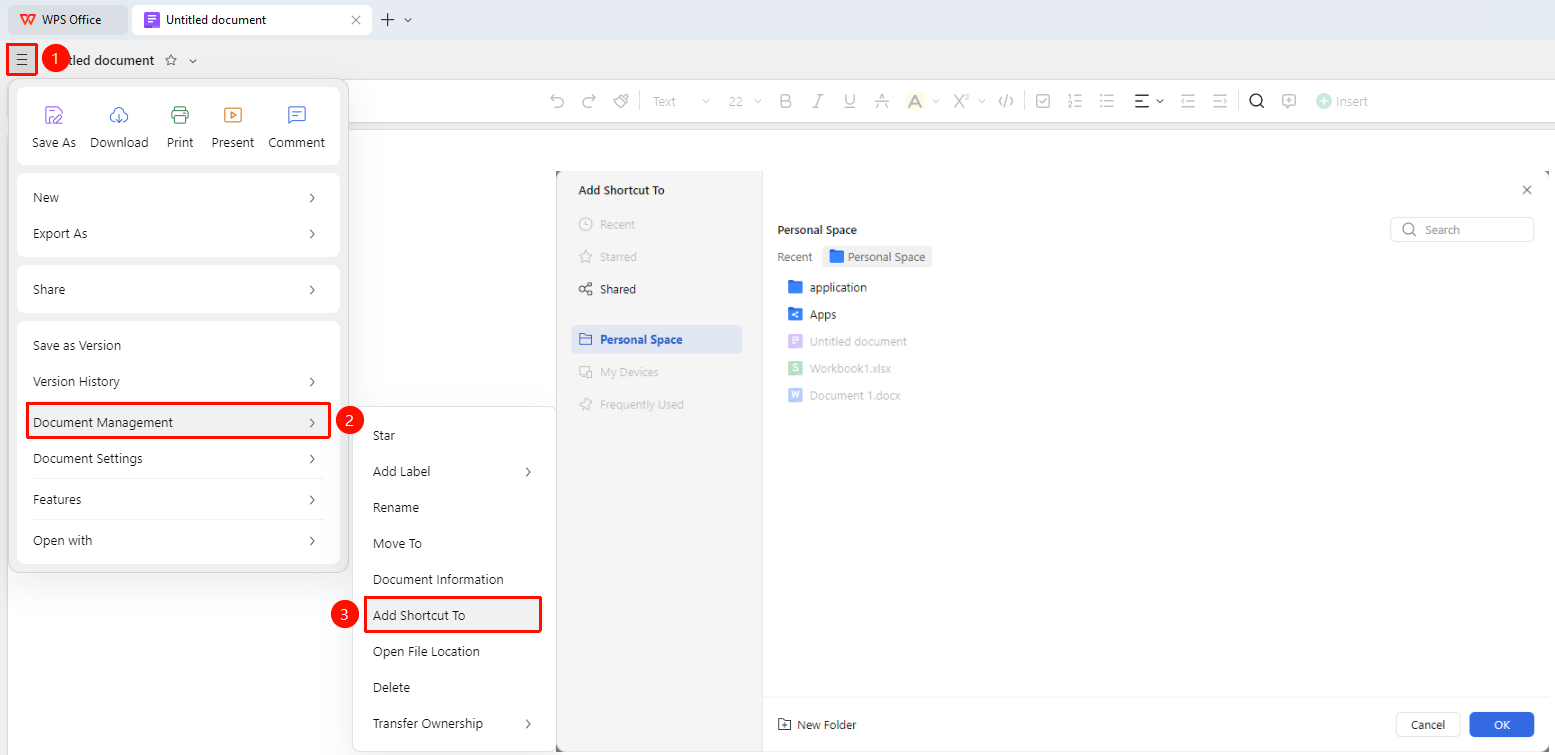
「File Operations」 button (icon is 「≡」) → 「Document Management」 option → 「Add Shortcut」 button
Open any AirPage document
Click the 「File Operations」 button (icon is 「≡」) in the upper left corner
Select 「Document Management」
Find the 「Add Shortcut」 button in the menu
After clicking, select the save path for the shortcut
Click OK to complete adding