Feature Summary
AirPage supports the title area protection feature, which can protect the document title area from being edited, preventing accidental modification of important title information.
Feature Description
| Feature Dimension | Description |
|---|---|
| Membership Restriction | No membership restriction |
| Version Restriction | No version restriction |
Operation Steps
Enabling Title Area Protection
Feature Entry
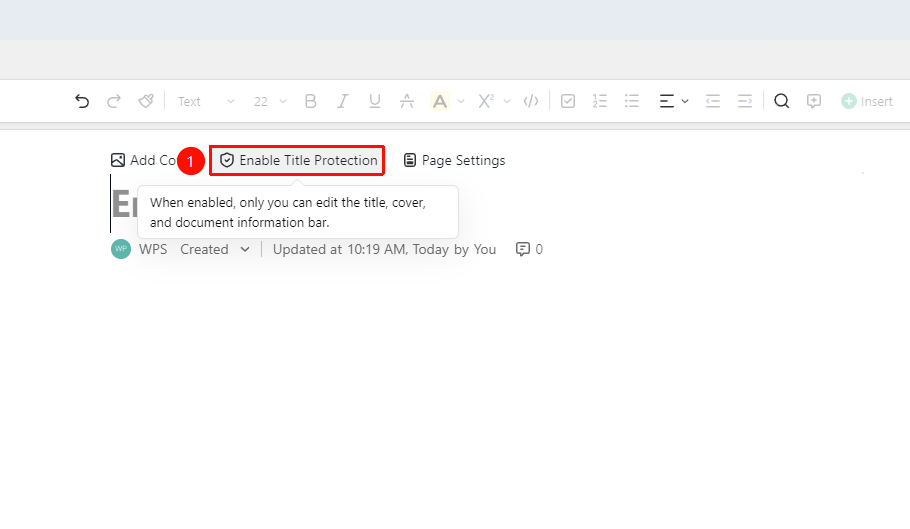
「Document Top」→「Enable Title Area Protection」
- Move the cursor to the title at the top of the document to automatically invoke 「Enable Title Area Protection」button
- Click the 「Enable Title Area Protection」 button
- Enable the title area protection feature
- Click again to cancel title area protection
FAQ
Q1: Does title area protection affect other users?
- Solution: Yes, once enabled, all collaborators cannot edit the title area. Only the document owner can disable the protection to edit.
Notes
- The document owner can enable or disable protection at any time
- During protection, all collaborators cannot modify the title area
- Suitable for protecting titles of important announcements or formal documents