Feature Summary
AirPage supports the Document Information viewing feature. You can quickly view basic information such as creation time, file name, owner, and storage location through the Document Information panel, making it easier to manage document properties.
Feature Description
| Feature Dimension | Description |
|---|---|
| Membership Restriction | No membership restriction |
| Version Restriction | No version restriction |
Steps
View Document Information via the Top-Left Menu
Feature Entry
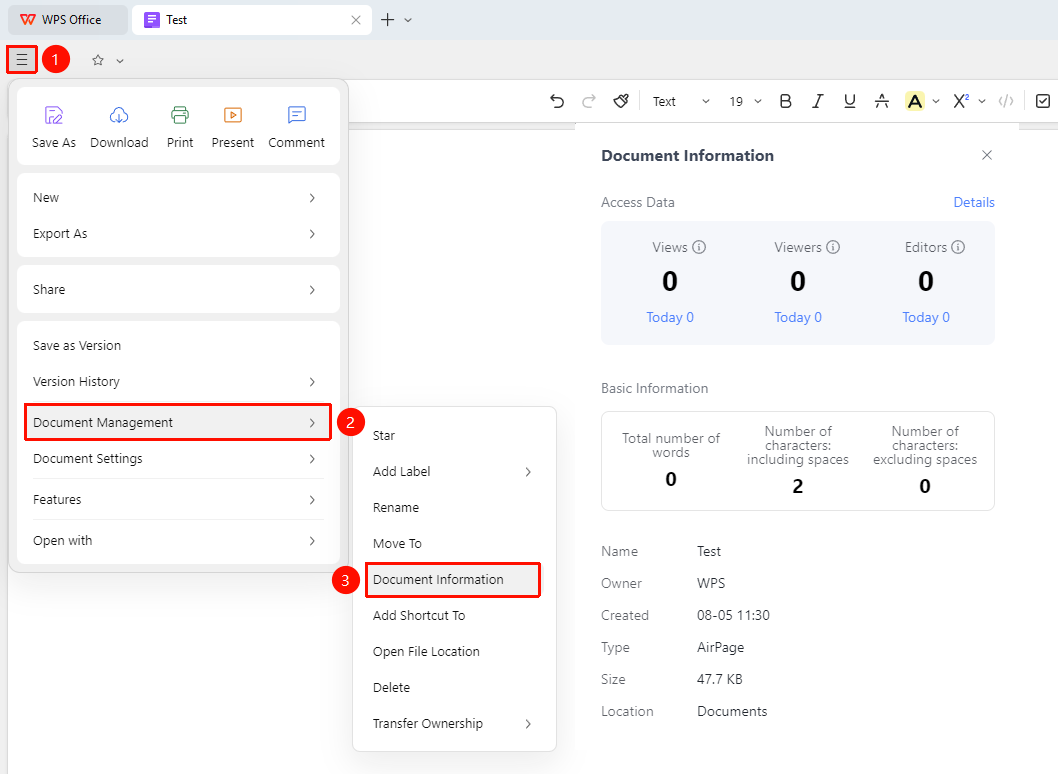
Top-left "☰" File operations button → "Document Management" → "Document Information"
- Open an AirPage Document
- Click the ☰ (three horizontal lines) File operations button in the top-left corner of the document
- Select "Document Management" → "Document Information" from the menu
- You can then view "Access Data" and "Basic Information"
View Document Basic Information
Feature Entry
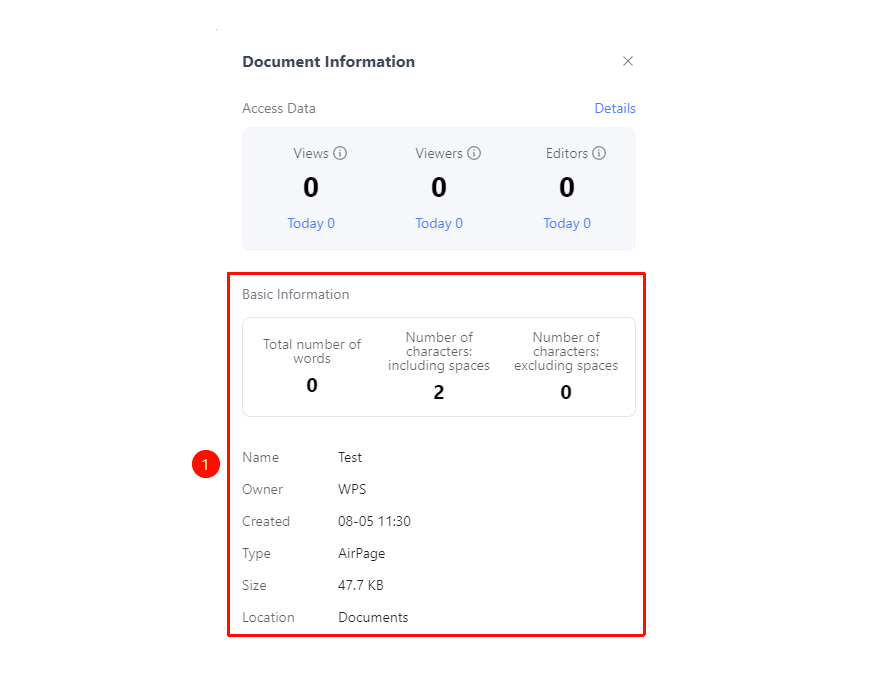
"Document Information Panel" → "Basic Information" tab
- The Document Information panel displays the "Basic Information" tab
- View word count, file name, owner, creation time, document type, document size, storage location, etc.
View Document Access Data
Feature Entry
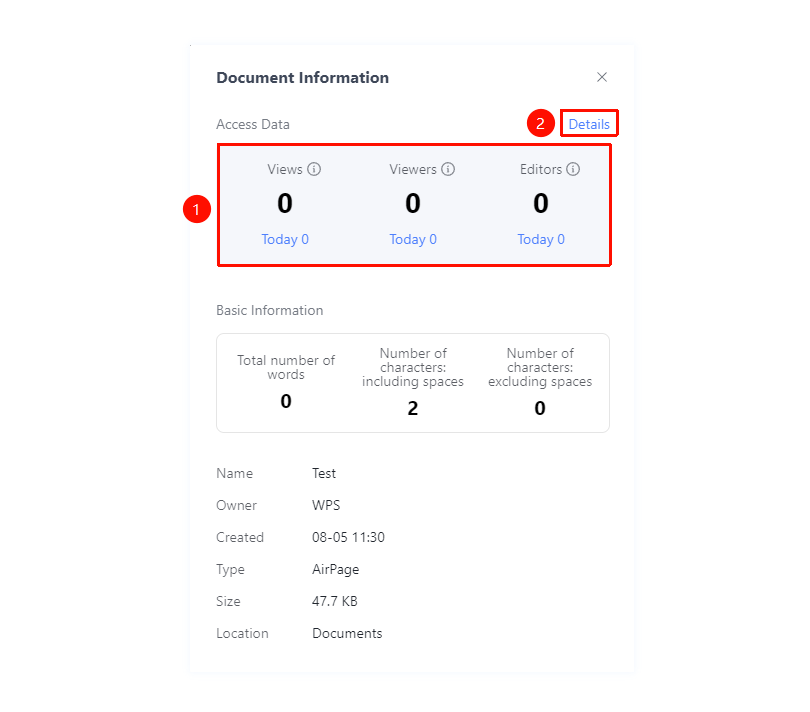
"Document Information Panel" → "Access Data" tab
- View the number of views, viewers, and editors for the current document
- Supports viewing cumulative totals and today's totals
- Click "Details" to export detailed access data
FAQ
Q1: How do I view the document's creation time?
- Solution: Top-left "☰" File operations button → "Document Management" → "Document Information", where you can view the creation time.
Notes
- The Document Information panel retrieves the latest data each time it is opened
- Access data helps you understand the document's popularity
- Data export is supported for further analysis
- In the top-left "☰" File tab → "Document Settings" → "Page Settings", you can choose to show/hide the "Document Information Bar"