Feature Summary
AirPage supports the editor info and attribution marking feature, allowing you to view collaborators' editing contribution ratios and mark content attribution.
Feature Description
| Feature Dimension | Description |
|---|---|
| Membership Restriction | No membership restriction |
| Version Restriction | No version restriction |
Steps
View Editor Info
Feature Entry
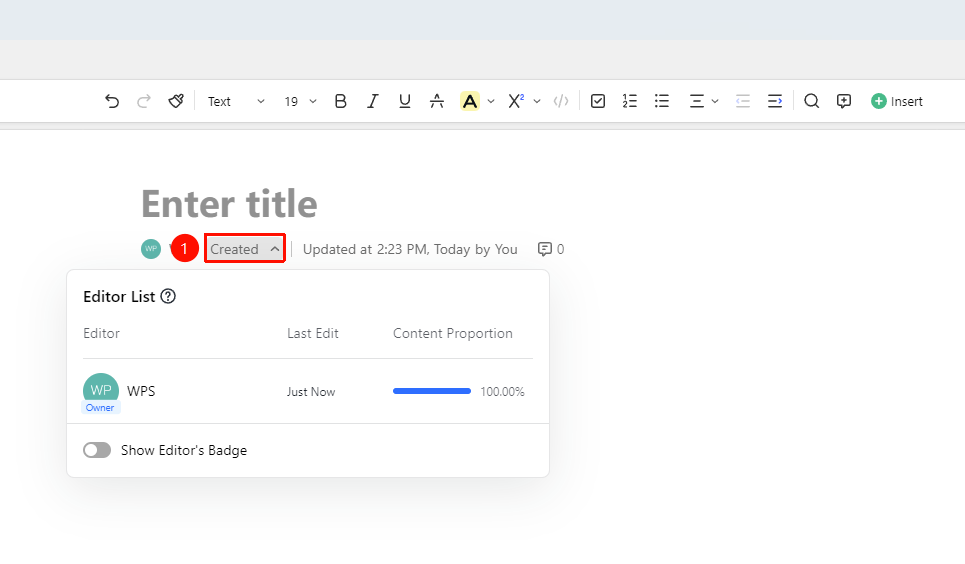
"Under Document Title" → "Editor List"
- Click the 「Editor List」 button below the document title
- Open the "Editor List" panel
- View the editing contribution ratio of all collaborators
- View information such as the last edit time
Enable Attribution Marking
Feature Entry
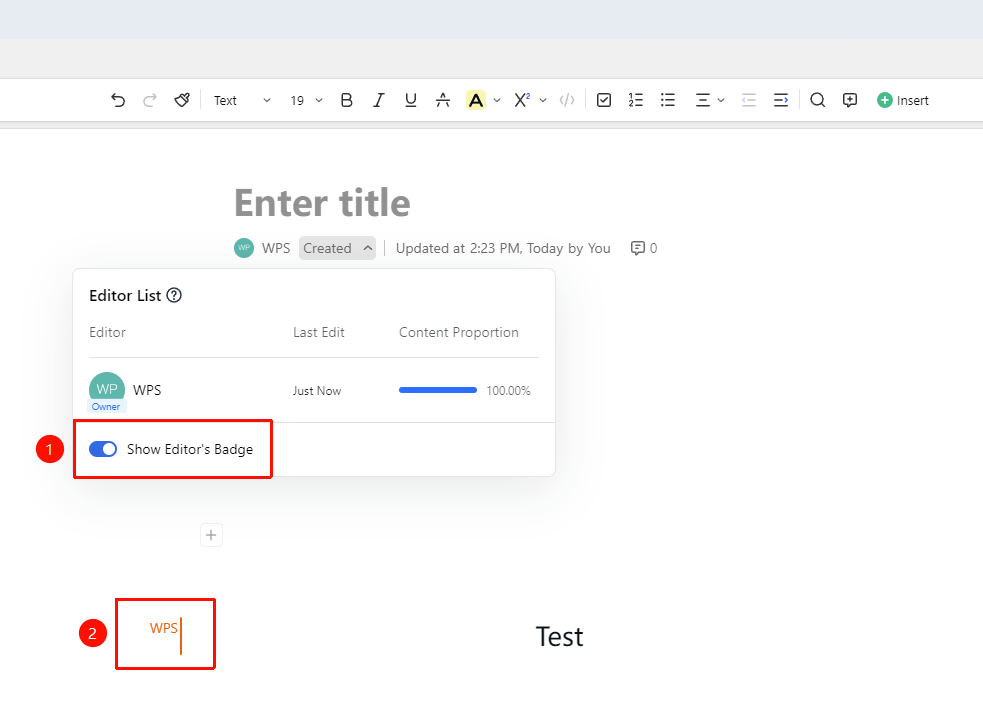
"Editor List" → "Show Editor Markers" → "Enable"
- In the Editor List panel
- Click the "Show Editor Markers" button in the lower left corner
- The document content will display editor marks
- You can identify the editing attribution of content
Disable Attribution Marking
Feature Entry
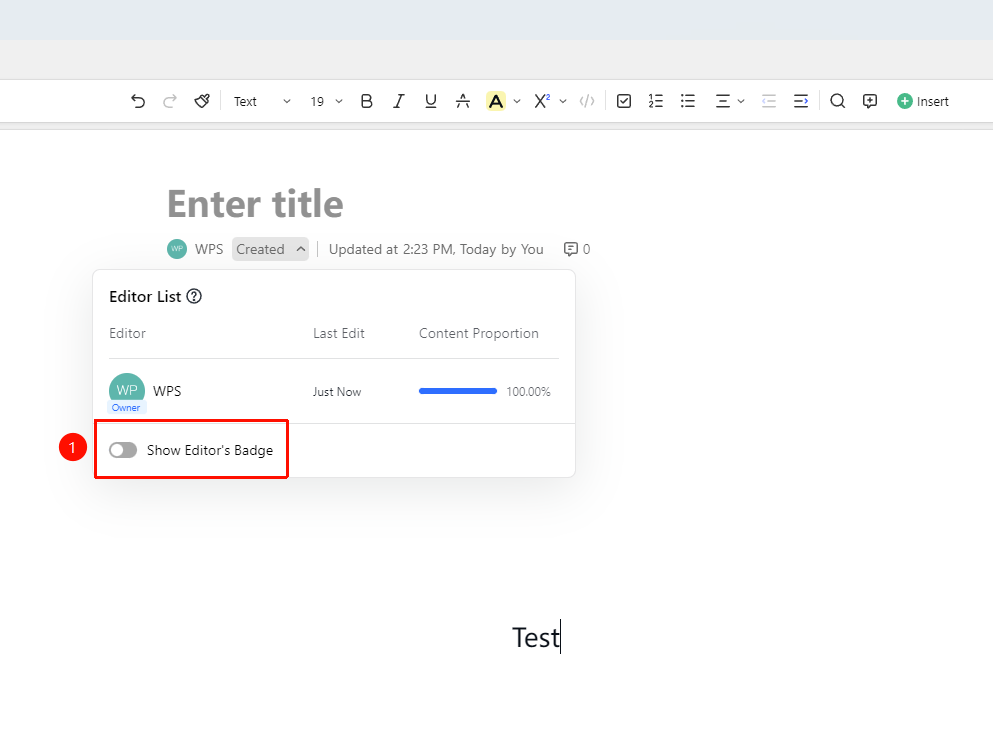
"Editor List" → "Show Editor Markers" → "Disable"
- In the Editor List panel
- Click the "Show Editor Markers" button again
- The document content will no longer display editor markers
- Return to normal Edit Mode
FAQ
Q1: What actions are counted towards editing contributions?
- Solution: Content entered by users (Docs, images, Sheets, etc.) will be counted into the contribution ratio with different character contribution amounts; formatting changes will not be counted.
Q2: Which users can access the contribution statistics panel?
- Solution: Only users with edit permission for the current document can access this panel.
Q3: Editor info not displayed?
- Solution: In the upper left corner "☰" file operations button → "Document Settings" → "Page Settings", check if "Document Info Bar" is turned off, and re-enable it.
Notes
- Attribution marking helps with team collaboration and task division
- Formatting changes are not counted in character contribution statistics
- Editing contribution data updates in real time