Feature Summary
AirPage supports a word count feature, allowing you to view information such as the document's word count and character count in real time, making it easier to manage content length.
Feature Description
| Feature Dimension | Description |
|---|---|
| Membership Restriction | No membership restriction |
| Version Restriction | No version restriction |
Steps
View Word Count
Feature Entry
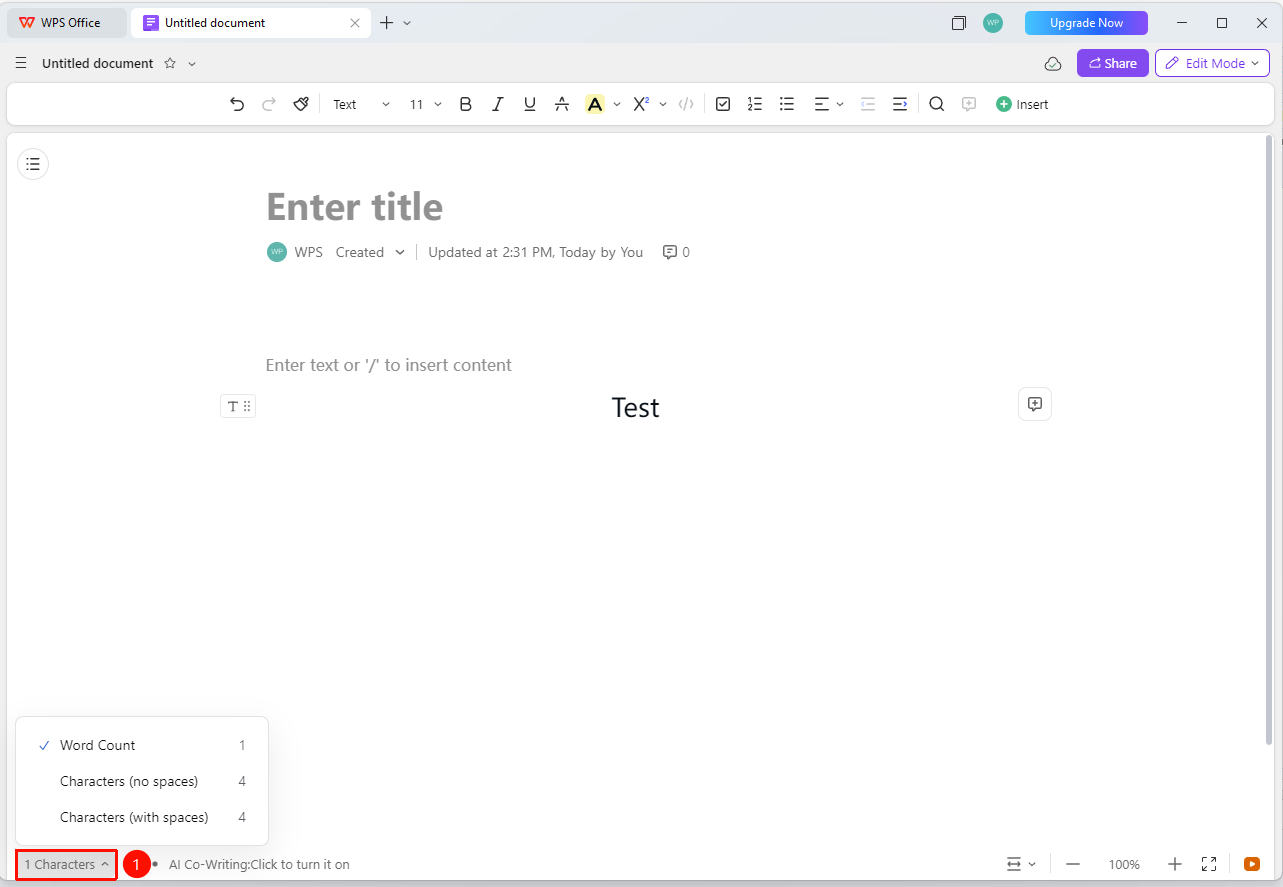
「Bottom Status Bar」→「Word Count Module」
- After opening the document, view the word count module on the far left of the bottom information bar
- The word count information for the entire document is displayed in real time
- Click to view different counting methods
- Supports statistics such as total word count and total character count
Custom Counting Method
Feature Entry
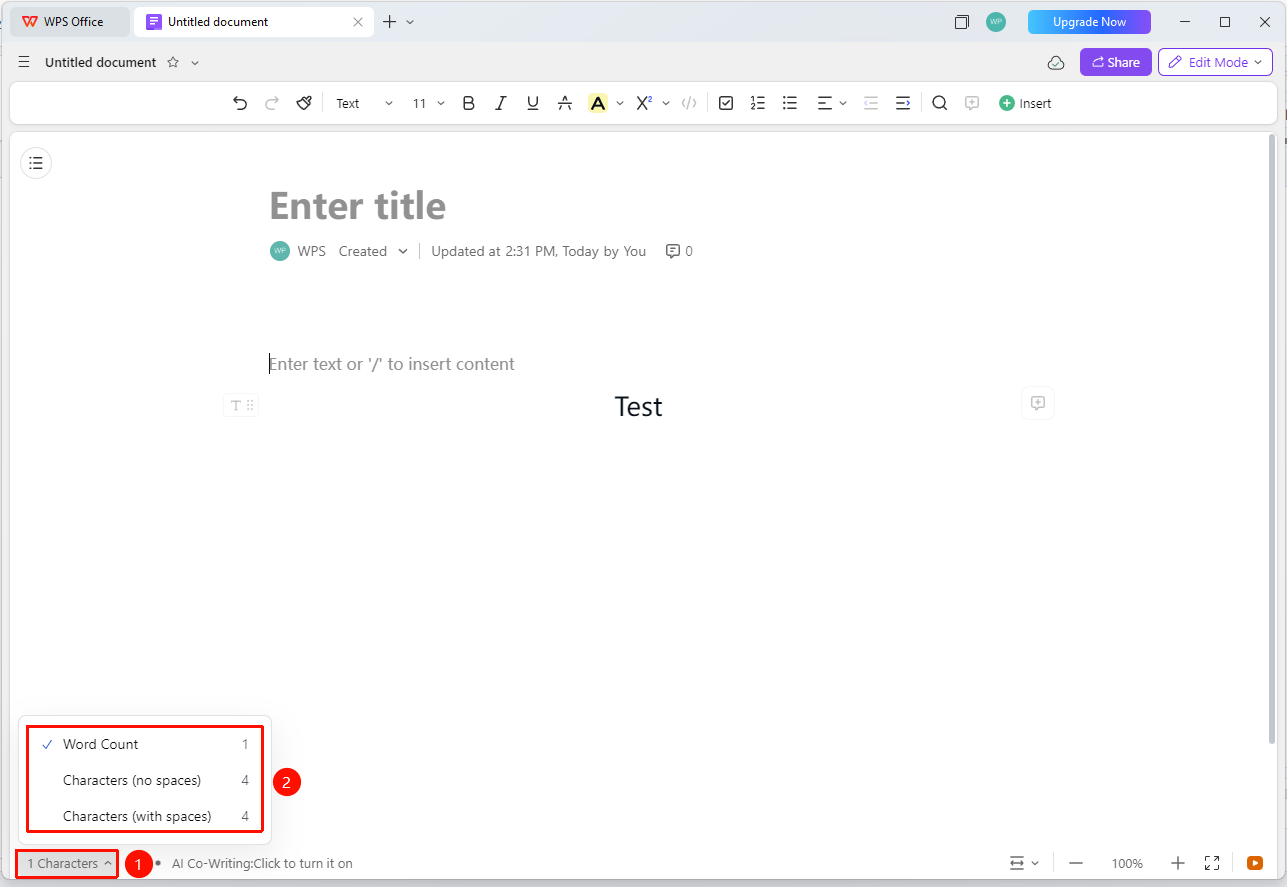
「Click the Word Count Module」→「Select Counting Method」
- Click the word count module in the bottom information bar
- View three counting methods simultaneously: total word count, total character count (with spaces), and total character count (without spaces)
- Click to select as the default method
- The counting method only applies to yourself
FAQ
Q1: After changing the counting method, will others see it?
- Solution: The counting method only applies to yourself. The counting method a user sees will not be affected by other collaborators.
Q2: Are images, sheets, etc. counted in the word count?
- Solution: Only the text content entered in the document (including the document title) is counted. Non-manually entered content such as images, sheets, cloud documents, and contacts is not counted. Non-body content such as highlighted comments and document-level comments is also not counted.
Notes
- Word count updates in real time
- Suitable for scenarios such as drafting speeches, reports, or papers
- Different counting methods can meet different needs