Feature Summary
When you need to design an attractive cover page for a document, the Document Cover feature supports adding cover elements (such as title, subtitle, author, date, etc.) to the first page of the document, helping to create a professional and standardized document image. It is suitable for the opening page of formal documents such as reports, proposals, and plans.
Feature Description
| Feature Dimension | Description |
|---|---|
| Membership Restriction | No membership restriction |
| Version Restriction | No version restriction |
Operation Steps
Add Document Cover
Feature Entry
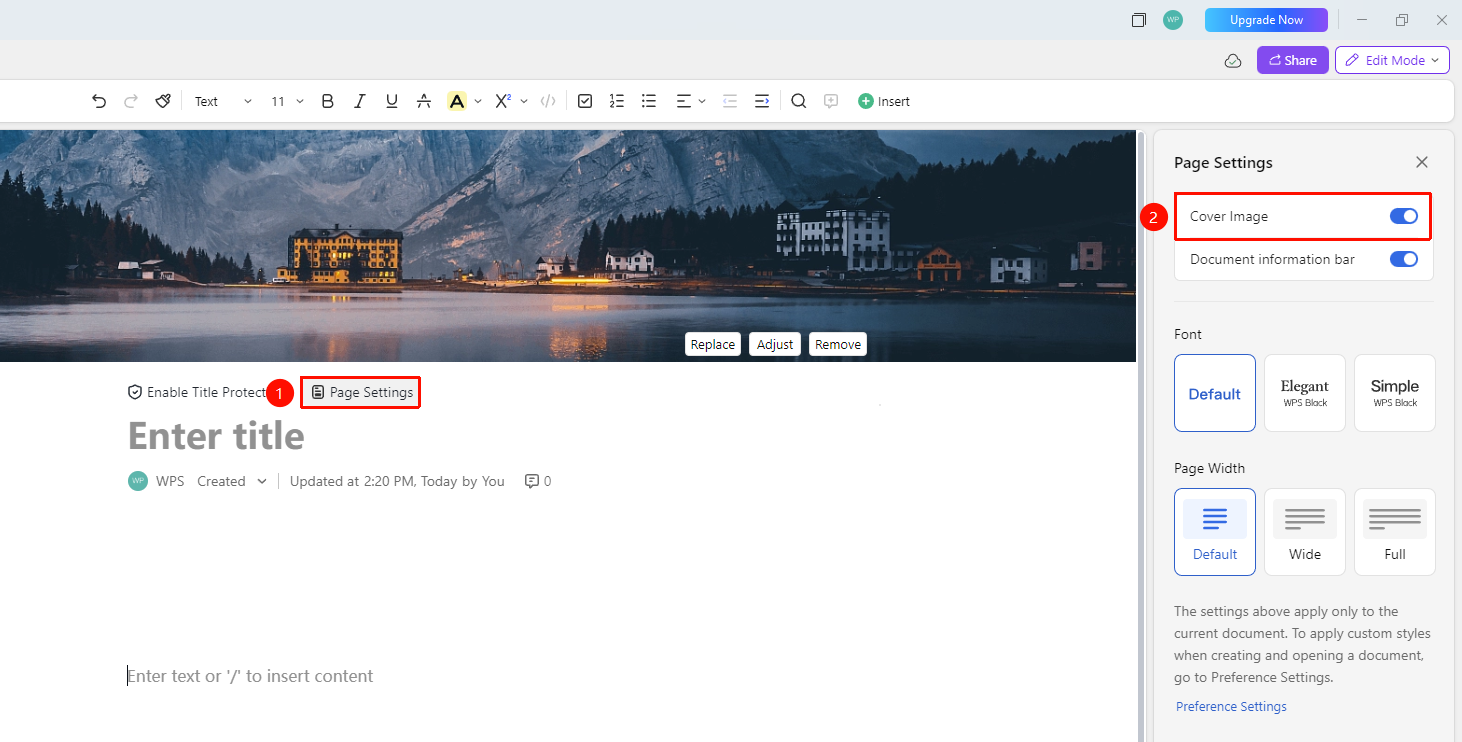
Click above the title → 「Page Setup」 button → 「Cover Image」 toggle
- Open AirPage and position the cursor at the document title location
- Click the 「Page Setup」 menu button at the top
- In the pop-up window, turn on 「Cover Image」
- The cover will be inserted into the first page of the document
Add Document Cover
Feature Entry
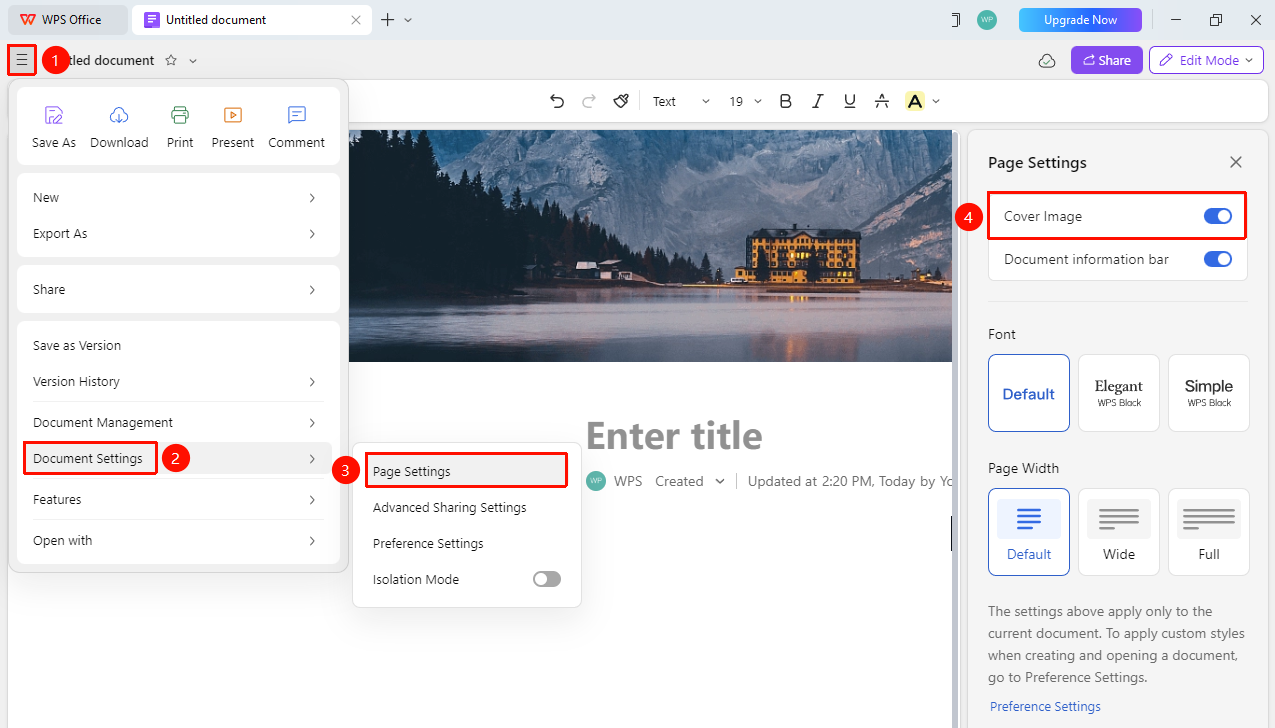
Click the 「File Operations」 tab in the upper left corner (icon is 「≡」) → 「Document Settings」 option → 「Page Setup」 button → 「Cover Image」 toggle
- Open AirPage, click the File tab in the upper left corner (icon is 「≡」)
- Click the Document Settings option
- Click the 「Page Setup」 button
- In the pop-up window, turn on 「Cover Image」
- The cover will be inserted into the first page of the document
FAQ
Q1: Will the cover affect the table of contents and page numbers?
- Solution: The document cover, as an independent content block on the first page, does not affect the generation of the table of contents (the TOC is still automatically generated based on the body headings). Page numbering is independently controlled according to document settings, and the cover page is usually not counted in the page numbers.
Notes
- The cover is usually inserted on the first page of the document to display basic document information
- After insertion, the cover content can be modified through direct editing
- It is recommended to insert the cover after the document is completed to avoid affecting operations during the editing process