Feature Summary
AirPage supports the page setup feature, allowing you to adjust the document page cover, Docs style, page width, and more to meet various layout needs.
Feature Description
| Feature Dimension | Description |
|---|---|
| Membership Restriction | No membership restriction |
| Version Restriction | No version restriction |
Steps
Open Page Setup
Feature Entry
「File Operations」 tab → 「Document Settings」 → 「Page Setup」
- Click the 「File Operations」 tab in the upper left corner of the document
- Select 「Document Settings」
- Click the 「Page Setup」 option
- Open the page setup panel
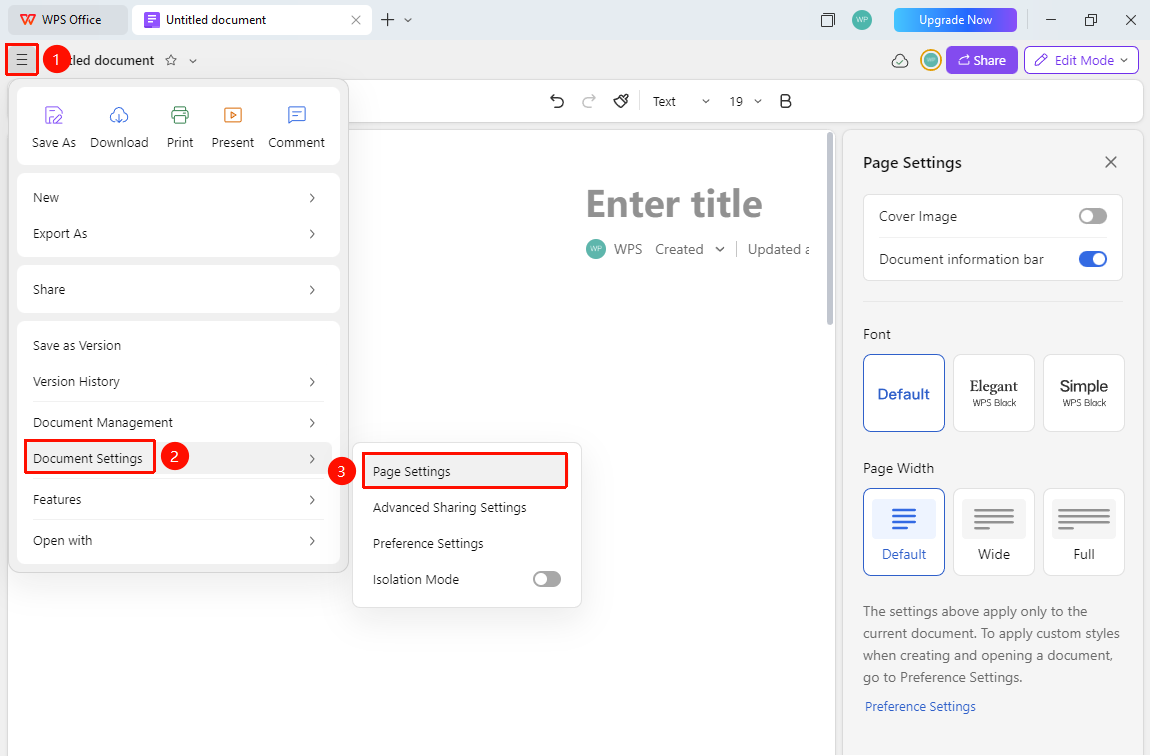
Page Setup Options
Feature Entry
Page setup panel on the right side of the screen
The following settings can be configured in the page setup panel
- Cover Image: Whether to display the document cover image
- Document Info Bar: Whether to display document information
- Docs Style: Change the font style in the document
- Page Width: Choose Standard/Wider/Full width
- Personal Preferences: Jump to personal preference settings
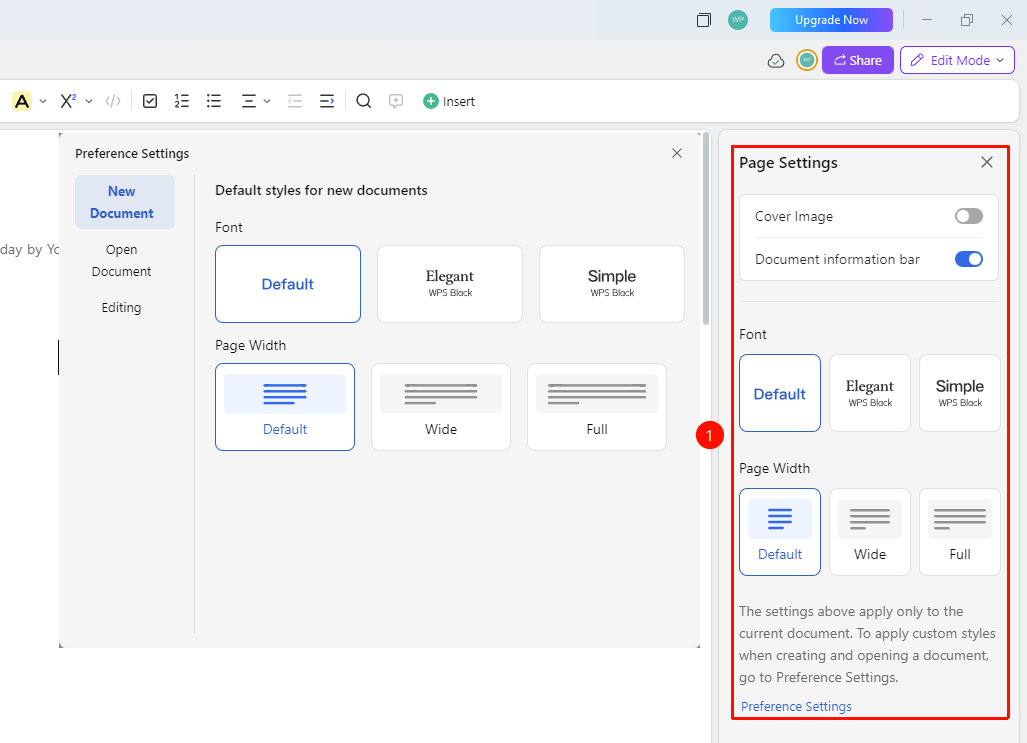
FAQ
Q1: Will page setup affect other users?
- Solution: Yes, page setup is a document-level setting, and all collaborators will see the same page layout.
Q2: Can I set different paper sizes?
- Solution: Currently, AirPage is optimized for screen display and does not support traditional paper size settings.
Notes
- Page setup is suitable for adjusting the overall document layout
- It is recommended to set page parameters before editing content
- Page setup will be saved along with the document