Feature Summary
AirPage supports the comment feature, allowing users to annotate document content for easier collaborative discussion and content feedback.
Feature Description
| Feature Dimension | Description |
|---|---|
| Membership Restriction | No membership restriction |
| Version Restriction | No version restriction |
| Shortcut | Ctrl + Alt + M |
Steps
Add a Comment
Feature Entry
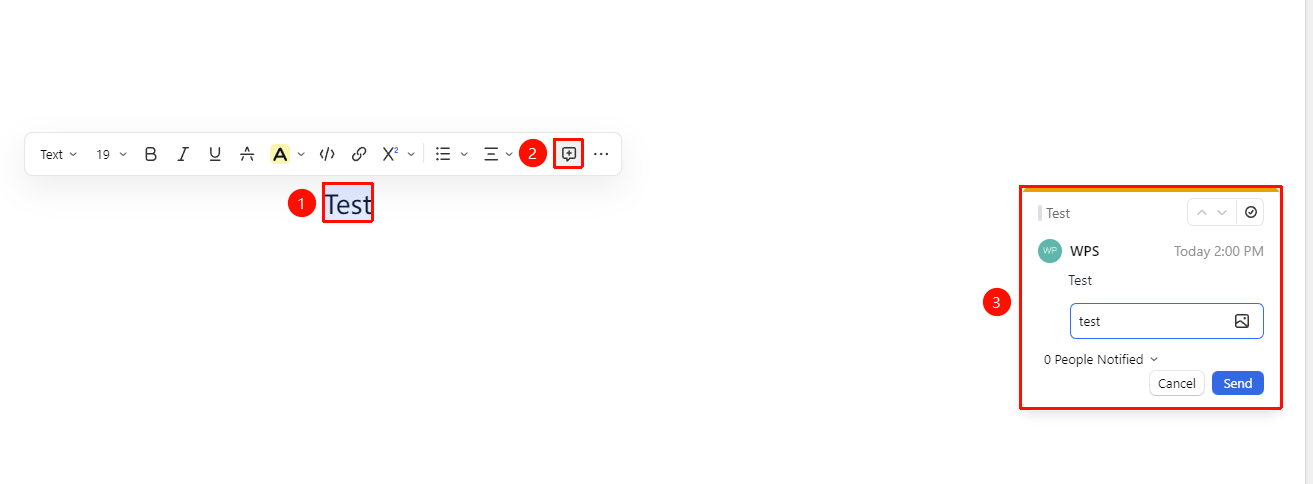
「Select text」→「Floating toolbar」→「Comment」
- Select the text content you want to comment on
- Click the 「Comment」 button in the floating toolbar
- Enter the comment content and select the notification recipient
- Click send to complete the comment; the target user will receive a notification
Shortcut: Ctrl + Alt + M
Reply to a Comment
Feature Entry
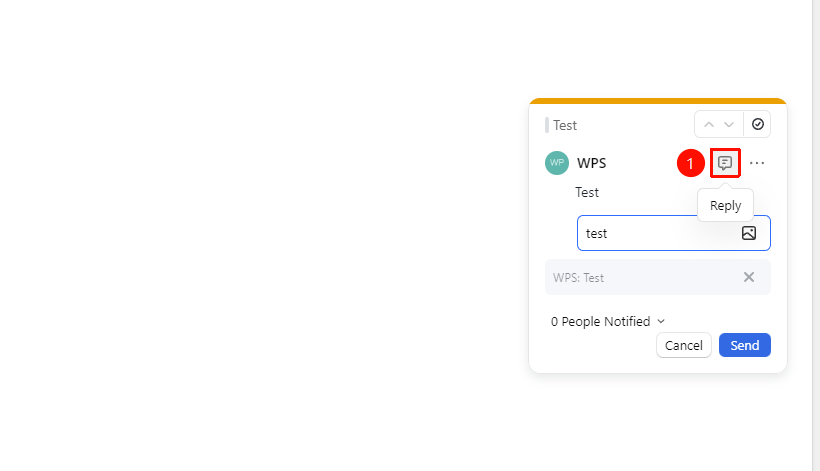
「Click comment」→「Reply input box」→「Enter reply」
- Find the Reply button on existing comment
- Enter the comment content and select the notification recipient
- The user being replied to will receive a notification
Resolve a Comment
Feature Entry
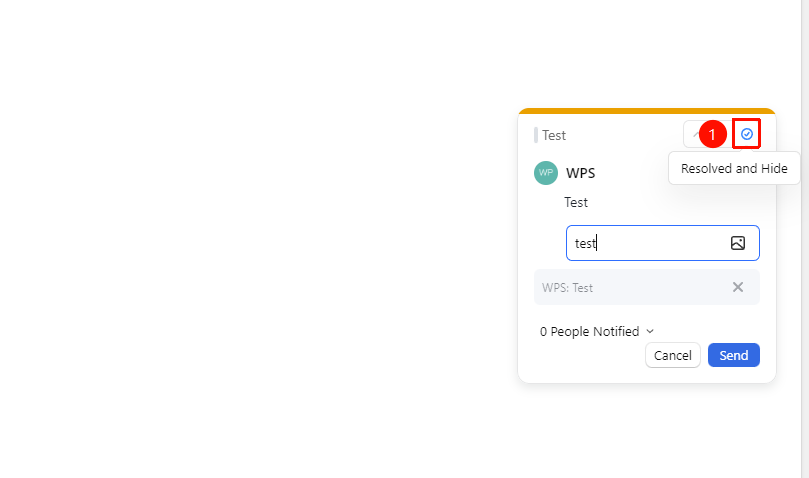
「Click comment」→「Resolve and hide」
- Move the cursor to the comment you want to resolve
- Click the 「Resolve and hide」 button
- The comment will be hidden from the document
More Comment Actions
Feature Entry
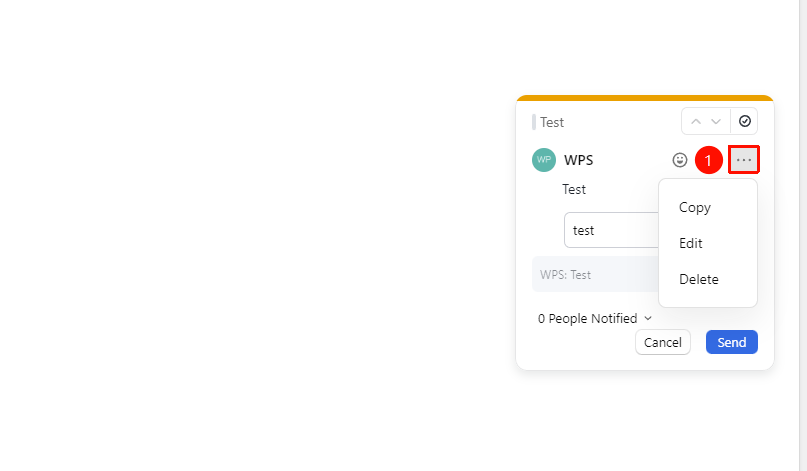
「Click comment」→「More」
- Click the 「More」 option on the comment
- The following options are available:
- Copy: Copy the comment content
- Edit: Re-edit the comment content
- Delete: Delete the comment
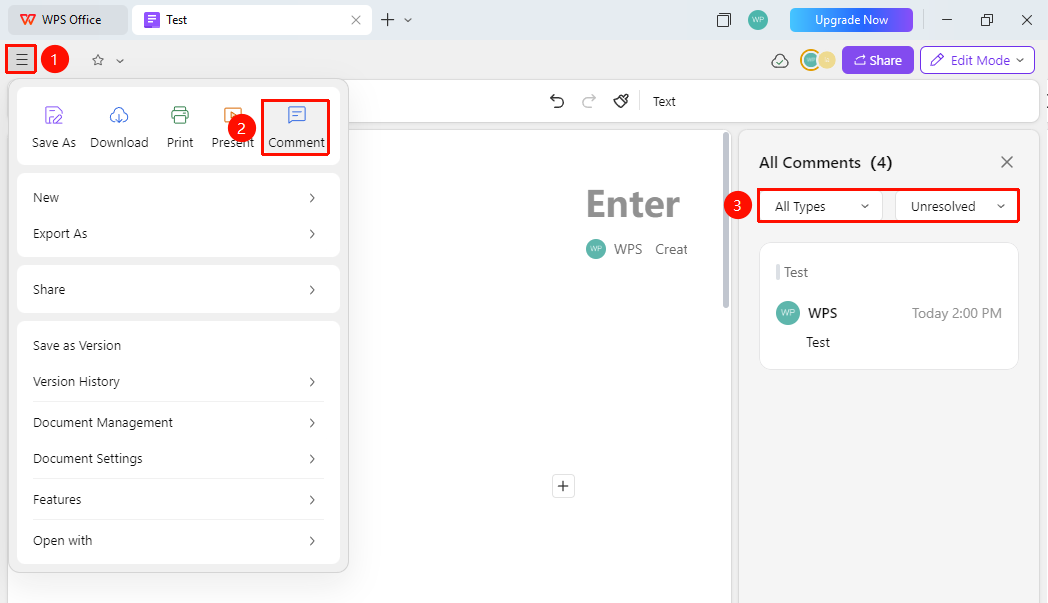
Open the Comment Panel
Feature Entry
「File Operations」button →「Comments」
- Click the 「File Operations」 button in the upper left corner of the document
- Find and click the 「Comments」 option
- The comment panel expands on the right side, allowing you to quickly preview existing document comments
- You can quickly filter by 「Comment Type」 and 「Comment Status」
FAQ
Q1: Who can comment?
- Solution: Any user with viewing permission for the current document can comment.
Q2: How do I delete a comment?
- Solution: The document owner can delete anyone's comments; other users can only delete their own comments.
Notes
- Comment content supports emoji reactions
- Commented text will be highlighted
- Comments will be pushed in the notification center