Feature Summary
AirPage supports the Follow Document Update feature, allowing users to follow a document and receive notifications when it is updated.
Feature Description
| Feature Dimension | Description |
|---|---|
| Membership Restriction | No membership restriction |
| Version Restriction | No version restriction |
Steps
Follow a Document
Feature Entry
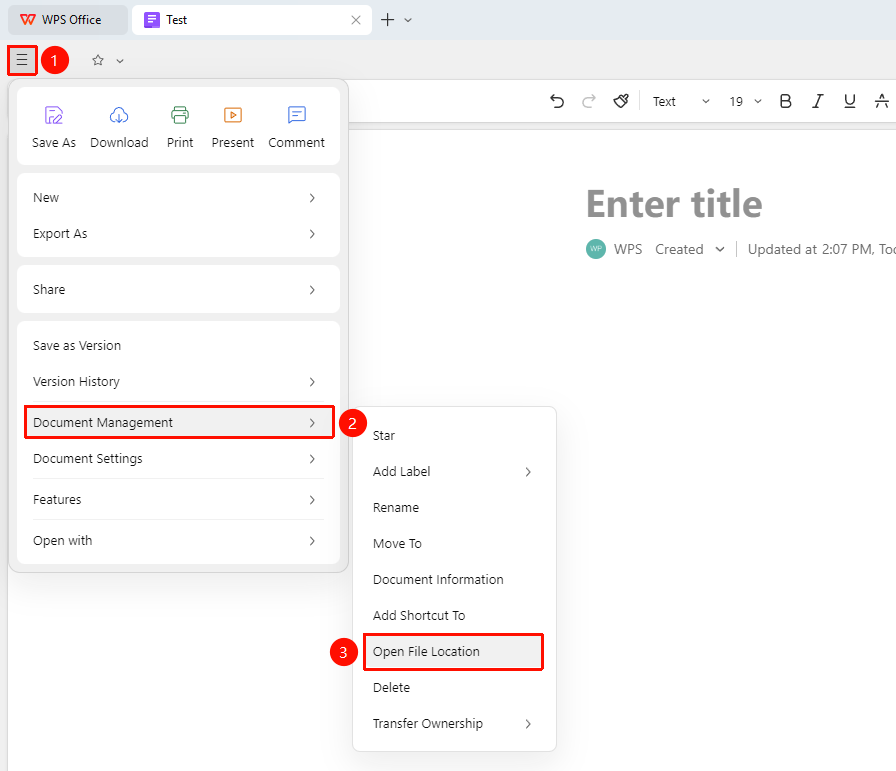
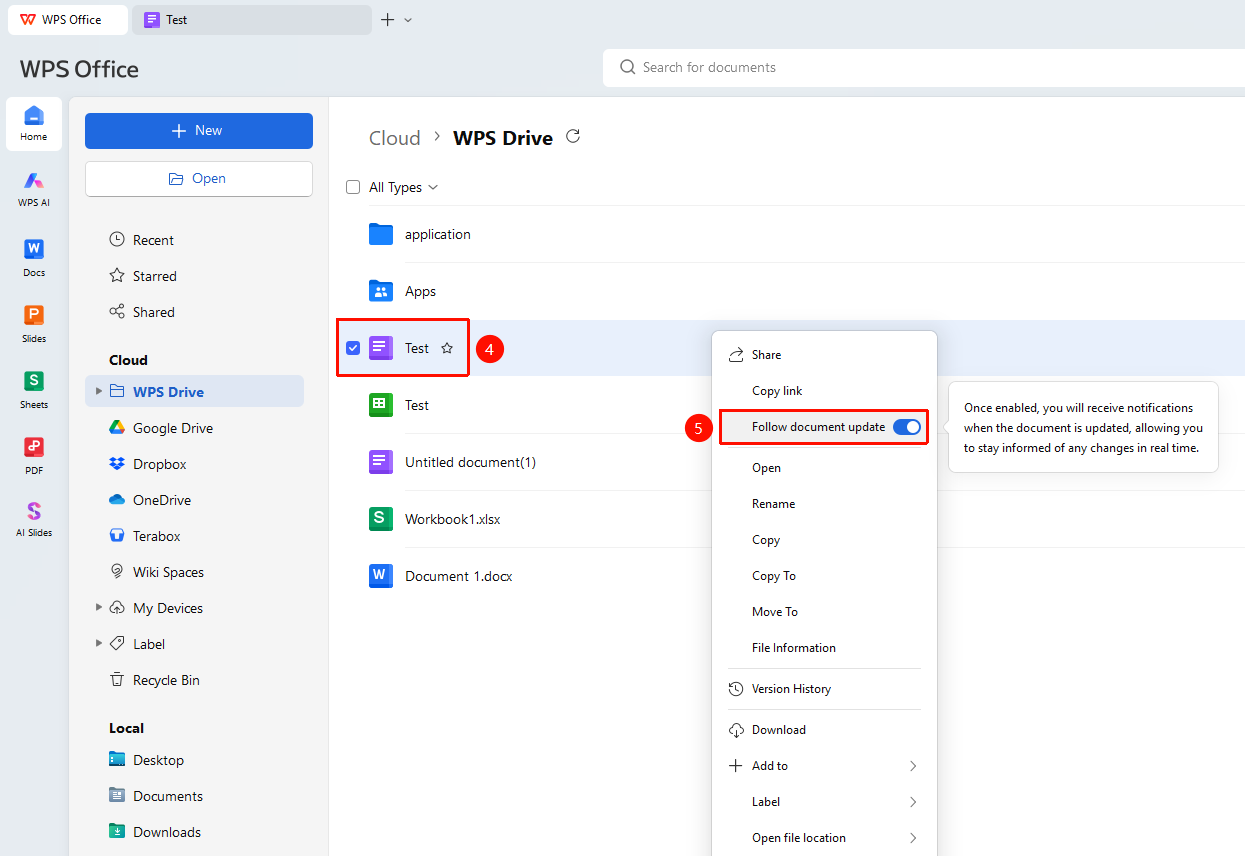
「File operationas」 button → 「Document Management」 → 「Open Document Location」 → 「Follow Document Update」
- Click the 「File operationas」 button in the upper left corner of the document
- In the drop-down menu, click 「Document Management」 → 「Open Document Location」 in sequence
- Find this document in the document list and right-click it
- Find and click 「Follow Document Update」 in the right-click menu
- You will receive a notification when the document is updated
- Click 「Follow Document Update」 again to unfollow
FAQ
Q1: How do I receive notifications after following a document?
- Solution: After following, the system will automatically send a notification to your notification center when the document is updated.
Q2: How many documents can I follow?
- Solution: There is currently no limit on the number; you can follow any number of documents.
Notes
- You need view permission for the document to follow it
- Follow status only applies to yourself
- You can unfollow at any time to stop receiving notifications
- You can search for the document you want to follow on the WPS homepage