Summary
The animation effects feature is used to add various animation effects to objects in slides, including entrance, emphasis, exit, and motion path animations, and allows detailed effect parameters to be set.
Feature Description
| Feature Dimension | Description |
|---|---|
| Membership Restriction | No membership restriction |
| Version Restriction | No version restriction |
Steps
Adding Animation Effects
Feature Entry
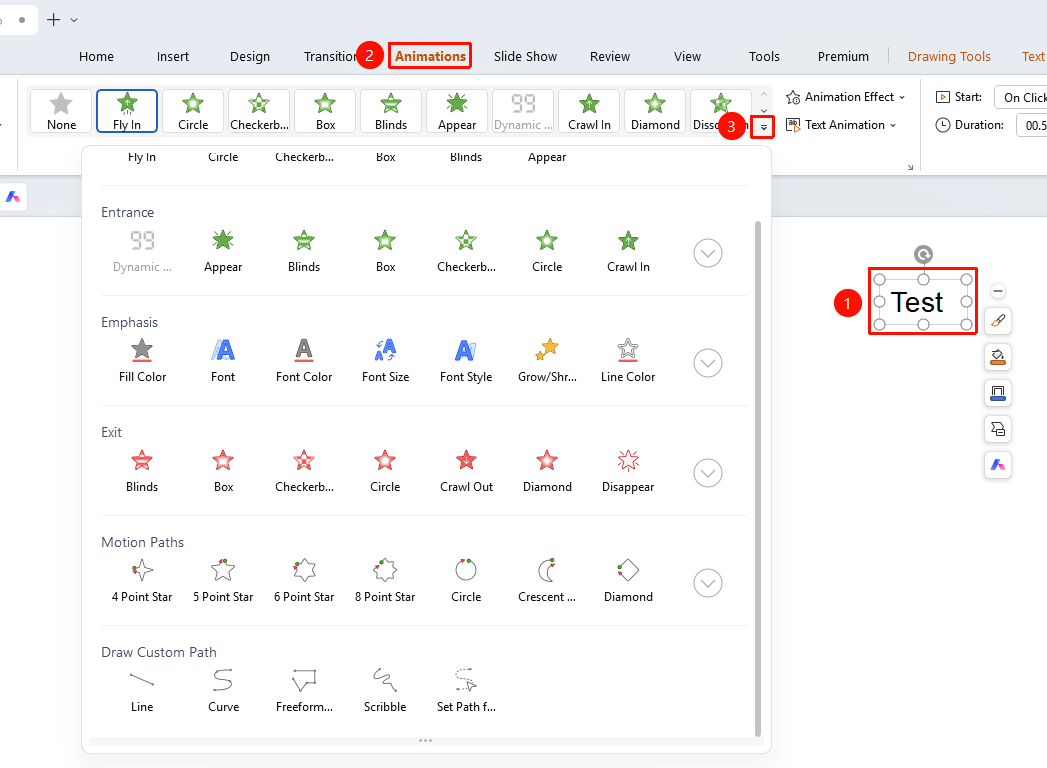
"Animation" tab → Animation effects library
- Select the object to which you want to add an animation
- Click the top "Animation" tab
- Click the drop-down button on the right side of the animation effects library to expand the full animation library
- Select the desired animation type
- "Entrance" : Animation effect for when an object appears
- "Emphasis" : Animation effect for when an object already exists
- "Exit" : Animation effect for when an object disappears
- "Motion Paths" : Animation path for object movement
- "Custom Motion Path" : Custom animation path for object movement
- Click to apply the animation effect
Setting Animation Effects
Feature Entry
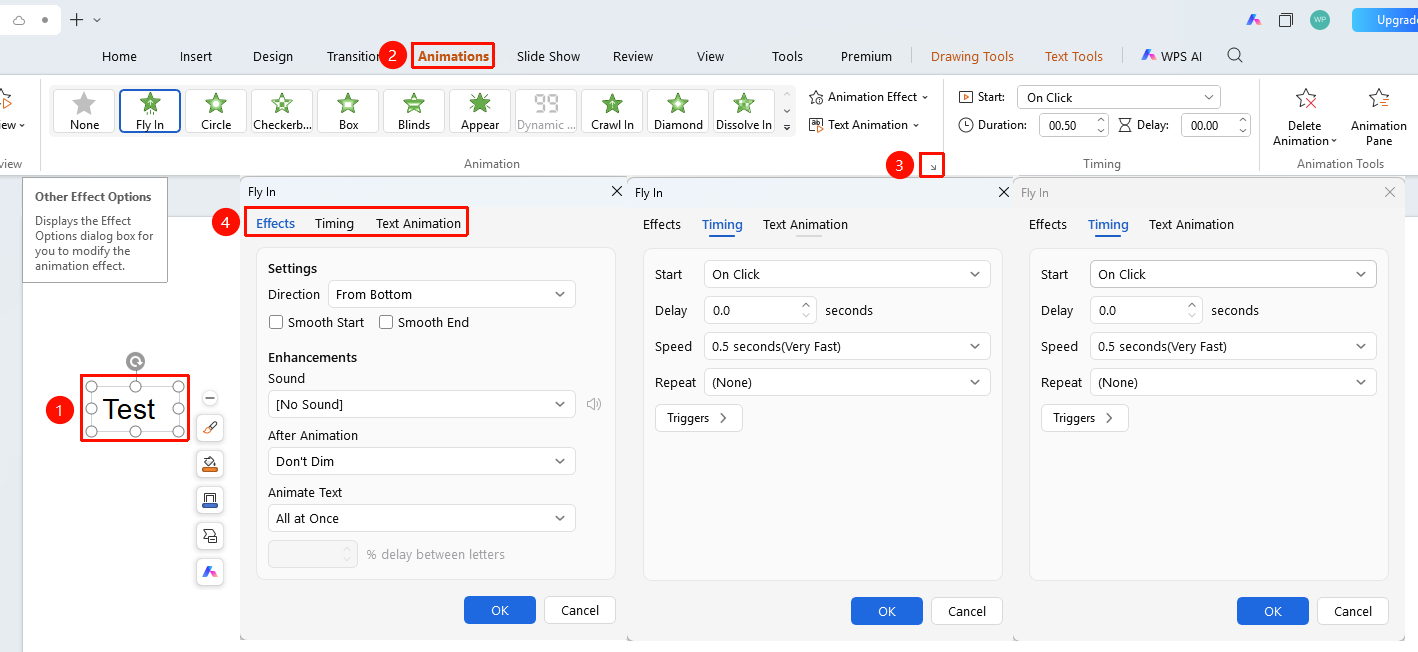
"Animation" tab → Animation feature group expand button
- Click the expand button in the lower-right corner of the animation effects feature group
- Open the "More Effect Options" dialog box
- Set the following options in the dialog box
- "Effect" tab
- "Settings" : Animation direction, radial, etc.
- "Enhancements" : Set sound, effect after animation playback, animation text effect
- "Timing" tab
- "Start" : Set the start method
- "Delay" : Set the delay time before the animation starts
- "Speed" : Set the animation speed
- "Repeat" : Set the number of times the animation repeats
- "Triggers" : Set the animation trigger conditions
- "Text Animation" tab
- "Group Text"
- "Every"
FAQ
Q1: How to add multiple animations at the same time
- Solution: After selecting the object in the "Animation Pane", click the "Add Animation" button to add multiple animation effects to the same object.
Q2: How to adjust the direction of an animation effect
- Solution: Select the animated object, click "Effect Options", and you can set the animation direction and sequence parameters.
Q3: How to set a sound for animation playback
- Solution: Open the animation effect dialog box, and select a sound effect from the "Sound" drop-down menu in the "Effect" tab.
Notes
- Different types of animation effects can be combined
- Too many animations may distract the audience