Feature Summary
The sorting feature arranges Records based on field values in ascending or descending order, helping you quickly locate important data or view Records chronologically. Core capabilities include:
- Single-field or multi-field combined sorting
- Supports ascending (smallest to largest) and descending (largest to smallest) order
- Supports sorting by various field types (text, number, date, etc.)
Feature Description
| Feature Dimension | Description |
|---|---|
| Membership Restriction | No membership restriction |
| Version Restriction | No version restriction |
Steps
Adding a Sort Rule
Feature Entry
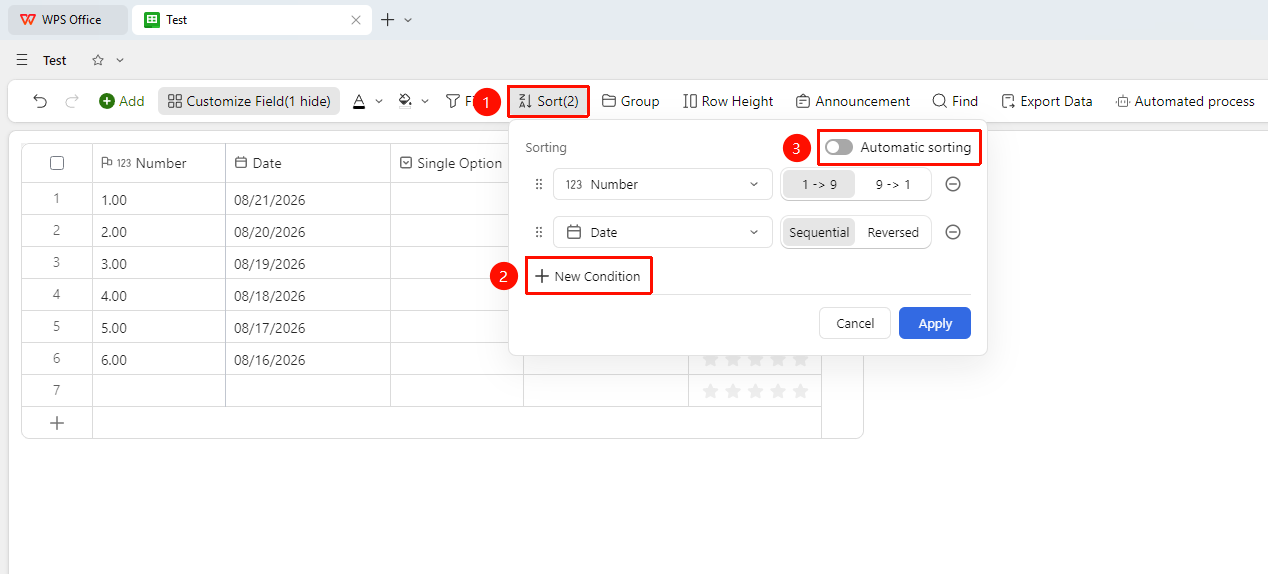
"Toolbar" → "Sort" button → "Sort Criteria" button → Select field and sort order
- Open the target data sheet and click the Sort button in the toolbar
- Click Sort Criteria and select the field you want to sort by
- Select Ascending (smallest to largest, A-Z) or Descending (largest to smallest, Z-A)
- Records will be automatically rearranged according to the set rules
- Click the Auto Sort button to enable automatic sorting
Setting Up Multi-Field Combined Sorting
Feature Entry
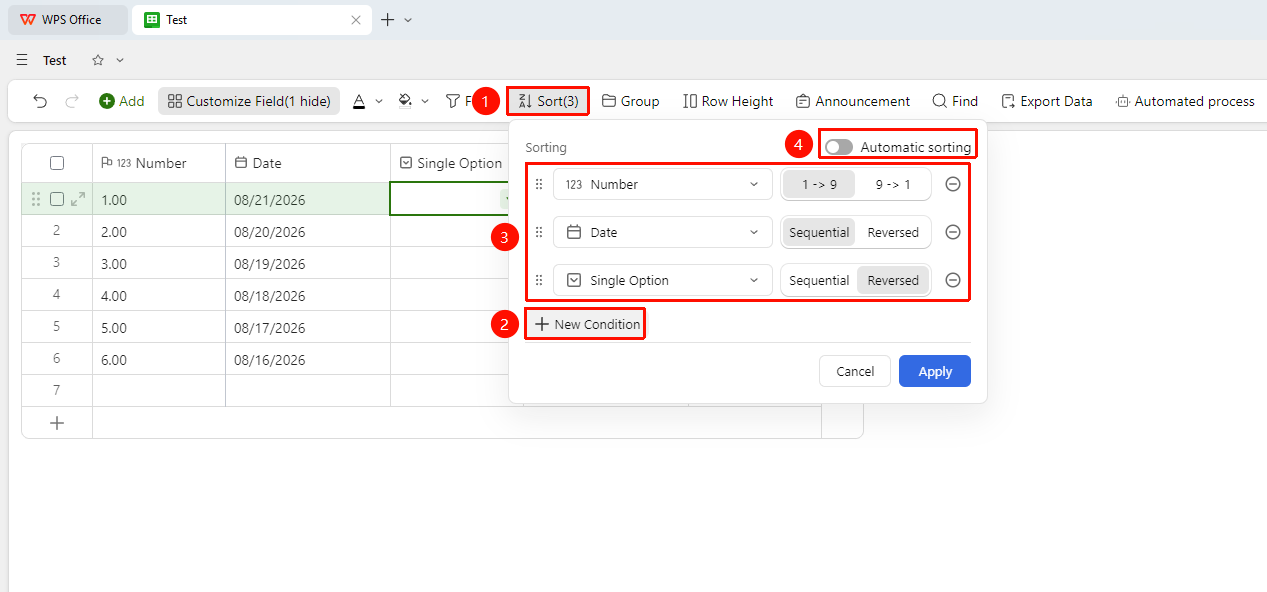
"Toolbar" → "Sort" button → Add field sorting multiple times
- Click Sort Criteria and set the first sort field and order
- Click Sort Criteria again to add a second sort field and order
- Sorting priority is top-down; Records are sorted by the first field first, then refined by the second field
FAQ
Q1: The sorting result is not as expected. Why?
- Solution: The field's data type may be set incorrectly. For example, numbers stored as text type will not be sorted by numerical value. You need to change the field type to Number type first and then try sorting again.
Q2: How do I cancel sorting and restore the default order?
- Solution: Click the Sort button in the toolbar and delete the sort criteria.
Q3: Why doesn't sorting occur after entering new content?
- Solution: Check whether the Auto Sort button is turned on. If Auto Sort is off, you need to reapply sorting every time you enter new content.
Notes
- Sorting only changes the display order of Records and does not modify data content
- Records with empty values are sorted last by default
- It is recommended to set unified sorting rules for key fields to facilitate a consistent viewing perspective when collaborating as a team