Feature Summary
The announcement feature allows admins to post announcements at the top of a datasheet, making notifications visible to all collaborators.
Feature Description
| Feature Dimension | Description |
|---|---|
| Premium Restrictions | None |
| Version Restrictions | None |
Steps
Open Announcement
Entry
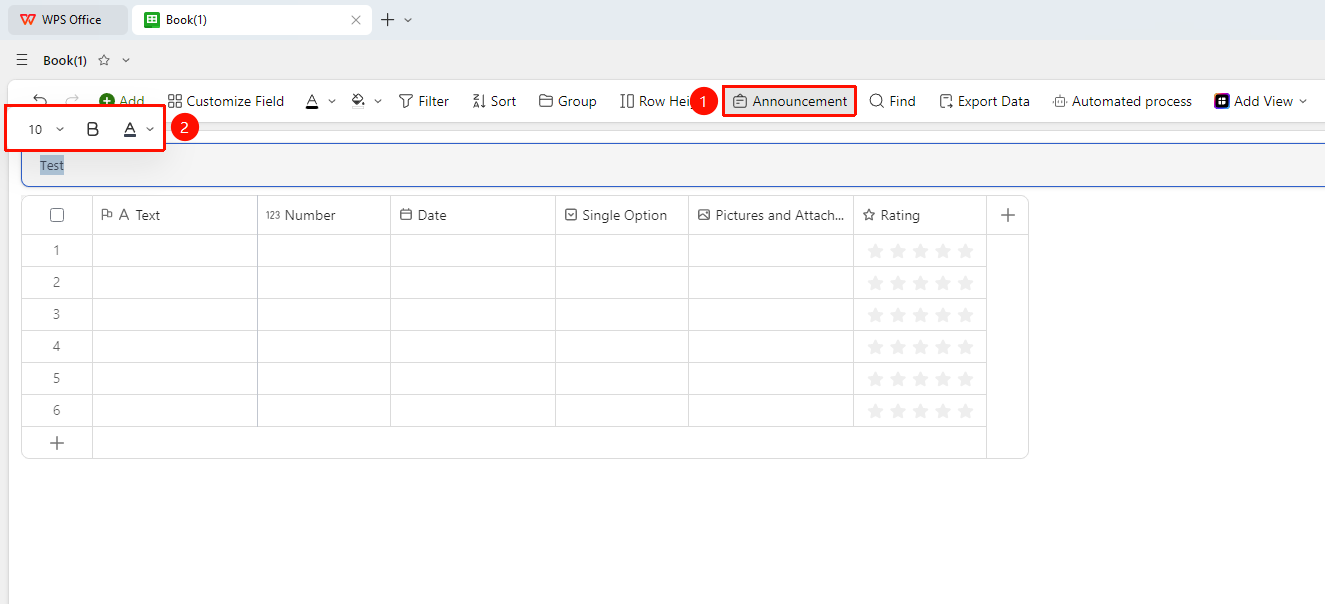
Click the Announcement option on the toolbar.
- Click the Announcement option on the toolbar.
- Enter the announcement content in the pop-up panel.
- Double-click the announcement content to select text and change font color, font size, or apply bold formatting.
- Click publish to make it visible to all collaborators.
Edit Announcement
Entry
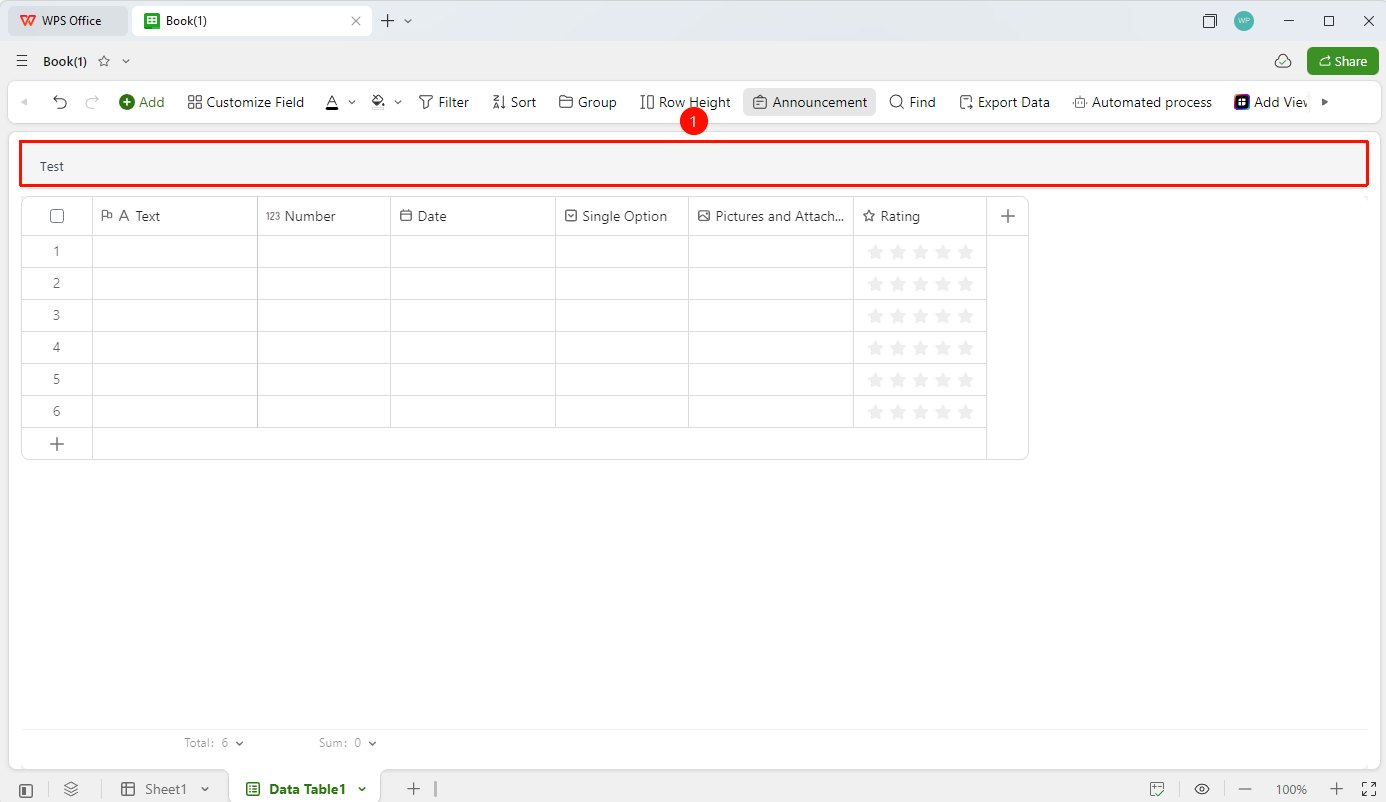
Click the edit box of the published announcement.
- Modify the announcement content.
- Republish to update the content.
Hide Announcement
Entry
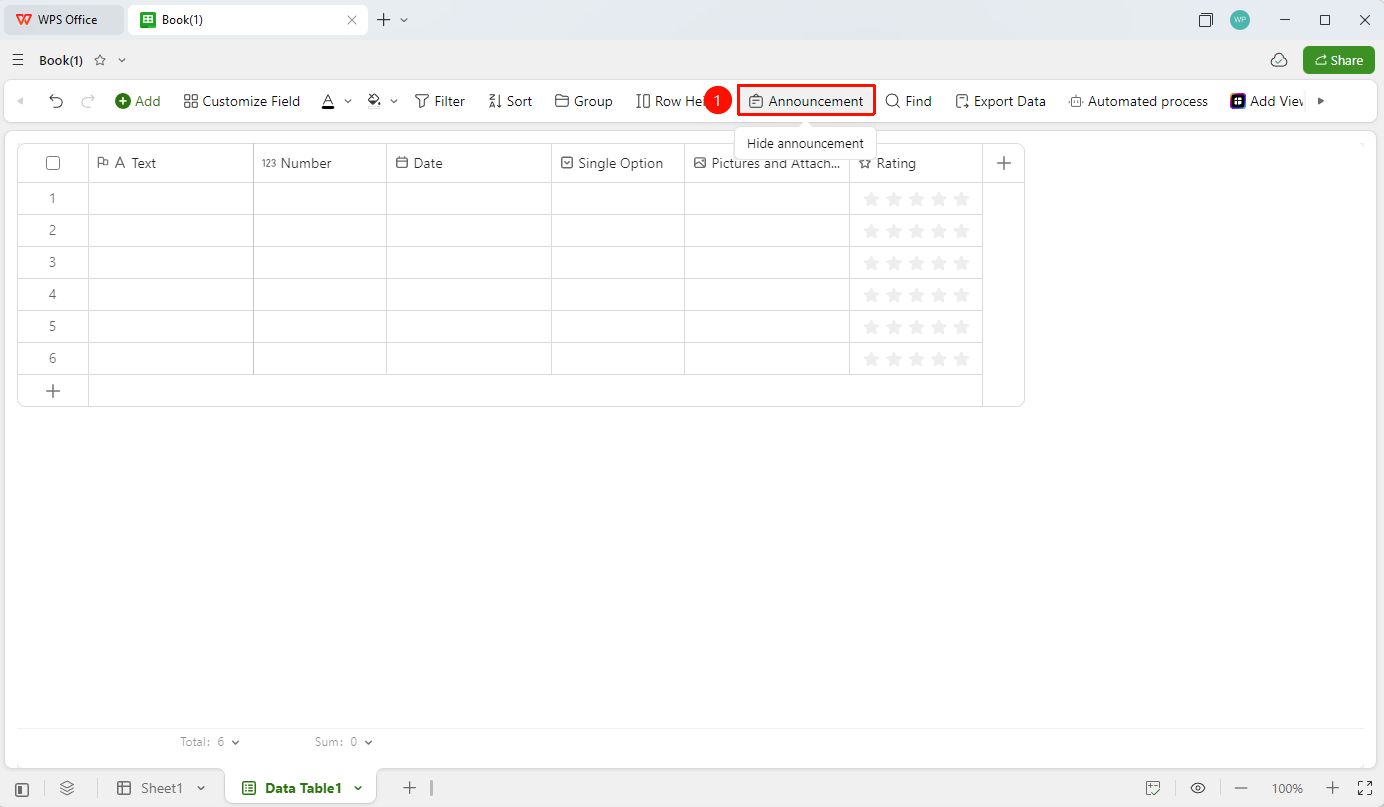
Click the Announcement option on the toolbar.
- When the announcement is open, click the Announcement option on the toolbar.
- This hides the announcement to provide a larger editing area.
FAQ
Q1: Who can post announcements?
- Solution: Only datasheet managers and collaborators with editing permissions can post announcements.
Q2: Can everyone see the announcement?
- Solution: Announcements are only visible to datasheet collaborators who have been granted access (including viewers and editors). Unauthorized external users cannot see the announcement content.
Q3: Do announcements support images or links?
- Solution: Currently, announcements support text and links, but not images.
Notes
- Announcements are informational only.
- It is recommended to use announcements to describe the field structure and editing guidelines of this datasheet.