Feature Summary
The Contact field is one of the basic field types in Sheets, used to associate Document collaborators or system Contacts. It is suitable for scenarios such as marking task owners or project liaisons. After selecting a contact, relevant notifications can be automatically pushed.
Feature Description
| Feature Dimension | Description |
|---|---|
| Membership Restrictions | No membership restrictions |
| Version Restrictions | No version restrictions |
Operation Steps
Create a New Contact Field
Feature Entry
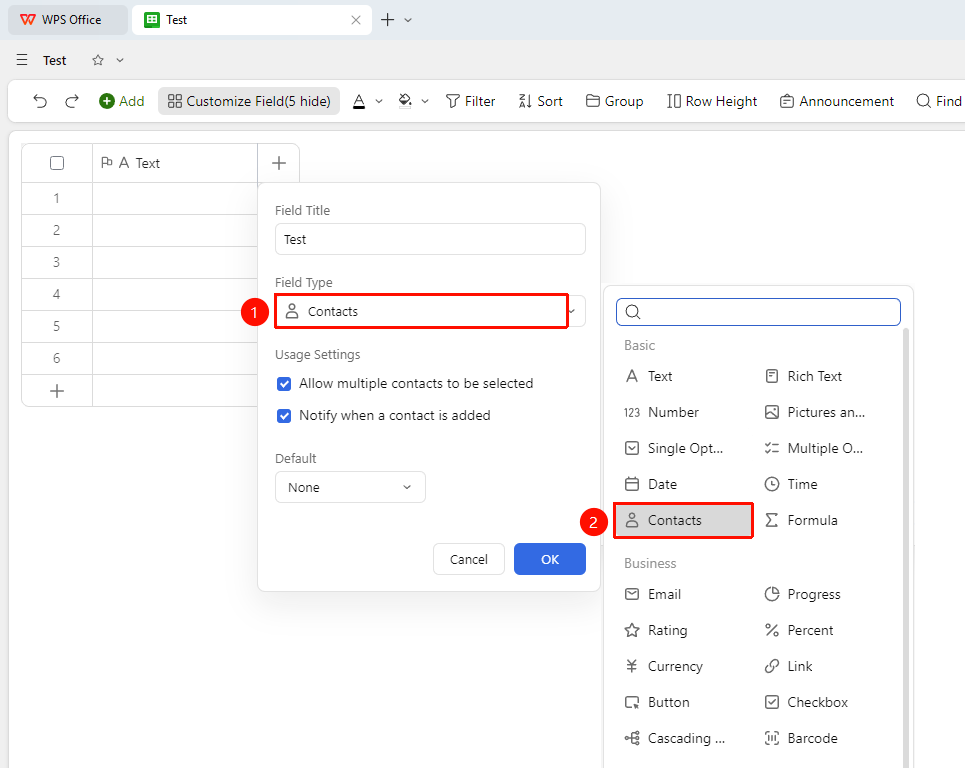
「+」 button on the right side of the header → 「Contact」 field
- Click the 「+」 button on the right side of the header
- Select the 「Contact」 field from the field type list that appears
- Check 「Allow selecting multiple contacts」 and 「Allow sending notifications to newly inserted contacts」 as needed
- Decide whether to enable 「Capability Extension」 (once enabled, information such as the employee's department and direct manager can be automatically synced)
- Enter the field name and click 「Confirm」 to complete creation
Add a Contact
Feature Entry
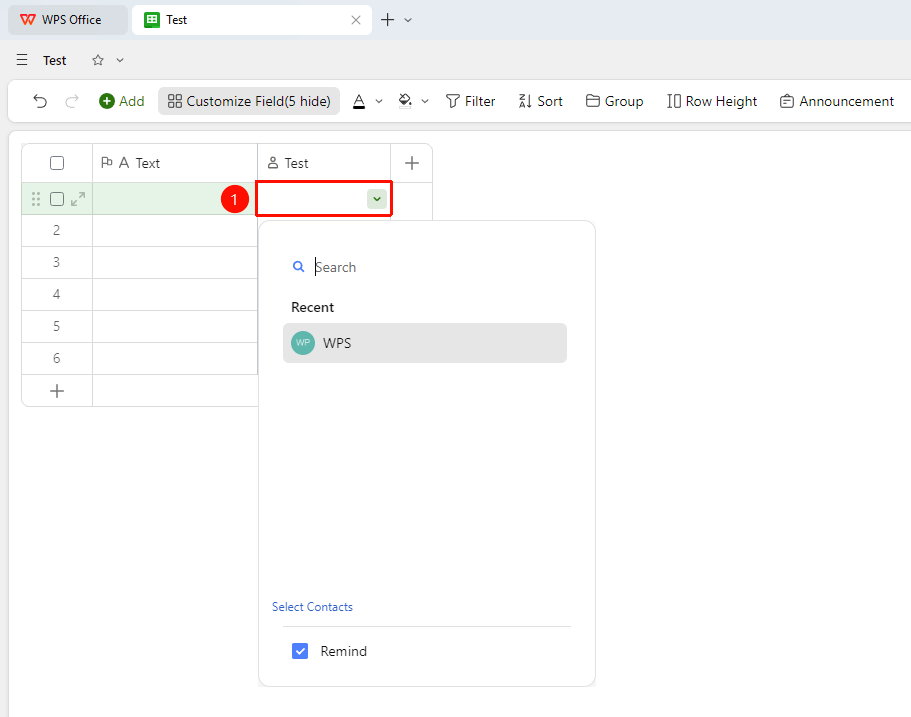
「Target cell」 → Search for a contact → Select and confirm
- Click the target cell to open the contact selection panel
- Enter the contact's name or keywords in the search box to search
- Click the target contact from the search results to complete the selection
- The contact information will be automatically associated with the system Contacts
Set Default Value
Feature Entry
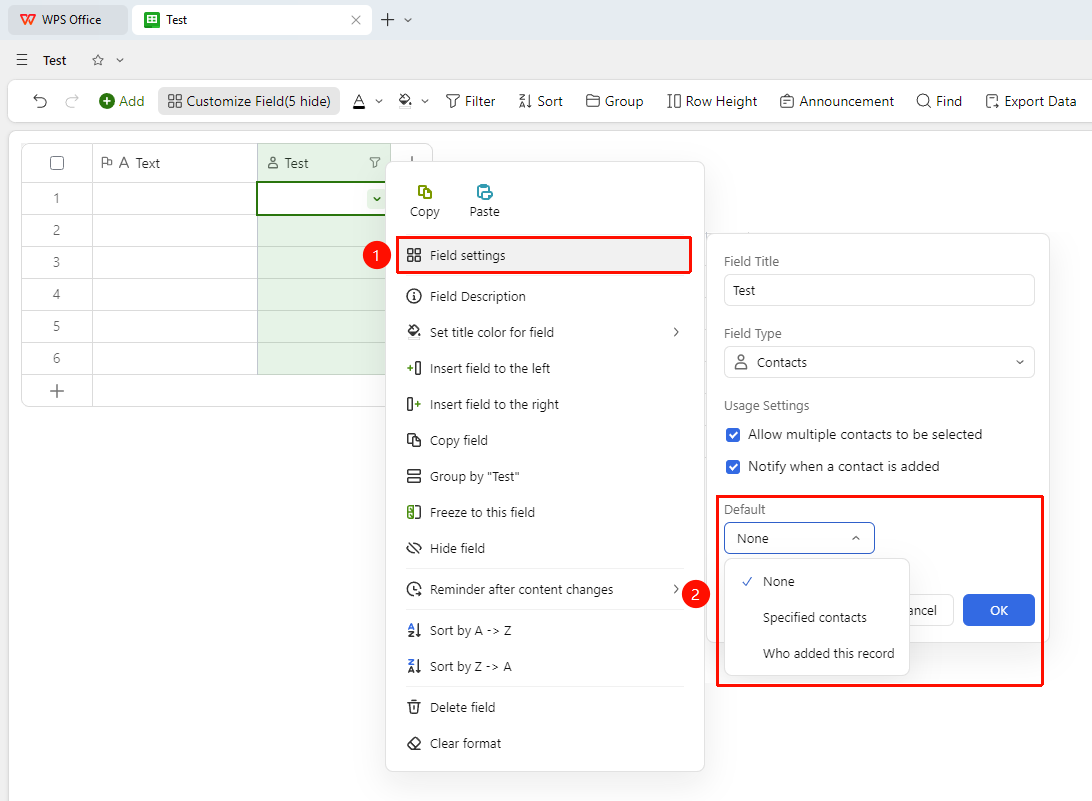
Right-click the 「Field Title」 → 「Field Settings」 → 「Default Value」 option
- Right-click the Contact field title and select 「Field Settings」
- In the 「Default Value」 dropdown, you can choose:
- Specified Person: Search for or select a specified contact
- Person who added this Record: The collaborator account that added the Record
4.When a new Record is added, this default contact will be automatically filled in
Frequently Asked Questions
Q1: Will related notifications still be sent after a contact is deleted?
- Solution: If notifications based on the Contact field are configured in advanced features such as automated tasks, related notifications will no longer be sent after the contact is deleted.
Q2: Does the Contact field support selecting multiple people?
- Solution: The Contact field supports adding multiple contacts in one cell. You need to enable 「Allow selecting multiple contacts」.
Notes
- The Contact field depends on the system Contacts. Ensure that the target person has been added to the organization's Contacts.
- After a contact is removed from Contacts, the contact information in the associated Records may not display properly.