Feature Summary
The Rich Text field is one of the basic field types in AirSheet. It supports entering long content with formatting, allowing you to set text styles, insert links, and organize information in sections and layers. It is suitable for scenarios requiring structured display of large blocks of text, such as Record detail descriptions, project progress, and notes.
Feature Description
| Feature Dimension | Description |
|---|---|
| Membership Restrictions | No membership restrictions |
| Version Restrictions | No version restrictions |
Steps
Create a New Rich Text Field
Feature Entry
"+" button on the right side of the header → "Rich Text" field
- Click the "+" button on the right side of the header
- Select the "Rich Text" field from the field type list that appears
- Enter the field name and click "Confirm" to complete the creation
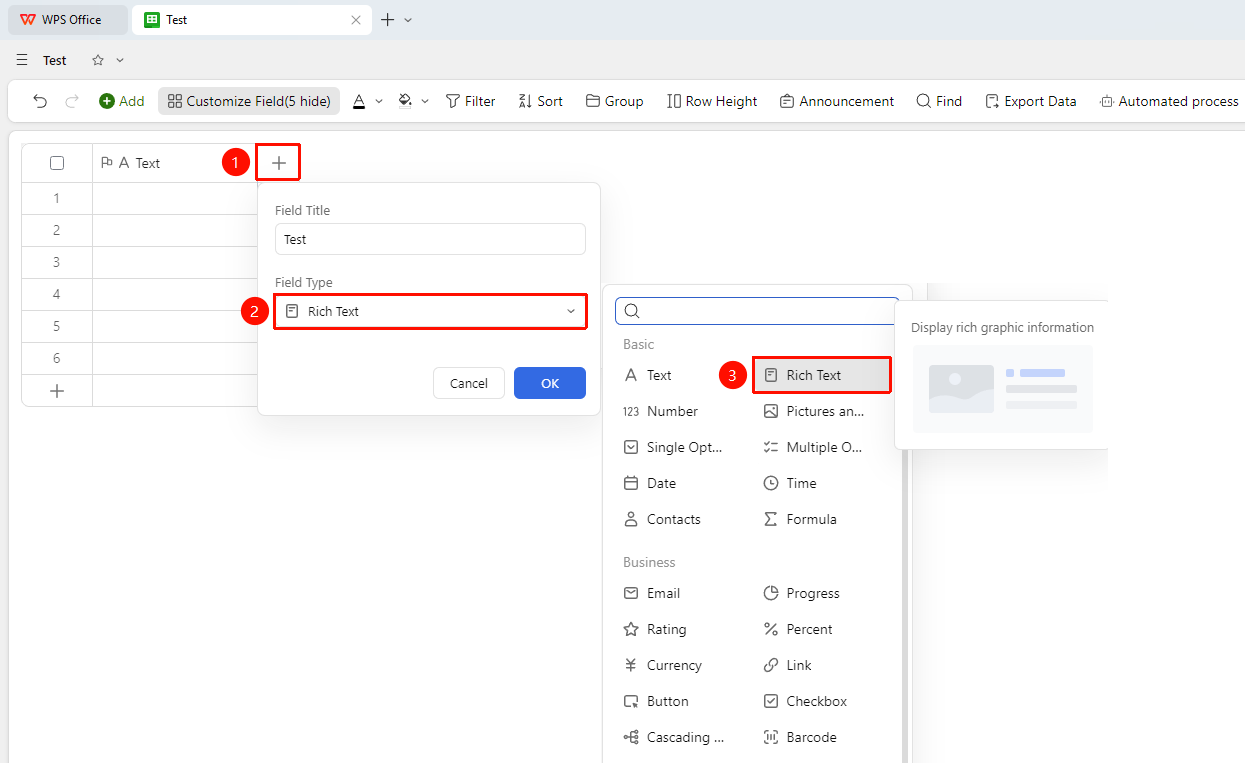
Edit Rich Text Content
Feature Entry
"Target cell" → Open the rich text editor → Enter content
- Click the target cell to open the rich text editor
- Enter text content in the editor
- Use the toolbar to perform the following operations:
- Text Format: Bold, italic, underline, strikethrough, etc.
- Heading Levels: Set different levels of headings
- Lists: Create ordered and unordered lists
- Insert: Insert links, images, and other content
- After editing, click outside the cell area to confirm and save
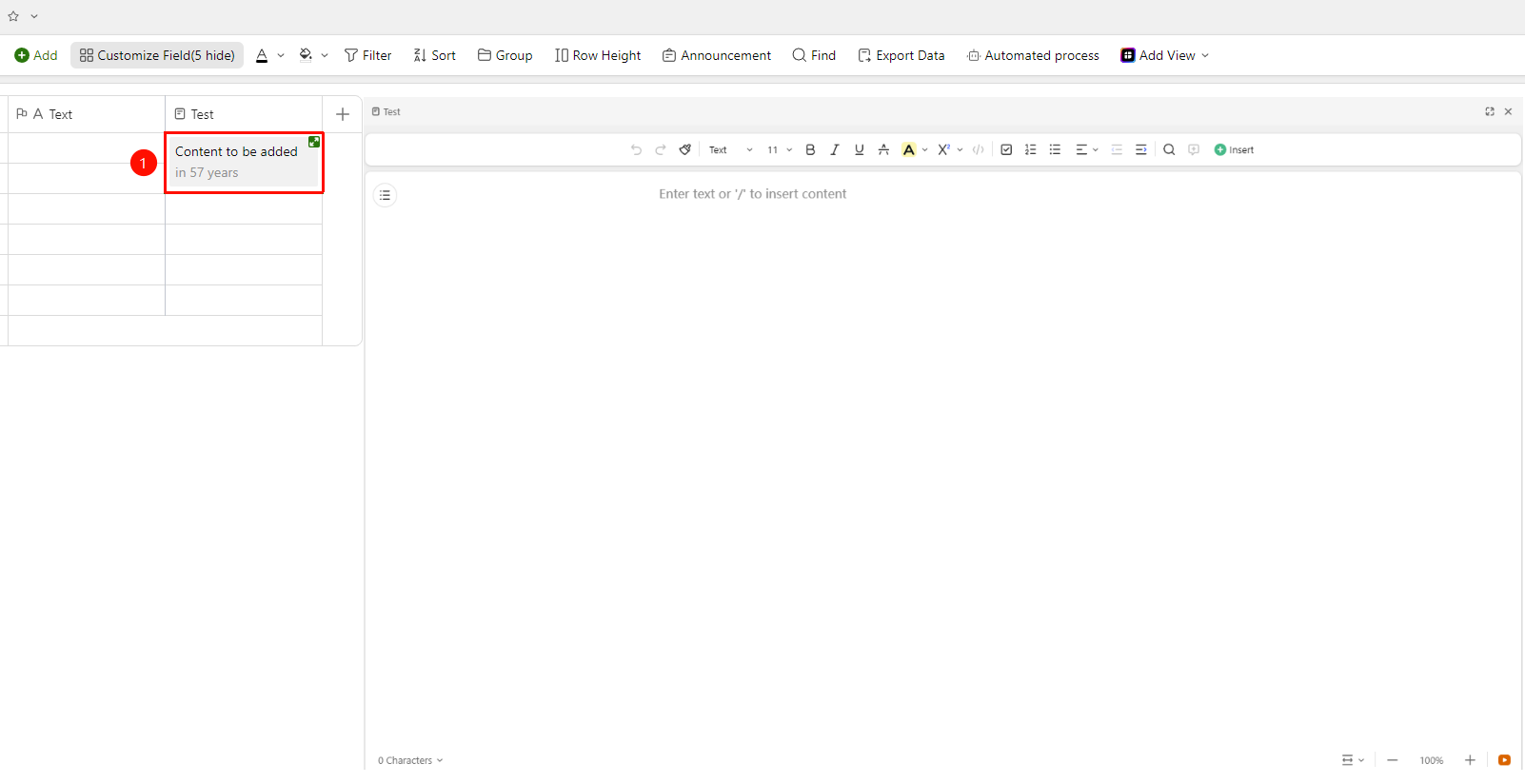
FAQ
Q1: What is the difference between a Rich Text field and a Text field?
- Solution: The Text field only supports plain text input, while the Rich Text field supports setting text styles (bold, italic, etc.), inserting links and images, creating lists, and other formatting operations, making it suitable for large blocks of content that require structured display.
Q2: How to manage images in a Rich Text field in batches?
- Solution: Images inserted in the rich text editor are embedded in the cell content, and batch export is currently not supported. If you need to manage images centrally, it is recommended to use the "Image and Attachment" field.
Q3: Will the formatting in a Rich Text field be preserved after export?
- Solution: When exporting to Excel or CSV format, the Rich Text field only retains plain text content. Formatting information (such as bold, color, links) will not be preserved in the exported file.
Notes
- Rich Text fields are not suitable for filtering and grouping statistics. If categorization is needed, it is recommended to use Single Select or Multi-Select fields.
- Links in Rich Text fields can be clicked directly to jump within the AirSheet.