Feature Summary
The Percentage field is suitable for specific data scenarios. It displays values in percentage format and supports decimal precision settings. It is ideal for scenarios requiring percentage display, such as completion rates, growth rates, and proportions. Key features include:
- Supports data formats and validation specific to this type
- Supports use in conjunction with other field types
- Can be used for filtering, grouping, and statistics
- Data content can be exported and shared
Feature Description
| Feature Dimension | Description |
|---|---|
| Membership Restriction | No membership restriction |
| Version Restriction | No version restriction |
Steps
Creating a Percentage Field
Feature Entry
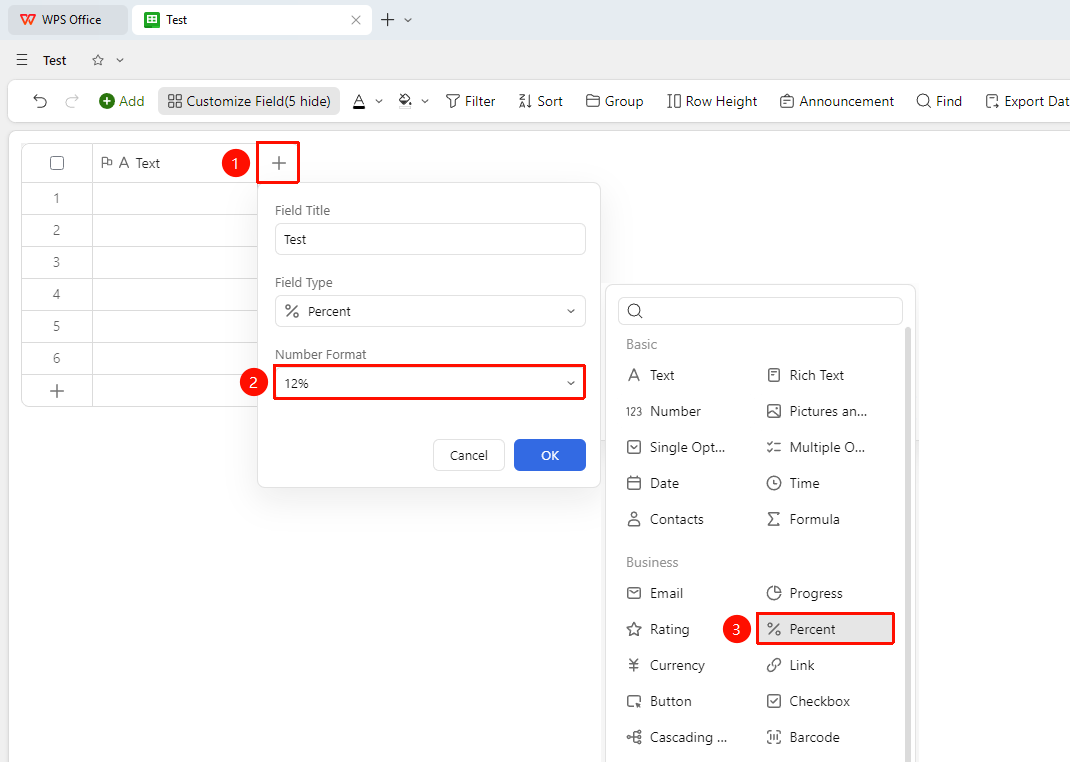
"+" button on the right side of the header → Select the "Percentage" field type
- In the data sheet, click the "Add Field" button (+) on the right side of the header.
- In the field type list, find and select the "Percentage" type.
- Enter the field name as prompted and click "Confirm" to create.
- After the field is created, enter data in the cells according to the input method for this type.
Configuring Field Properties
Feature Entry
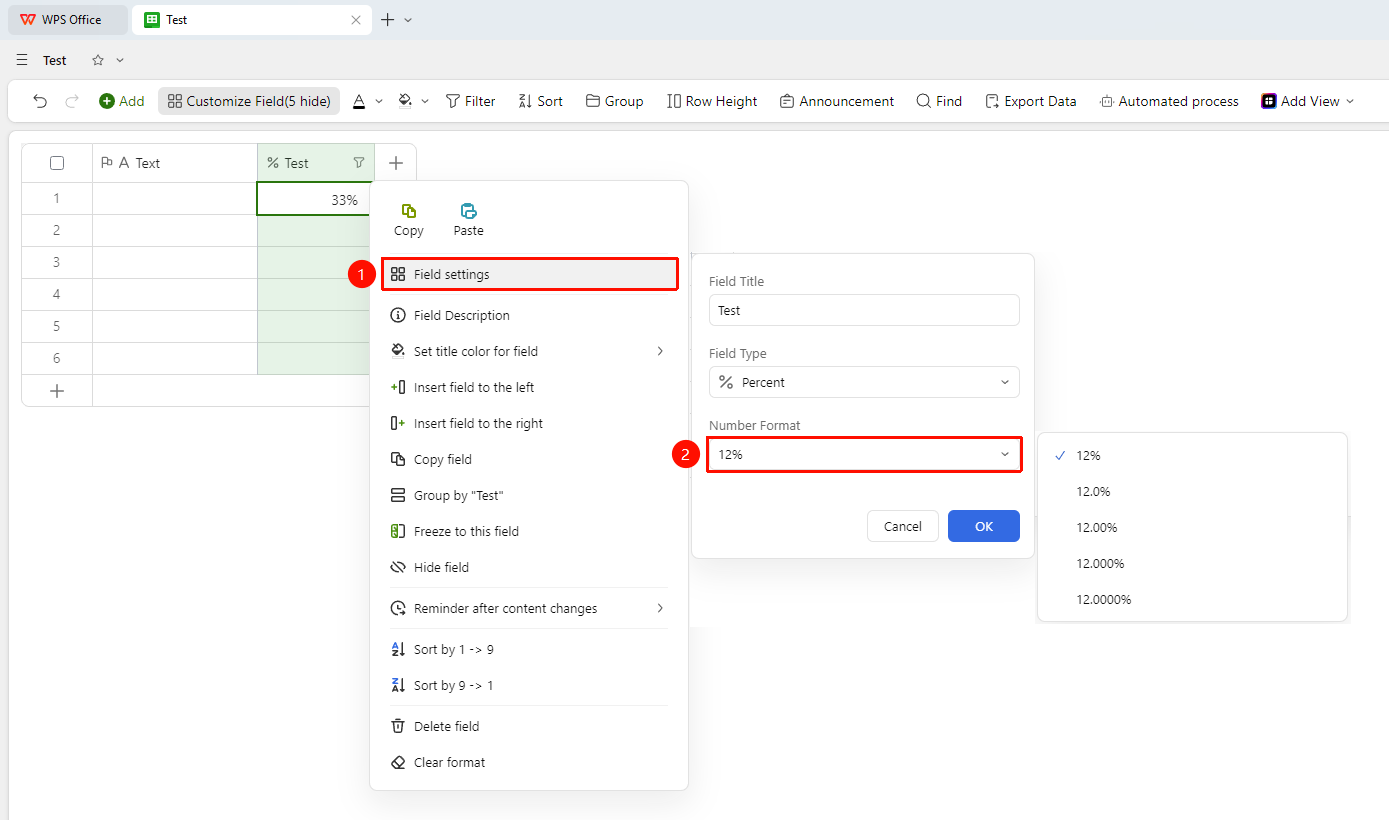
Right-click the field → "Field Settings" button → "Number Format" dropdown menu
- Right-click the field and select the "Field Settings" button.
- In the pop-up settings panel, click the "Number Format" dropdown menu.
- You can set the display format for percentage values.
- Click "OK" to save the configuration.
FAQ
Q1: Can the Percentage field type be changed to another type after creation?
- Solution: Yes. Select "Change Field Type" in field settings, choose the new type, and confirm. Note: Data anomalies may occur if data formats are incompatible. It is recommended to back up the field data before making changes.
Q2: Can Percentage field data be used for filtering and grouping?
- Solution: Yes. Data from all field types supports filtering and grouping, and the Percentage field is no exception. It helps quickly locate and categorize Records in the data sheet.
Q3: How can I ensure the Percentage field type is correct when importing from Excel?
- Solution: When importing an Excel file, the system automatically identifies and matches field types. If the identification is inaccurate, you can manually modify the field type after import, or adjust the data format in Excel first and then re-import.
Notes
- After creating the field, it is recommended to carefully check whether the input method and format validation rules meet expectations.
- Changing the field type may cause existing data formats to mismatch; please proceed with caution.
- Data in this field can be exported to multiple file formats for external collaboration.