Feature Summary
The Email field is specifically designed for email addresses. After entry, it automatically verifies whether the format is correct and supports clicking to directly launch the email client to compose a message. It is suitable for scenarios such as customer contact management and information collection.
Feature Description
| Feature Dimension | Description |
|---|---|
| Membership Restriction | No membership restriction |
| Version Restriction | No version restriction |
| Format Validation | Automatically verifies email format correctness |
Operation Steps
Create an Email Field
Feature Entry
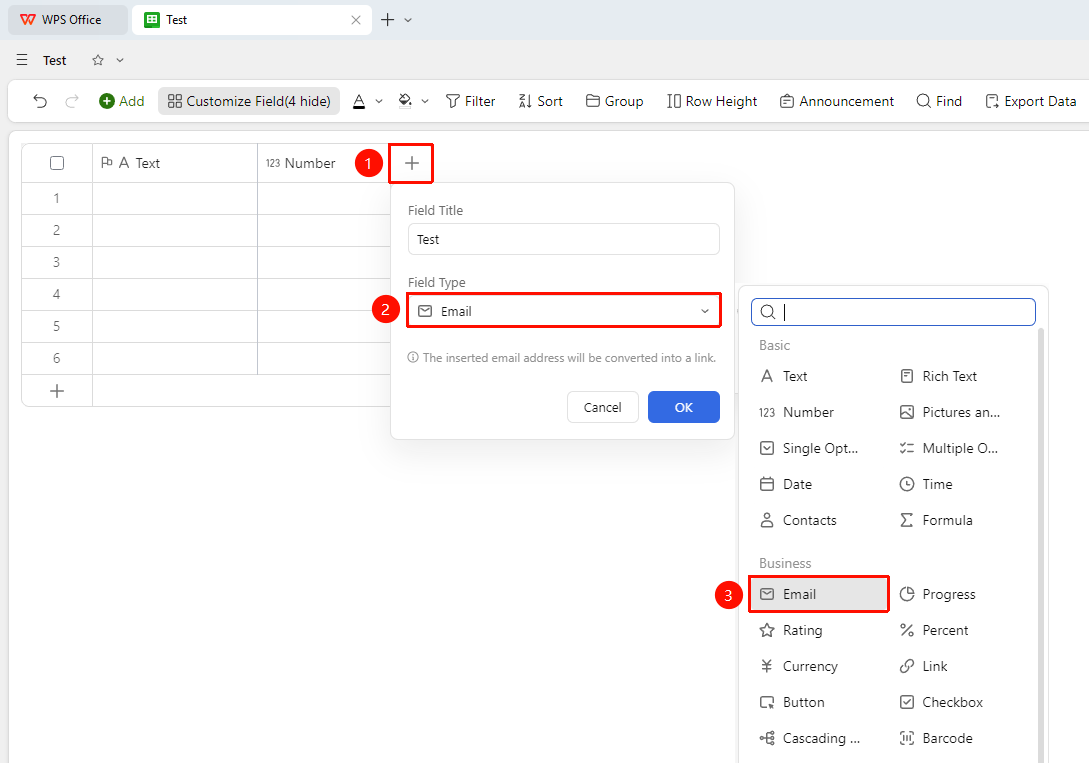
"+" button on the right side of the header → "Field Type" dropdown list → "Email" option
- Click the "+" button on the right side of the header
- Select the "Email" field from the pop-up field type list
- Enter the field name and click "Confirm" to complete creation
Fill in Email Address
Feature Entry
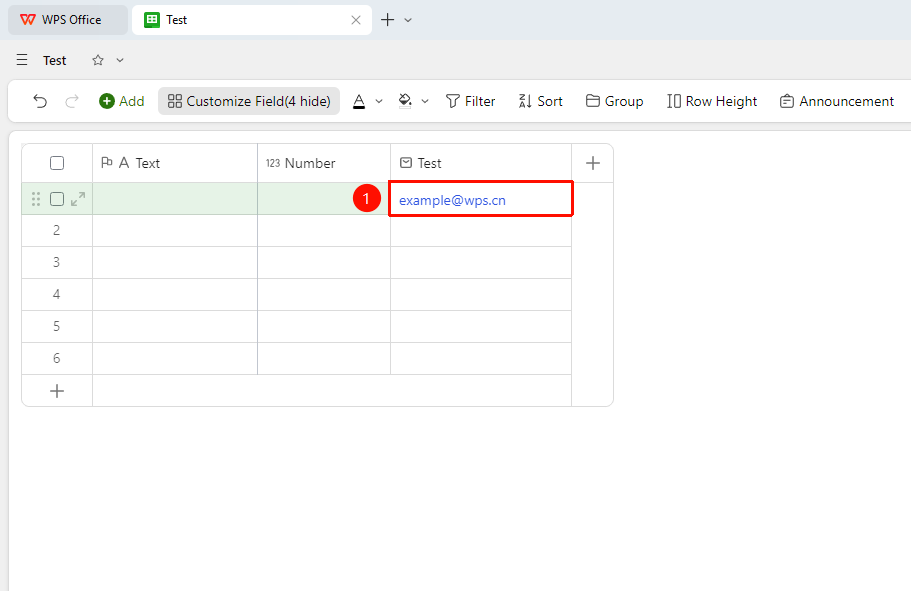
"Target cell" → Enter email address
- Click a cell and enter the email address (e.g., example@wps.cn)
- The system automatically validates the format; incorrect formats will prompt for correction
- Press
Enter(Mac:↩) to confirm the entry; the cell will display a clickable email address
FAQ
Q1: What is the difference between the Email field and the Text field?
- Solution: The Email field automatically converts the entered address into a hyperlink and ensures the entered address format is correct; the Text field does not automatically validate. It is recommended to use the Email field to collect email information to avoid format errors.
Q2: Will clicking the email address send the email directly?
- Solution: After clicking, the system's default email client will be launched and the To address will be filled in automatically. You need to confirm before sending; it will not send directly.
Notes
- The format validation of the Email field can effectively prevent collecting incorrectly formatted emails
- Clicking an email address will launch the local email client
- Suitable for use in form views for team member or customer information collection