Feature Summary
The Rating field is a standardized classification field that supports setting different rating options in advance and summarizing by rating. It is suitable for standardized grading scenarios such as customer tiering (Standard/Silver/Gold) and task priority (Low/Medium/High).
Feature Description
| Feature Dimension | Description |
|---|---|
| Membership Restriction | No membership restriction |
| Version Restriction | No version restriction |
| Number of Ratings | Supports custom multiple ratings |
Operation Steps
Create a New Rating Field
Feature Entry
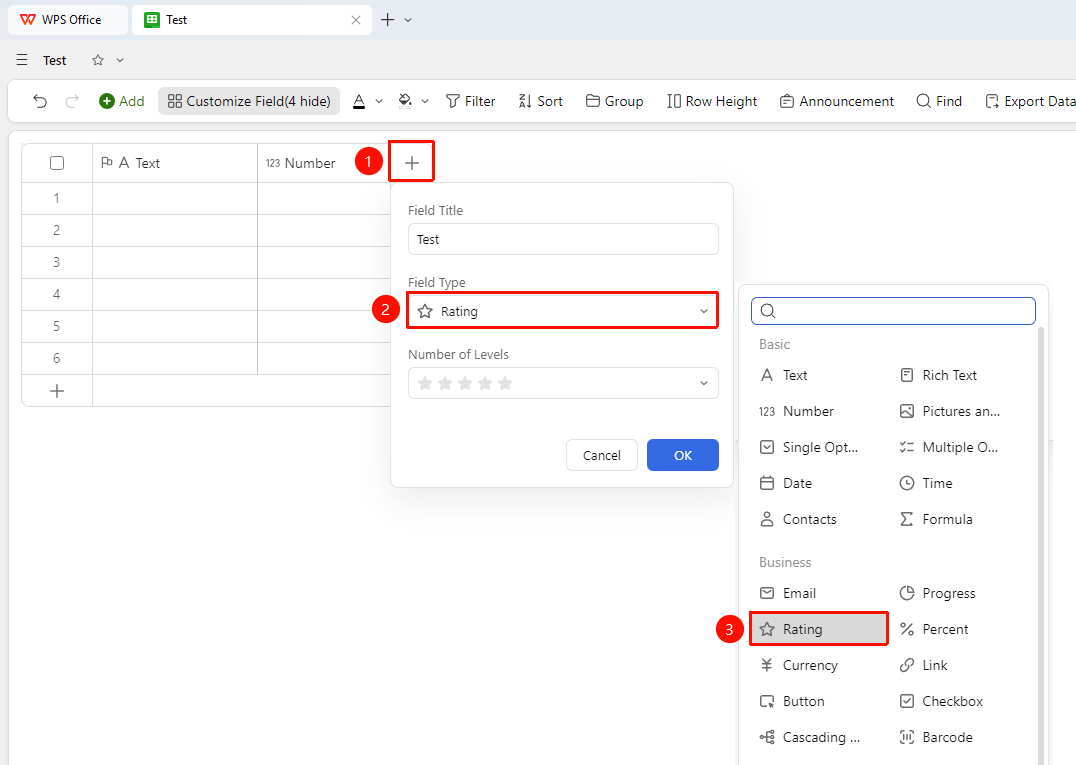
Click the "+" button on the right side of the header → "Field Type" dropdown list → "Rating" option
- Click the "+" button on the right side of the header
- Select the "Rating" field from the pop-up field type list
- Enter the field name and click "Confirm" to complete the creation
Set the Number of Ratings
Feature Entry
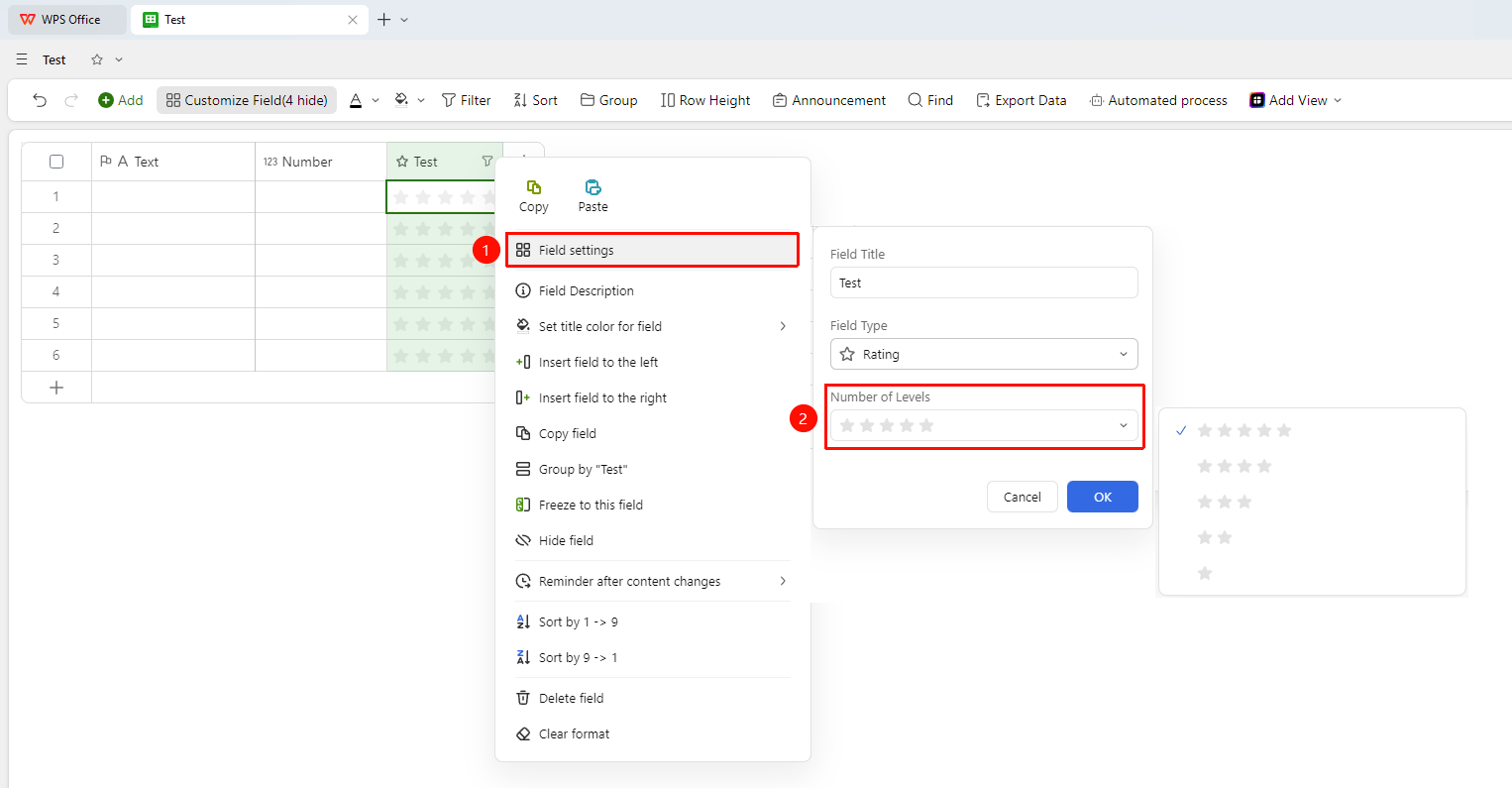
Right-click the "Field Title" → "Field Settings" → "Number of Ratings" dropdown list
- Right-click the Rating field title and select "Field Settings"
- In the "Number of Ratings" dropdown list, select the desired number option
FAQ
Q1: How to perform statistical summary on the Rating field?
- Solution: Use the grouping feature to group by the Rating field, which allows you to quickly count the number of Records and the proportion of each rating.