Feature Summary
The barcode field supports scan-based entry and manual input of barcode information, and can automatically generate corresponding barcodes based on content. It is suitable for efficient entry scenarios such as product inventory management, receipt verification, and material scan-based warehousing.
Feature Description
| Feature Dimension | Description |
|---|---|
| Membership Restriction | No membership restriction |
| Version Restriction | No version restriction |
| Supported Formats | Barcode / QR code |
Operation Steps
Create a Barcode Field
Feature Entry
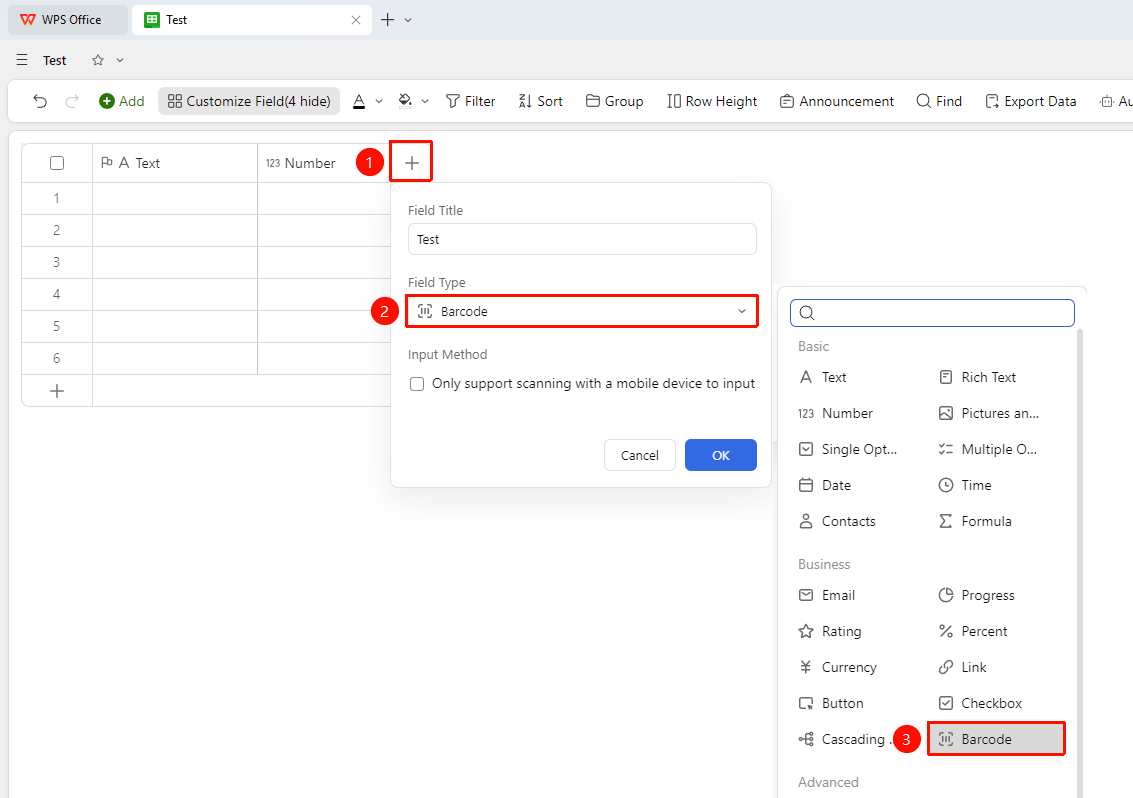
「+」 button on the right side of the header → 「Field Type」 dropdown list → 「Barcode」 option
- Click the 「+」 button on the right side of the header
- Select the 「Barcode」 field from the pop-up field type list
- Enter the field name and click 「Confirm」 to complete creation
Barcode Field Entry Method Settings
Feature Entry
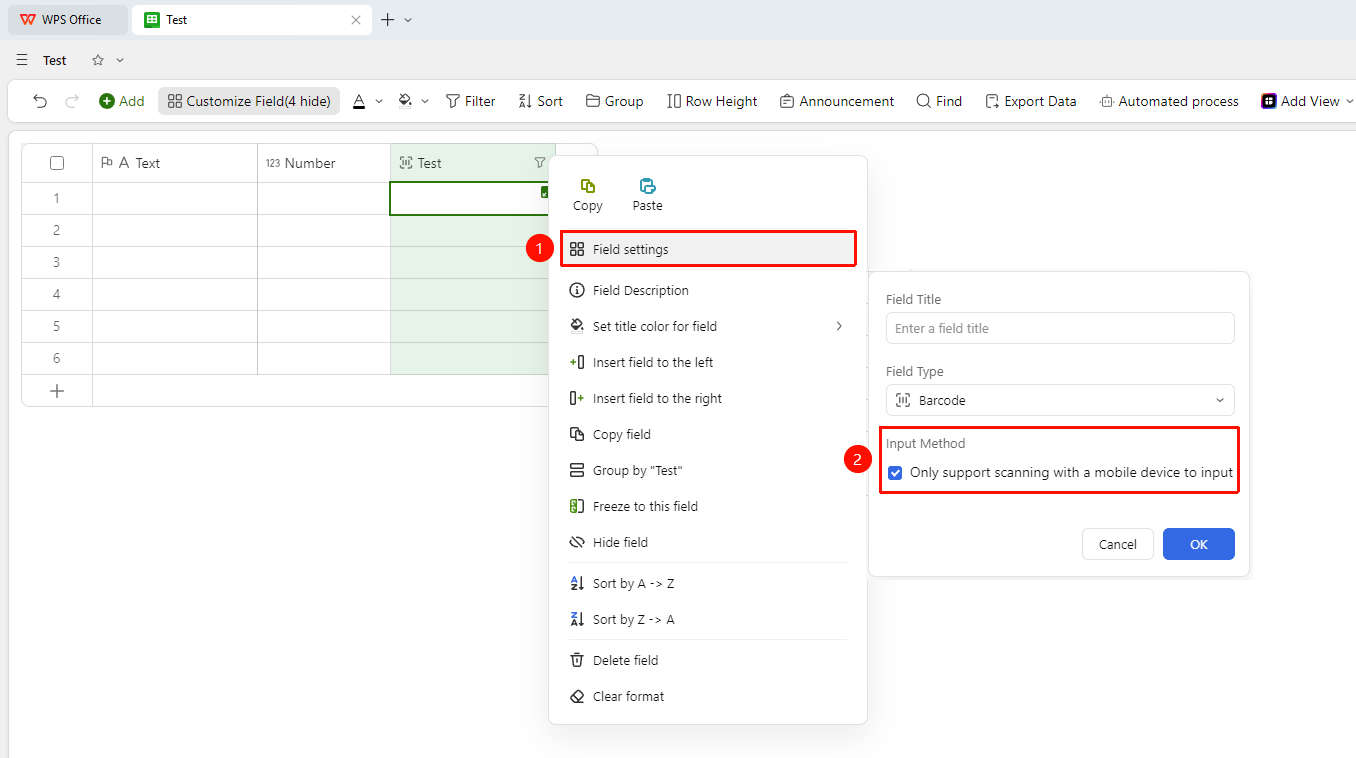
Right-click the 「Field Title」 → 「Field Settings」 → 「Entry Method」
- Right-click the field title of this field and select 「Field Settings」
- In the Entry Method area, you can check the 「Only allow scan entry via mobile device」 option
- Once checked, the barcode only supports information entry by scanning barcodes via mobile device, and manual input is not supported
FAQ
Q1: What types does the barcode field support?
- Solution: It supports common barcode and QR code formats, covering commonly used encoding types for product management.
Q2: Can scanned barcode data be used in formula calculations?
- Solution: The data stored in the barcode field is in text format and cannot directly participate in numerical calculations. If calculation is needed, please use it in conjunction with text field extraction.
Q3: Why can't I enter content into the barcode field on the computer?
- Solution: Check in the field settings whether 「Only allow scan entry via mobile device」 is enabled. Disable this option or use a mobile device to scan and enter.
Notes
- The barcode field is suitable for scenarios that require efficient and accurate entry of encoded data