Feature Summary
The checkbox field provides Yes/No toggle states, suitable for scenarios requiring quick check-marking, such as task completion status, approval confirmation, and on/off control.
Feature Description
| Feature Dimension | Description |
|---|---|
| Membership Restriction | No membership restriction |
| Version Restriction | No version restriction |
| Status | Checked/Unchecked two states |
Operation Steps
Create a New Checkbox Field
Feature Entry
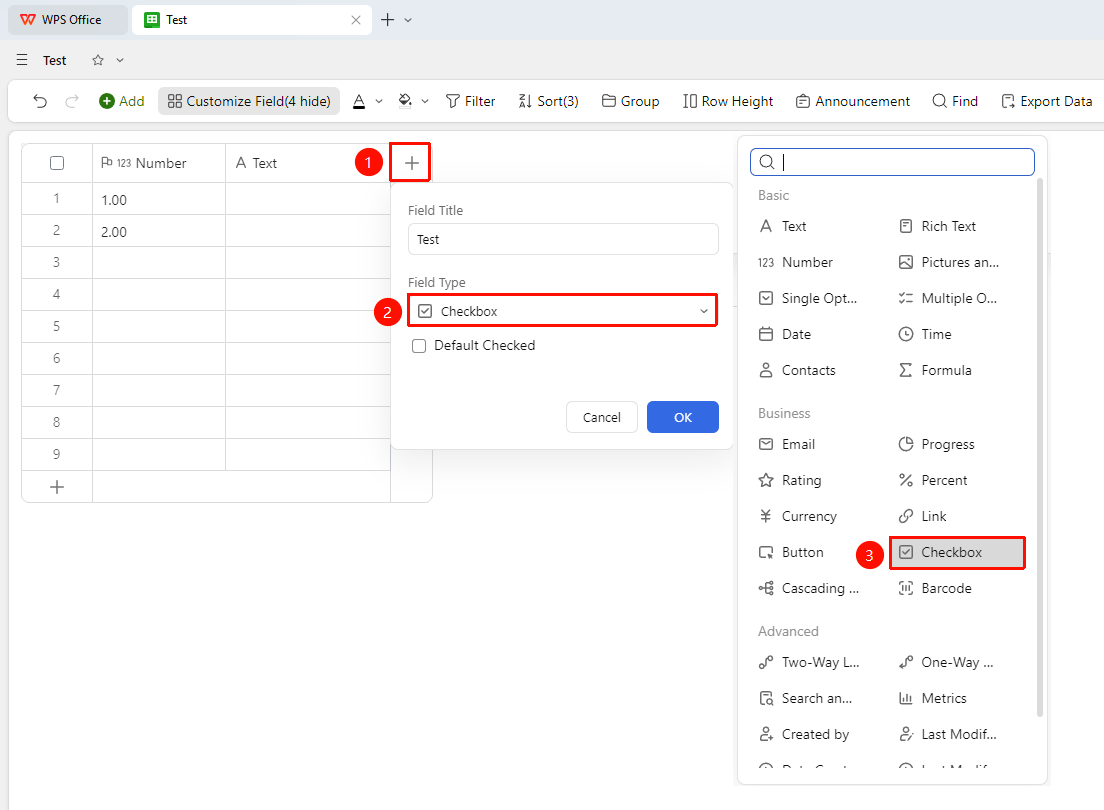
「+」button on the right side of the header → 「Field Type」dropdown list → 「Checkbox」option
- Click the 「+」 button on the right side of the header
- Select the 「Checkbox」 field from the pop-up field type list
- Enter the field name and click 「OK」 to complete creation
Using Checkboxes
Feature Entry
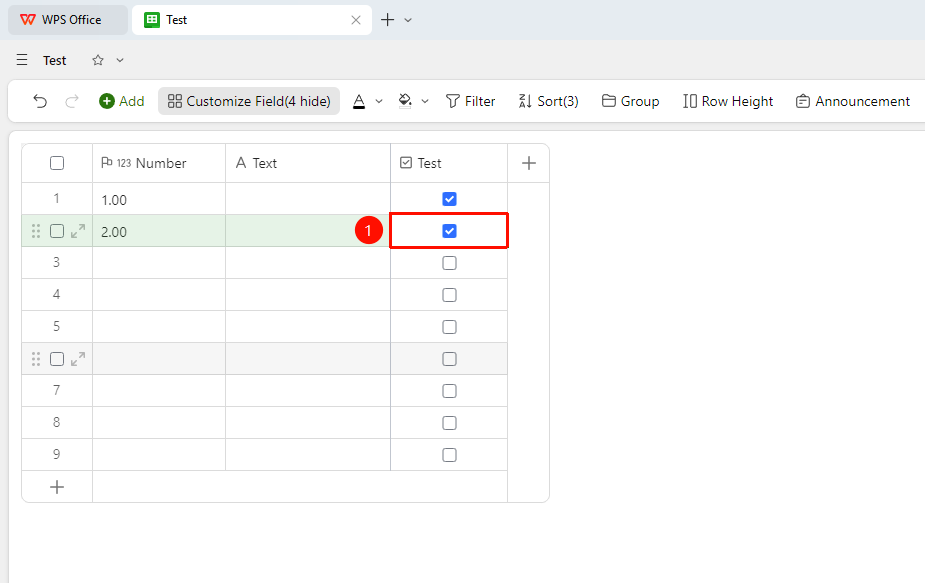
「Target Cell」→ Click directly to check
- Click a cell to toggle between checked/unchecked states
- The checked state displays ✓, and the unchecked state displays an empty square
Set default selection
Feature Entry
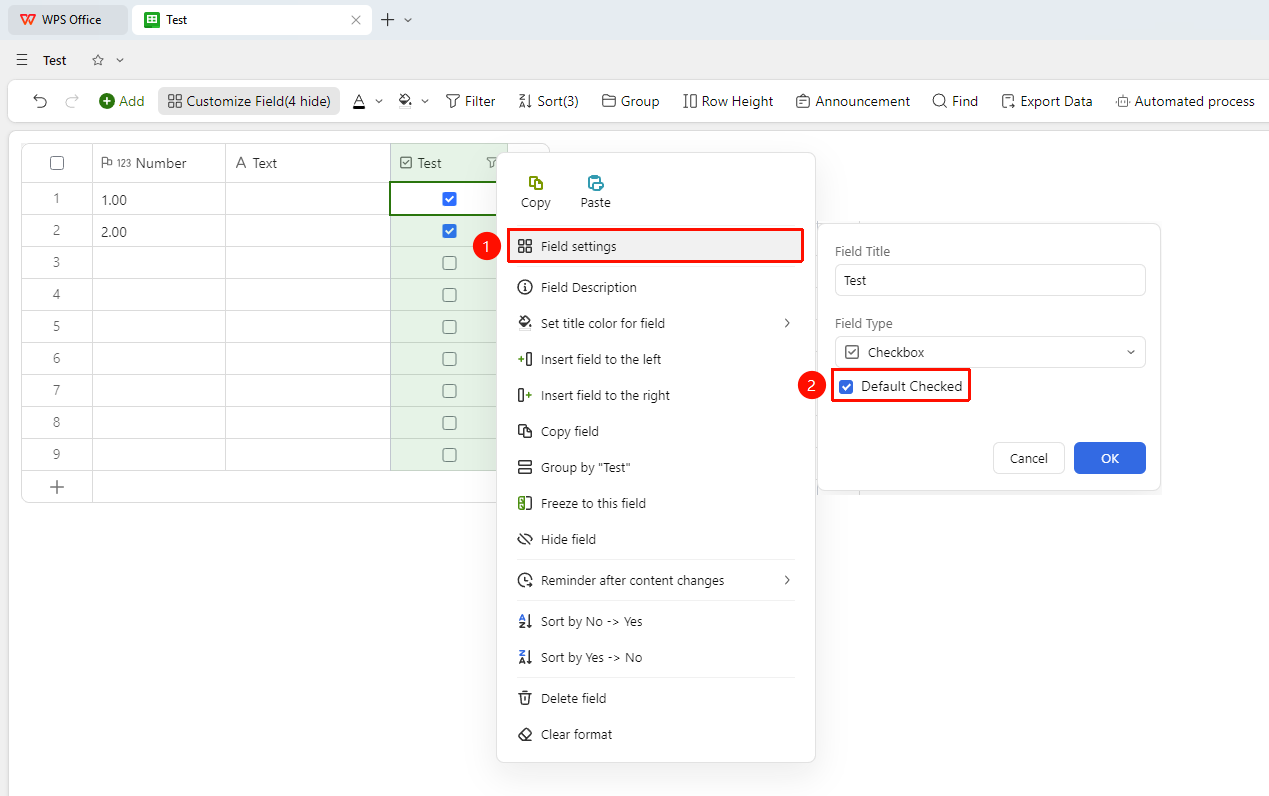
Right-click 「Field Title」→ 「Field Settings」→ 「Checked by Default」option
- Right-click the field title and select 「Field Settings」
- You can click to check the 「Checked by Default」 option
- For newly created Records after checking, the checkbox will be checked by default
FAQ
Q1: Can the checkbox field be used for conditional filtering?
- Solution: Yes. Select the checkbox field in the filter conditions to quickly filter all Records that are checked or unchecked.
Q2: What is the difference between a checkbox field and a single-select field?
- Solution: The checkbox only supports Yes/No state toggling (checkable), while the single-select field supports selecting one from multiple preset options. The two fields are suitable for different scenarios.
Notes
- The checkbox field is suitable for quickly marking binary states such as completed/uncompleted, yes/no
- After the checked state changes, the last modified time will be recorded (if the last modified time field has been added)
- Combined with the grouping feature, you can quickly count the number of completed/uncompleted tasks