Feature Summary
The Last Modified By field automatically records who last modified each Record. You can choose "All fields" or "Specific fields" as the update trigger condition, making it suitable for responsibility tracking, change auditing, and similar scenarios.
Feature Description
| Feature Dimension | Description |
|---|---|
| Membership Restriction | No membership restriction |
| Version Restriction | No version restriction |
| Trigger Condition | All fields / Specific fields |
Steps
Create a New Last Modified By Field
Feature Entry
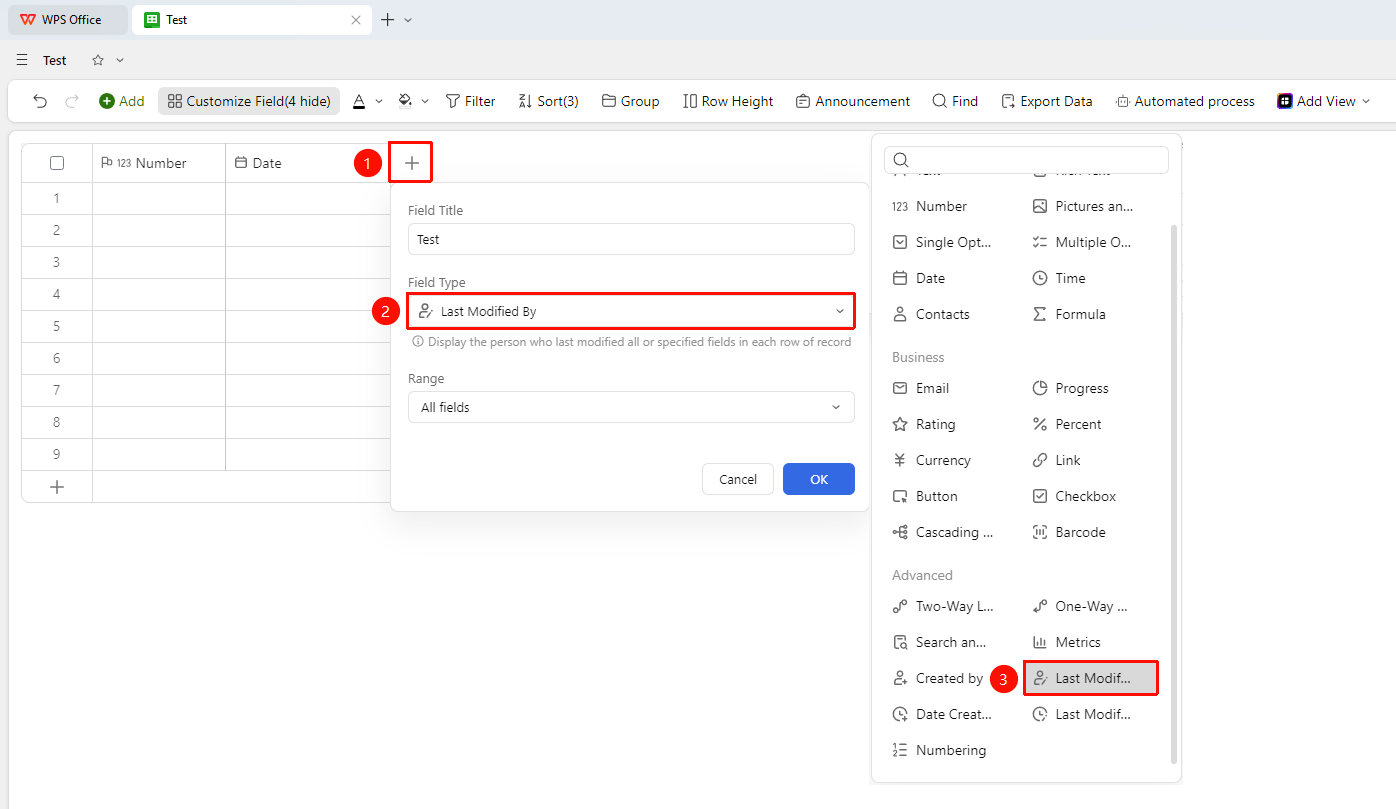
"+" button on the right side of the header → "Field Type" dropdown list → "Last Modified By" option
- Click the "+" button on the right side of the header.
- Select the "Last Modified By" field from the field type list that appears.
- Enter the field name and click "OK" to finish creating it.
Set the Update Scope
Feature Entry
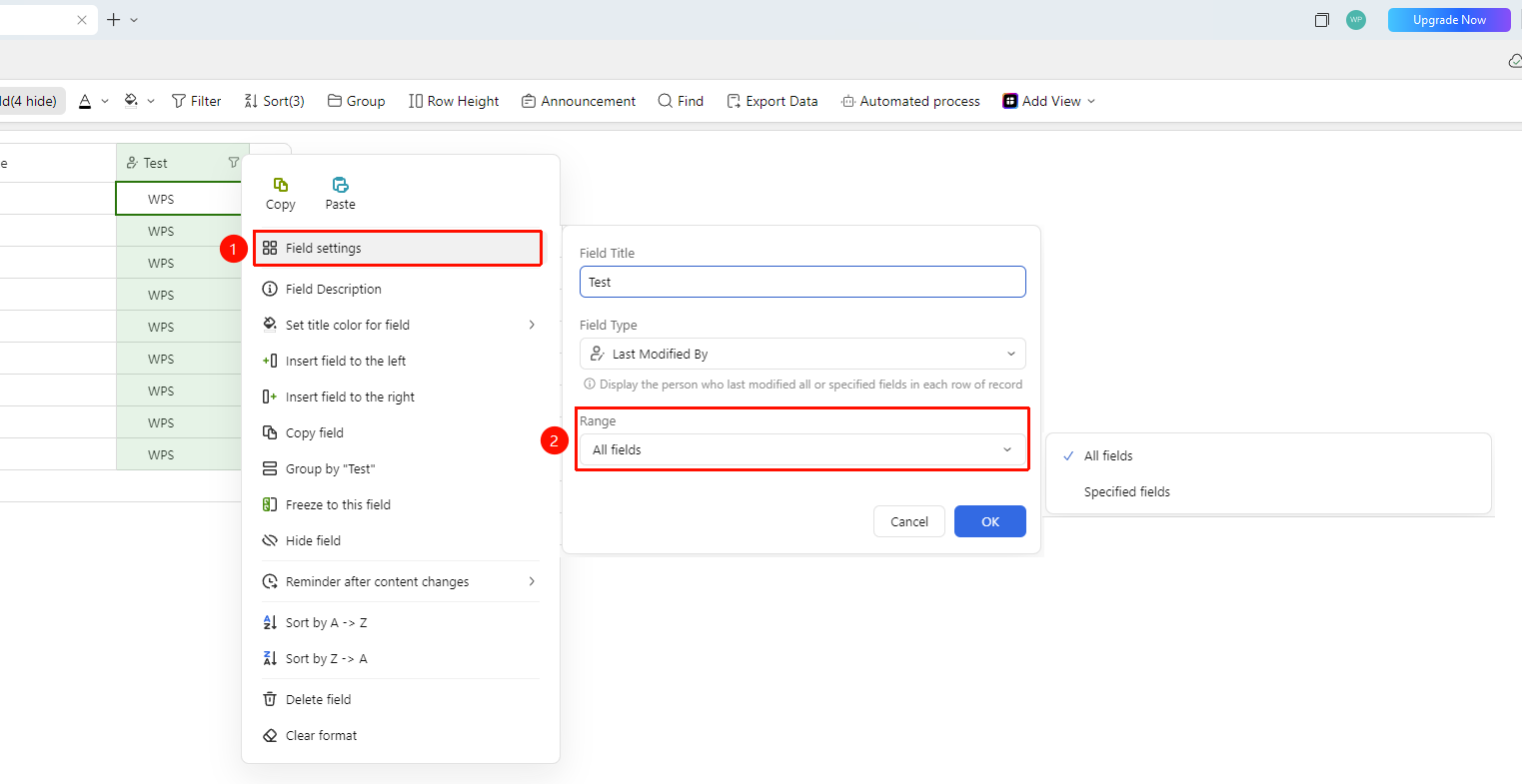
Right-click the "Field Title" → "Field Settings" → "Scope" option
- Right-click the title of the Last Modified By field and select "Field Settings".
- Choose the field scope that triggers the update:
- · "All fields": Modifying any field will update the modifier.
- · "Specific fields": The modifier is updated only when the specified fields are modified.
FAQ
Q1: What is the difference between the Last Modified By field and the Created By field?
- Solution: The Created By field records the user who first created the Record, while the Last Modified By field records the user who most recently modified the Record. The two can be used together to achieve complete operation tracking.
Q2: How can I control which field modifications will update the Last Modified By field?
- Solution: Select "Specific fields" in the field settings, and then specify that the Last Modified By marker is updated only when certain fields are modified.
Notes
- The Last Modified By information is automatically recorded by the system and cannot be manually modified.
- You can precisely control the update conditions by setting the trigger scope.
- Combined with the filter feature, you can quickly view all Records modified by a specific person.