Feature Summary
WPS Sheets collaboration mode supports changing the color of text within cells for data classification, annotation, or highlighting.
Feature Description
| Feature Dimension | Description |
|---|---|
| Membership Restriction | No membership restriction |
| Version Restriction | No version restriction |
Steps
Set Font Color
Feature Entry
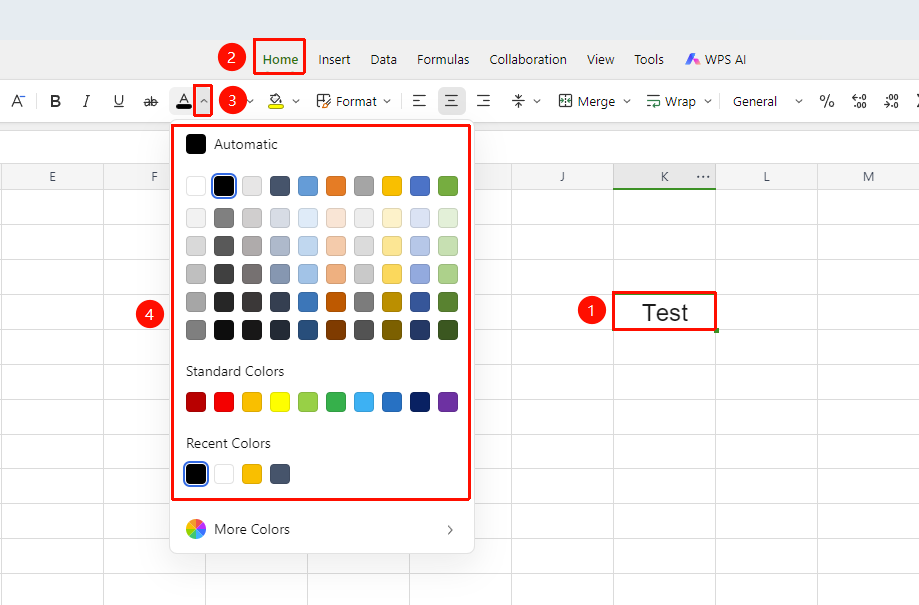
「Home」 tab → 「Font Color」 drop-down menu
- Select the cell(s) whose color you want to change
- Click the 「Font Color」 drop-down menu (the "A" with a colored underline) in the 「Home」 tab
- Choose the desired color from the color palette and click to apply
Use the Floating Toolbar to Set
Feature Entry
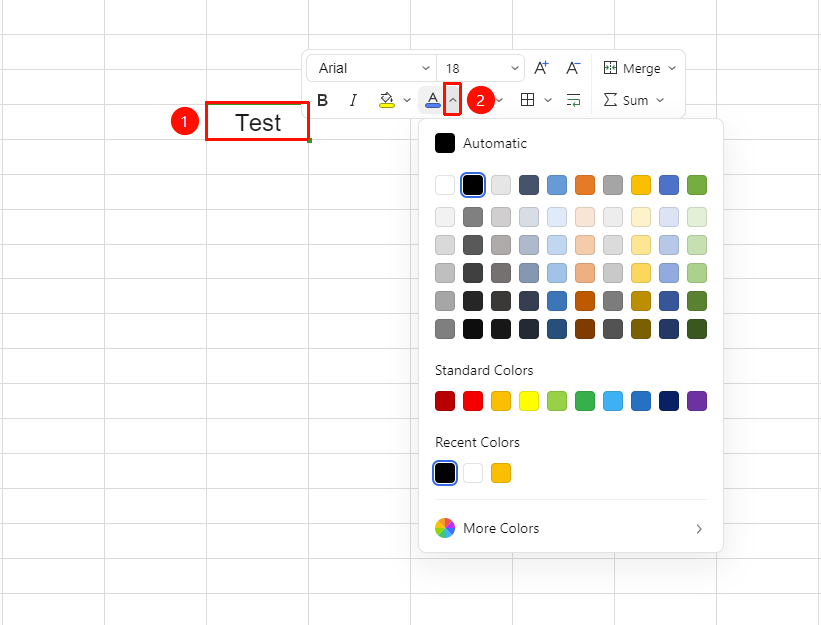
Select the cell(s) whose color you want to change → 「Floating Toolbar」 menu → 「Font Color」 drop-down menu
- Right-click after selecting the cell(s)
- Click the 「Font Color」 drop-down menu in the pop-up Floating Toolbar menu
- Select the desired color
Setting via Format Cells
Feature Entry
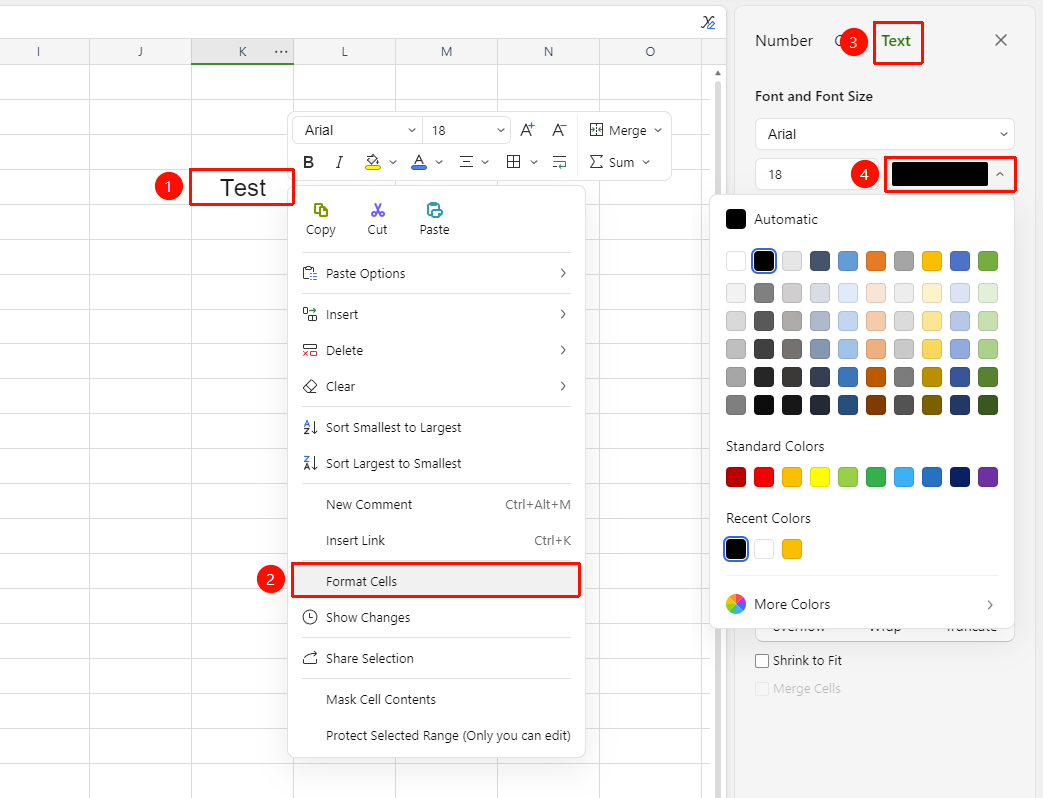
Right-click → "Format Cells" → "Font color"
- Select the target cell range
- Right-click and select "Format Cells" (or press
Ctrl + 1) - In the "Text" tab, set "Font color"
Custom Color
Feature Entry
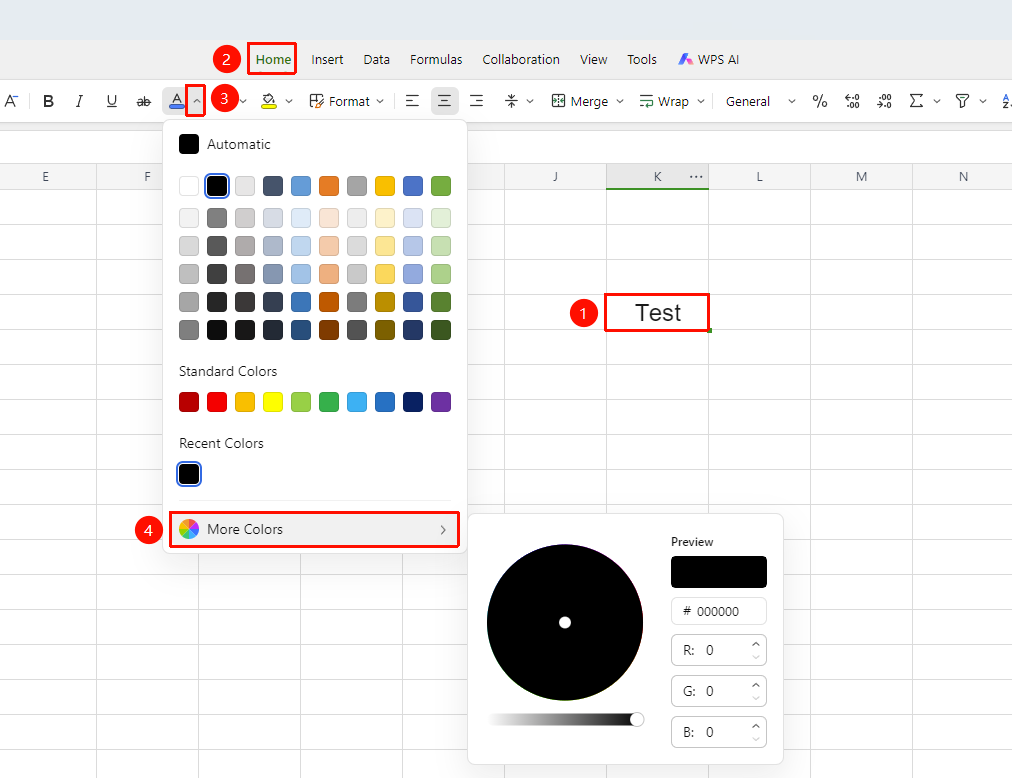
「Home」 tab → 「Font Color」 → 「More Colors」
- Select the cell(s) whose color you want to change
- Switch to the 「Home」 tab
- Click the 「Font Color」 drop-down arrow and select 「More Colors」
- Enter RGB values in the custom color panel or pick a color from the color wheel
FAQ
Will modifying font color in collaboration mode affect others?
- Solution: Yes, font color changes are synced in real time to all online collaborators.
How to quickly restore the default font color?
- Solution: Select the cell(s) and click 「Automatic」 in the 「Font Color」 drop-down menu to restore the default black.
Notes
- All operations are synced in real time in collaboration mode; please keep communicating with your team members
- If you encounter restricted operations, check whether there is range permission restriction
- It is recommended to regularly back up important content via 「Version History」 to prevent accidental operations