Feature Summary
The border feature supports adding, modifying, or deleting borders for cells, enhancing the visual hierarchy and readability of Sheets.
Feature Description
| Feature Dimension | Description |
|---|---|
| Membership Restriction | No membership restriction |
| Version Restriction | No version restriction |
Operation Steps
Quick Apply Preset Borders
Feature Entry
「Home」 tab → 「Borders」 button
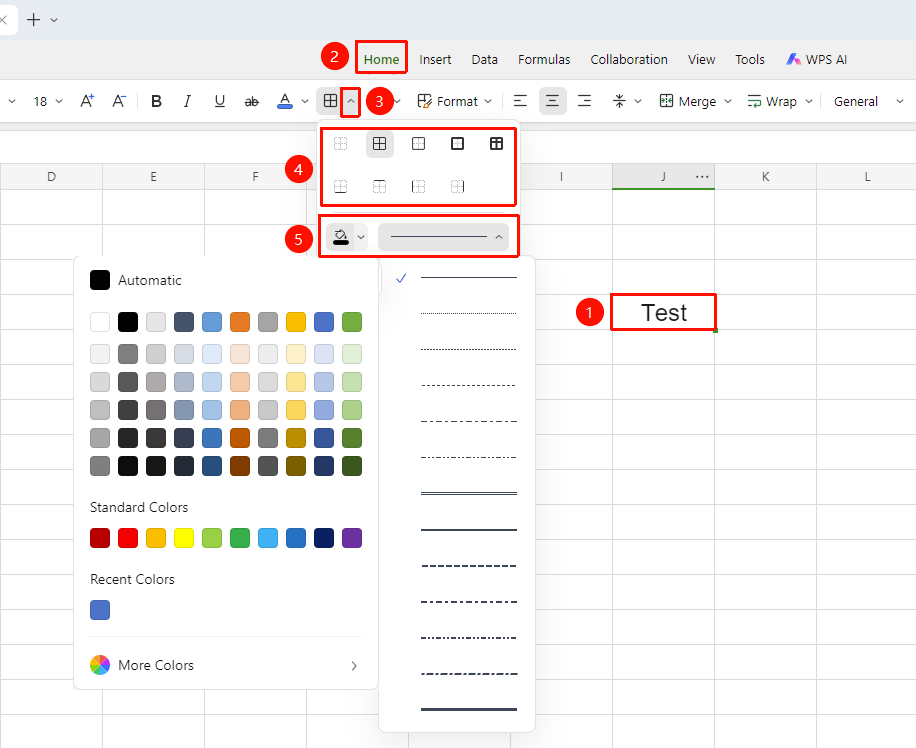
- Select the cell range where you want to add borders
- Click the dropdown arrow of the 「Borders」 (grid icon) button in the 「Home」 tab
- Select a preset style from the list: All Borders, Outside Borders, Inside Borders, etc.
- You can click 「Line Color」 and 「Line Style」 to view more border colors and styles
Custom Border Style
Feature Entry
Right-click → 「Format Cells」 → 「Cell」
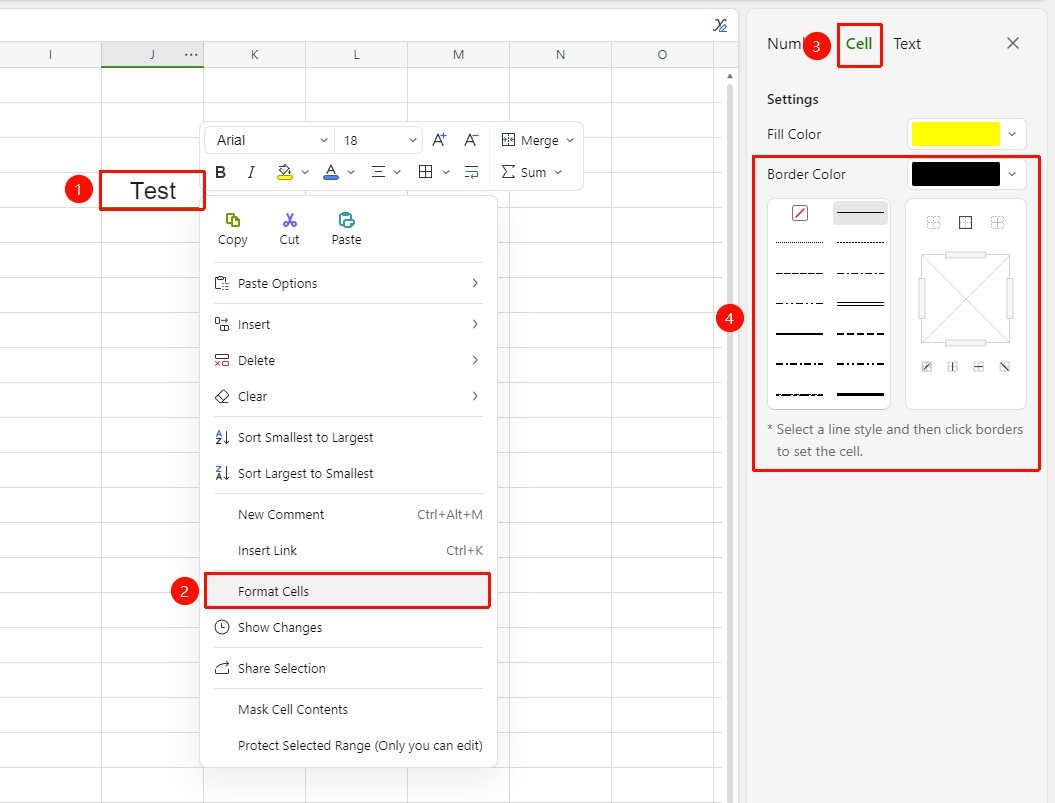
- Select the target cell range, right-click to bring up the context menu
- Select 「Format Cells」 from the context menu to open the panel on the right side of the screen
- Switch to the 「Cell」 tab, and select the line type, color, and thickness in the 「Line」 area
- Select the overall layout in the preset area, or click the corresponding position in the diagram area to individually control each edge
Delete Borders
Feature Entry
「Home」 tab → 「Borders」dropdown menu → 「No Border」
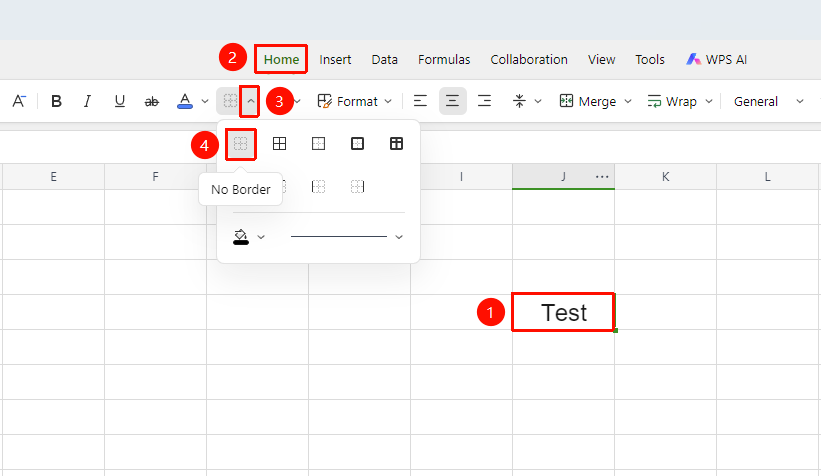
- Select the area where you want to clear borders
- Click the 「Home」 tab → 「Borders」 dropdown menu, and select 「No Border」 to clear with one click
- If you only need to delete a specific edge, select the corresponding option such as 「No Left Border」
FAQ
Q1: Why can't I see the borders on the sheet after setting them?
- Solution: Gridlines (faint gray lines) are not borders. You need to actually set borders and then print or switch to print preview to see the border effect.
Q2: The borders are incomplete when printing?
- Solution: Gridlines are not printed by default; only actually set borders will be printed. Make sure to check if the borders are complete in the print preview.
Notes
- Gridlines and borders are two different concepts; gridlines are only for on-screen display assistance
- Only borders will be printed; gridlines will not be printed
- You can set different styles and colors of border lines for different edge positions