Feature Summary
Insert special characters, mathematical symbols, and other characters that cannot be directly entered using a standard keyboard into a cell.
Feature Description
| Feature Dimension | Description |
|---|---|
| Membership Restriction | No membership restriction |
| Version Restriction | No version restriction |
Steps
Insert Symbol
Feature Entry
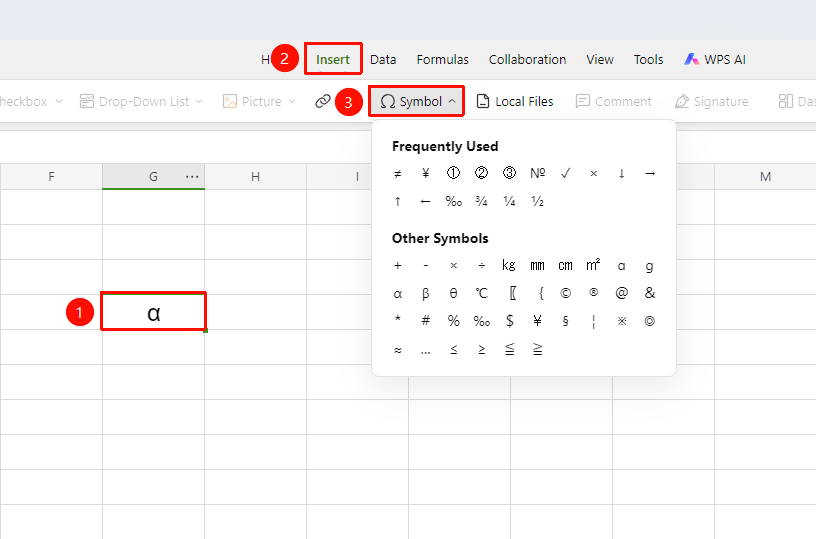
「Insert」 tab → Click the 「Symbol」 button
- Place the cursor where you want to insert the symbol
- Click 「Insert」 → 「Symbol」
- Browse or search for the desired symbol in the pop-up symbol panel
- Click to select and complete the insertion
FAQ
Q1: Where are the recently used symbols?
- Solution: Recently inserted symbols are recorded under the 「Recently Used」 category.
Q2: Can I insert emoji expressions?
- Solution: This is currently not supported. You can enter emoji expressions via the input method.