Feature Summary
AirPage is an application component within AirSheet that allows users to create and edit rich-text content directly within a Sheets file, enabling seamless collaboration between data and documents.
Feature Description
| Feature Dimension | Description |
|---|---|
| Membership Restriction | No membership restriction |
| Version Restriction | No version restriction |
Operation Steps
Creating an AirPage
Feature Entry
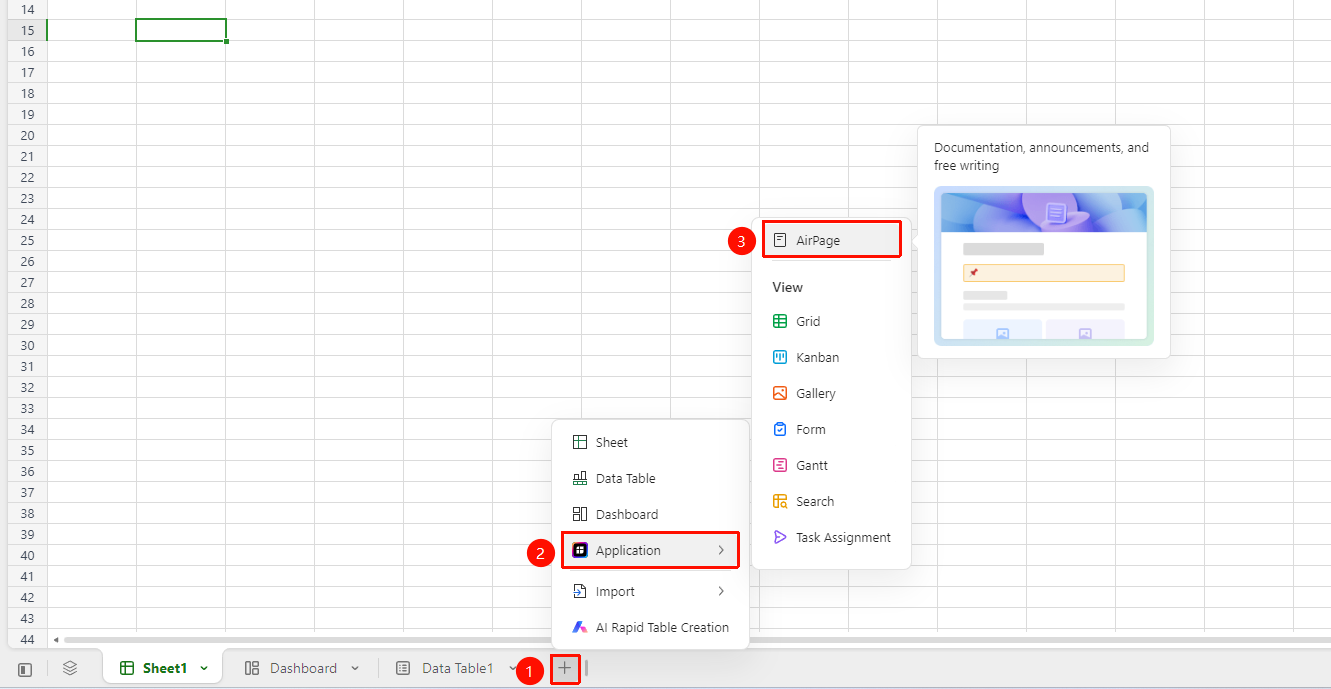
AirSheet bottom tab bar → 「+」 → 「Application」 → 「AirPage」
- In the AirSheet bottom tab bar, click the 「+」 button on the right
- In the pop-up menu, hover the mouse over the 「Application」 option
- Click 「AirPage」 in the sub-menu to create
Editing an AirPage
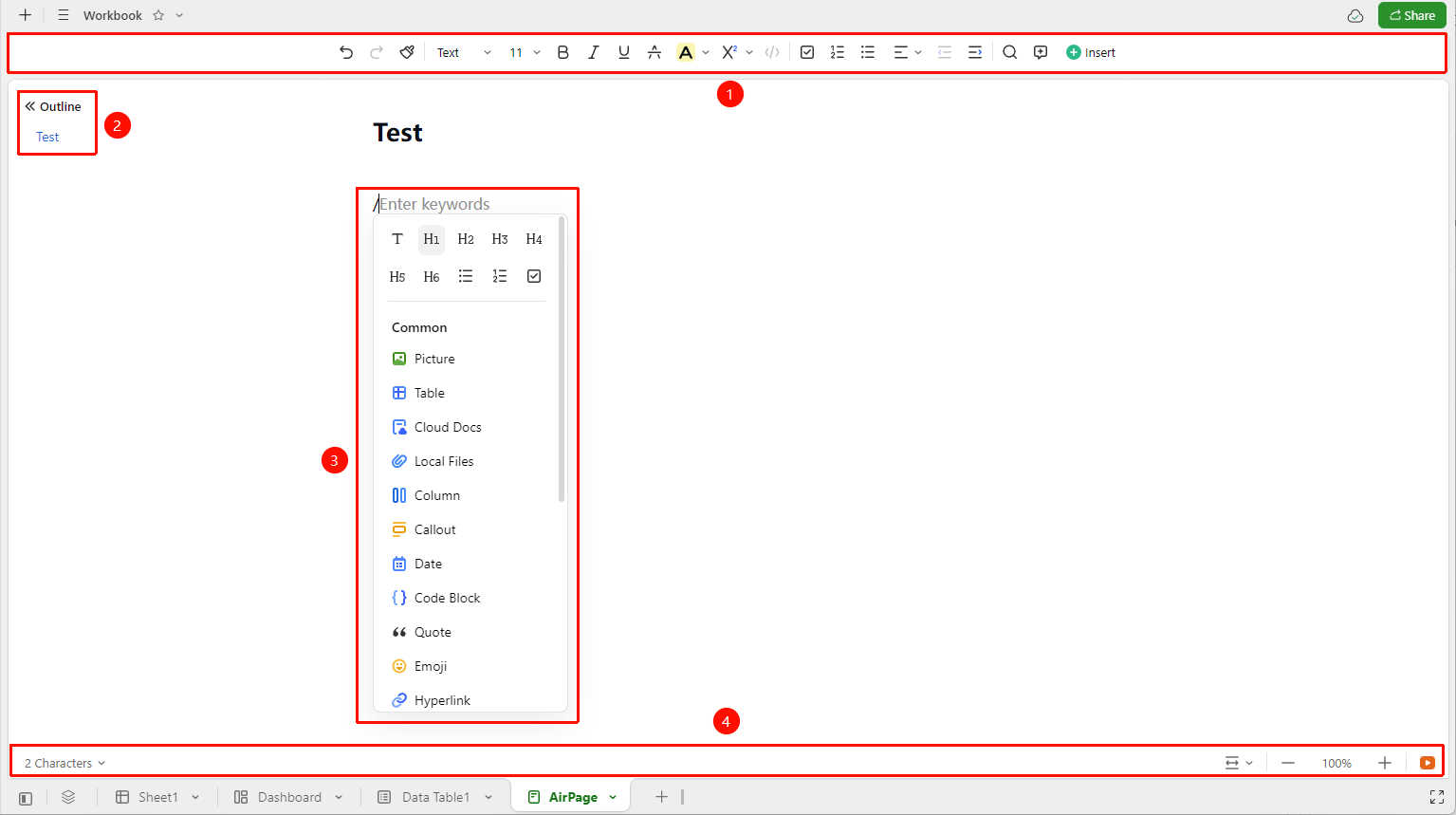
After creation, the AirPage automatically enters the editing interface, which includes the following areas:
- Ribbon — Located at the top, click the function icons to apply various editing functions.
- Table of Contents Panel — Located on the left, a table of contents navigation is automatically generated after using the 'Heading' style
- Editing Area — Enter text directly, or type
/to bring up the quick insert menu - Bottom Status Bar — Displays elements such as the current AirPage's word count, page width, and zoom level
FAQ
Q1: The 'AirPage' option is not available in the new menu?
- Solution: Check if the current file is in AirSheet (.sst) format. AirPage is only supported in AirSheet files and cannot be created in regular sheet files (.xlsx).
Q2: What is the difference between AirPage and a regular sheet?
- Solution: AirPage is a component primarily for rich-text editing, supporting paragraph formatting, heading styles, and inserting images/tables/code blocks, etc. A regular sheet is a cell-based data processing component suitable for data entry, calculation, and analysis.
Q3: Can the content in AirPage reference data from a data table?
- Solution: Yes. Type
/in the AirPage to bring up the insert menu, where you can choose to insert a data table component to reference and display data from a data table within the same AirSheet file.
Notes
- AirPage is embedded within an AirSheet file, coexisting with components such as sheets and data tables in the same file
- Type
/in the editing area to bring up the quick menu and rapidly insert rich content such as images, tables, and code blocks - After setting headings using "Paragraph Styles" in the toolbar, a table of contents navigation will be automatically generated in the left panel
- AirPage content supports real-time collaborative editing by multiple users