Feature Summary
The formula feature automatically calculates results based on filled-in content, such as total score, average score, total amount, etc., without the need for manual entry.
Feature Description
| Feature Dimension | Description |
|---|---|
| Membership Restriction | No membership restriction |
| Version Restriction | No version restriction |
Steps
Adding a Formula Question
Feature Entry
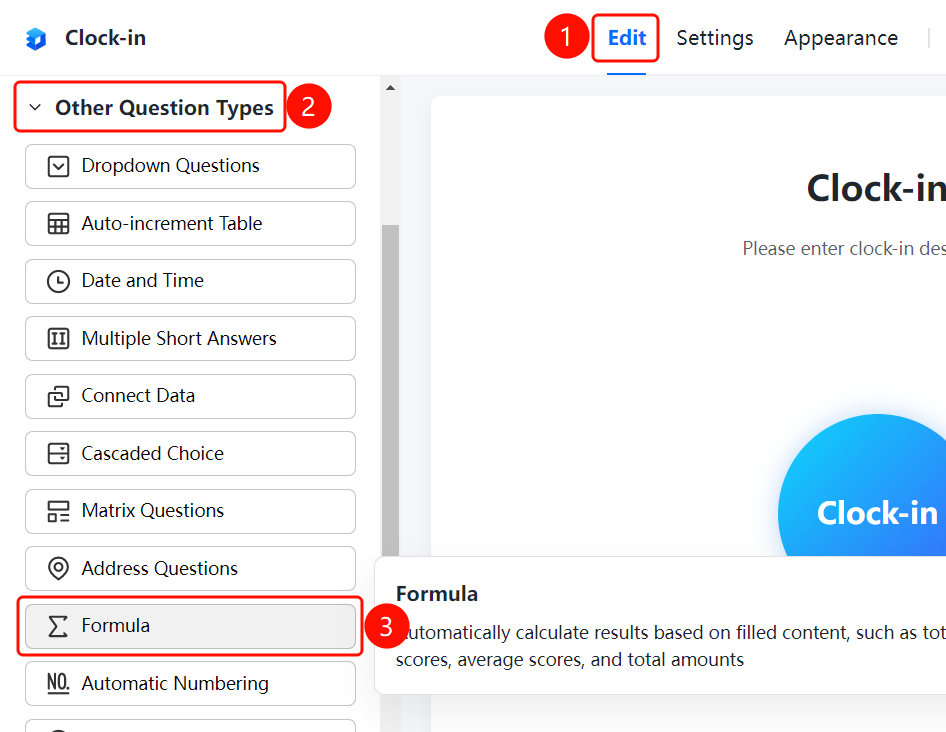
「Edit」 tab → 「Question Types」 → 「Other Question Types」 → 「Formula」 button
- Click the top 「Edit」 tab
- Expand the 「Question Types」 area in the left panel
- Expand the 「Other Question Types」 area
- Click the 「Formula」 button to add a formula question to the form
Setting Up a Formula
Feature Entry
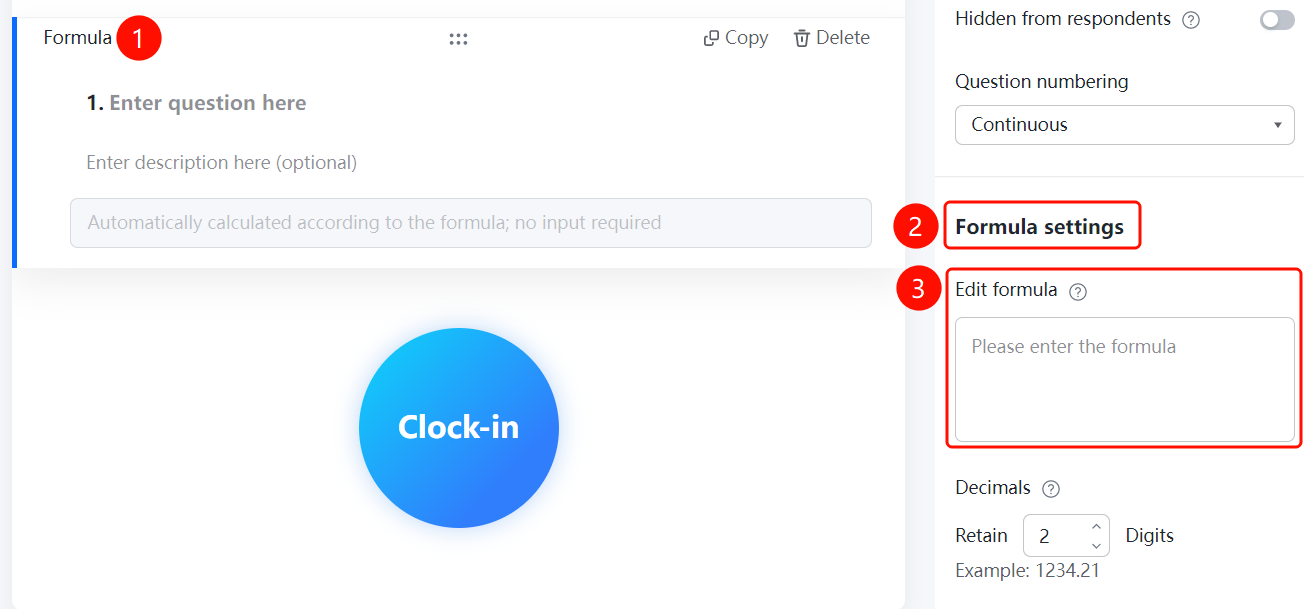
Formula question → 「Formula Settings」 → 「Edit Formula」
- Click the top 「Edit」 tab
- Click the added formula question
- In the right-side 「Formula Settings」 panel, click the 「Edit Formula」 input box
- Enter the calculation formula
- Set 「Decimal Places」, which defaults to 2 decimal places
- The system will automatically calculate the result based on the formula, and respondents do not need to enter it manually
Setting Decimal Places
Feature Entry
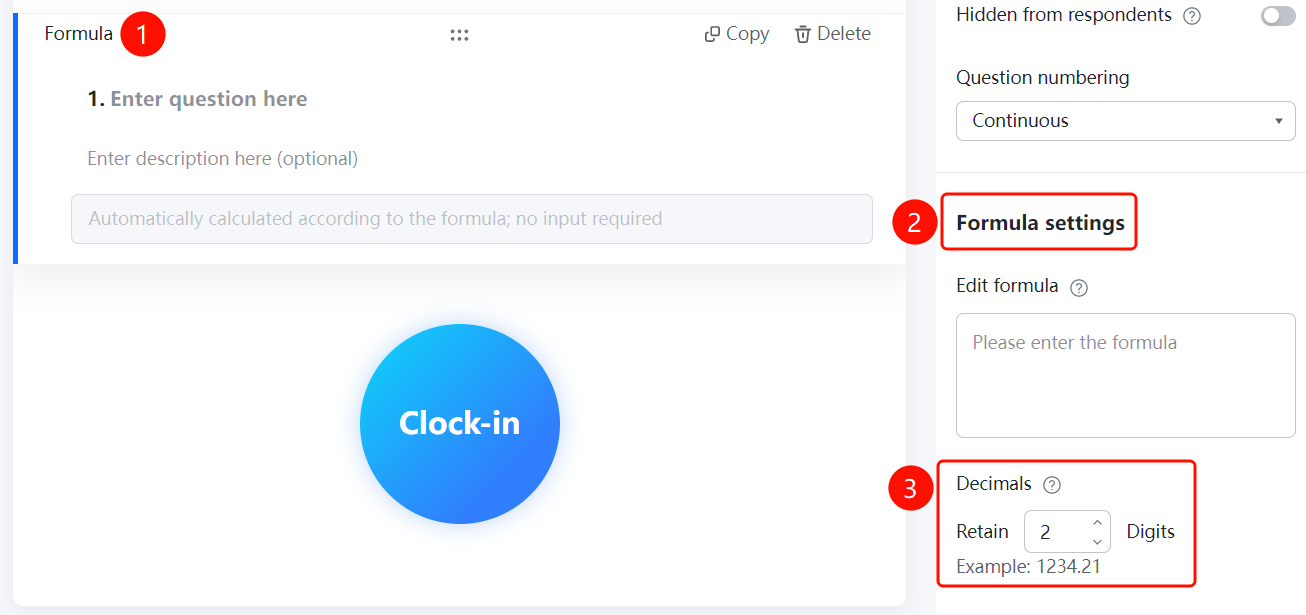
Formula question → 「Formula Settings」 → 「Decimal Places」
- Click the top 「Edit」 tab
- Click the added formula question
- In the right-side 「Formula Settings」 panel, click the 「Decimal Places」 option
- Set the number of decimal places to retain
- The calculation result will be displayed according to the set number of decimal places
FAQ
Q1: What calculation types does the formula question support?
- Solution: The formula question supports various calculation types such as sum, average, maximum, minimum, etc., and can be flexibly configured according to needs.
Q2: Can the number of decimal places be adjusted?
- Solution: Yes, the number of decimal places can be adjusted in the formula settings, with a default of 2 decimal places.
Q3: Will the formula question result be displayed automatically?
- Solution: Yes, the formula question will automatically calculate and display the result based on the relevant data entered by the respondent.
Notes
- The formula question relies on data from other questions for calculation; ensure that the associated questions are correctly set up
- The calculation result will be automatically rounded to the specified number of decimal places
- You can control whether the formula question is visible to respondents via 「Hide this question from respondents」 in 「Basic Settings」