Feature Summary
Date and Time is used to collect dates, with precision up to year-month-day-hour-minute-second, and supports setting date and time formats and date range limits.
Feature Description
| Feature Dimension | Description |
|---|---|
| Membership Restriction | No membership restriction |
| Version Restriction | No version restriction |
Operation Steps
Add a Date and Time Question
Feature Entry
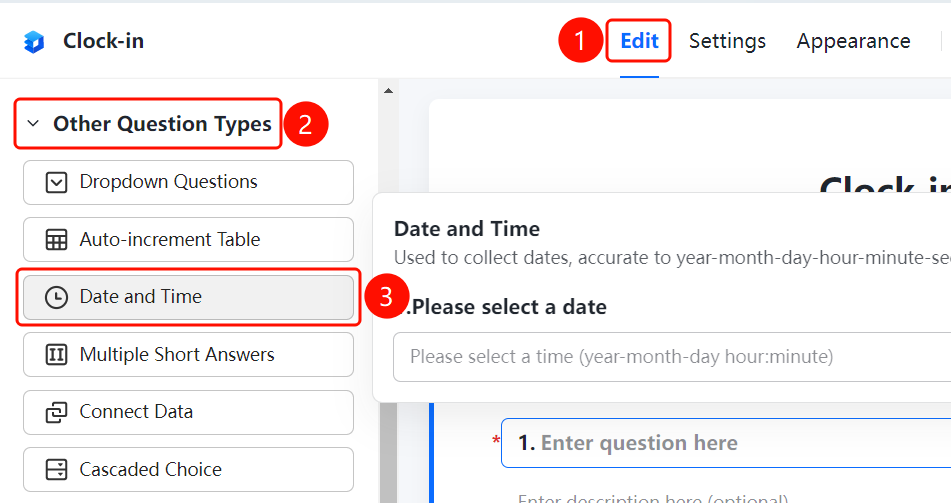
"Edit" tab → "Question Type" → "Other Question Types" → "Date and Time" button
- Click the top "Edit" tab
- Expand the "Question Type" area in the left panel
- Expand the "Other Question Types" area
- Click the "Date and Time" button to add a date and time question to the form
Set Date and Time Format
Feature Entry
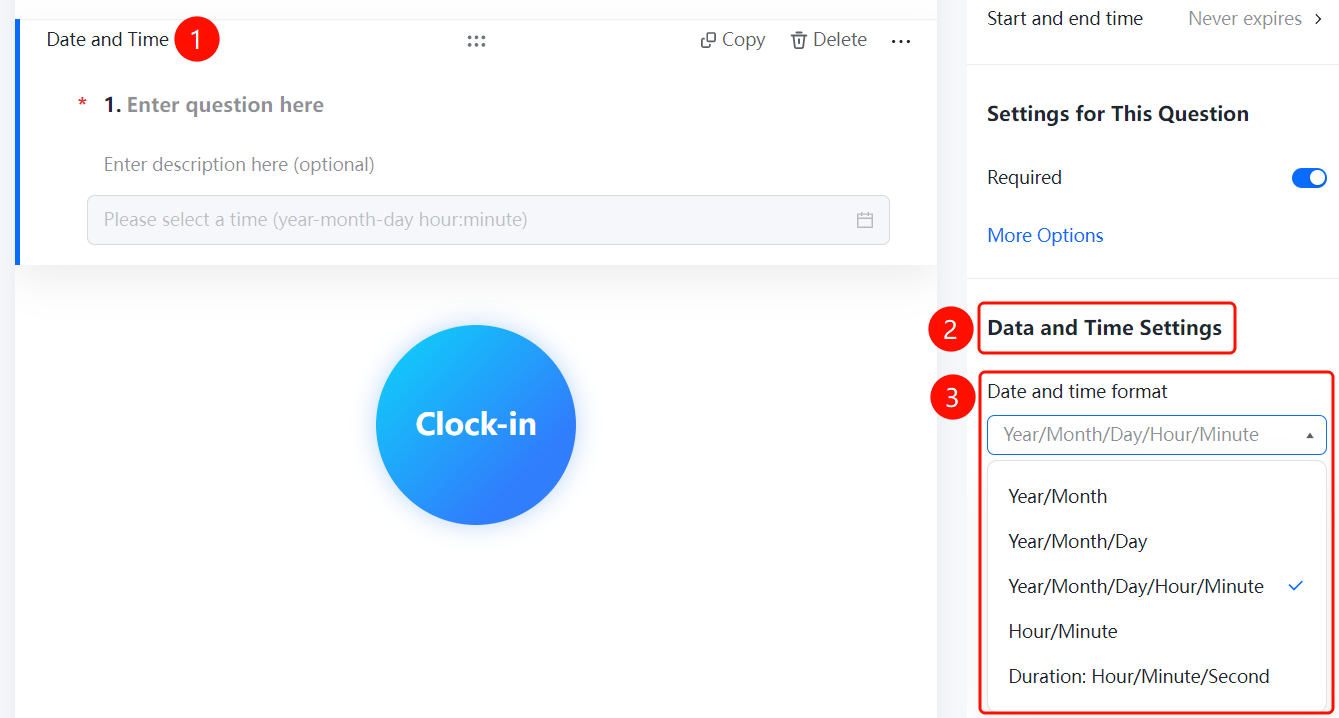
Date and Time → "Date and Time Settings" → "Date and Time Format" dropdown menu
- Click the added date and time question
- In the right "Date and Time Settings" panel, click the "Date and Time Format" dropdown menu
- Select the format type: "Year/Month", "Year/Month/Day", "Year/Month/Day/Hour/Minute", "Hour/Minute", or "Duration: Hour/Minute/Second"
Set Date Range Limit
Feature Entry
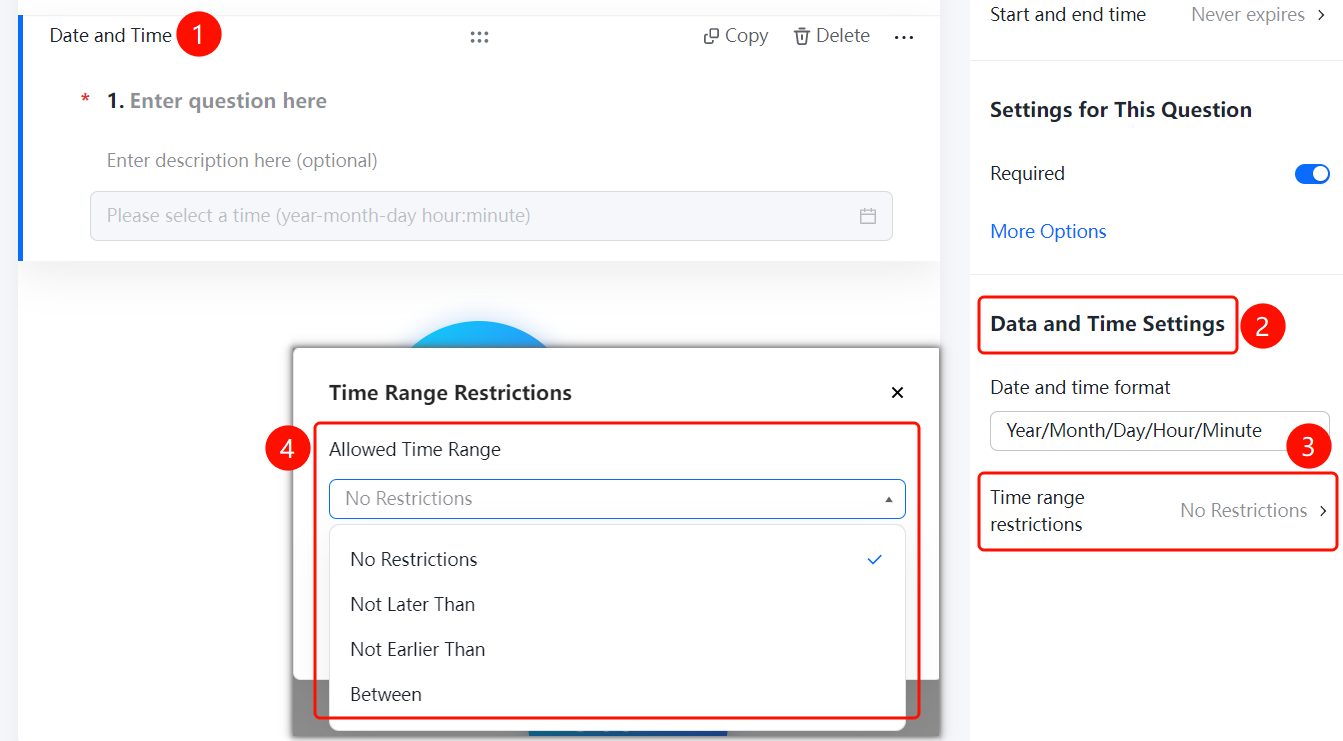
Date and Time → "Date and Time Settings" → "Date Range Limit" option
- Click the added date and time question
- In the right "Date and Time Settings" panel, click the "Date Range Limit" option
- In the pop-up panel, set the limit range: "No Limit", "No Later Than", or "No Earlier Than"
- Set the specific date range
- Click the "Confirm" button to complete the setting
FAQ
Q1: What formats does Date and Time support?
- Solution: Date and Time supports multiple formats such as Year/Month, Year/Month/Day, Year/Month/Day/Hour/Minute, Hour/Minute, and Duration: Hour/Minute/Second.
Q2: How to restrict respondents to only select dates within a specified date range?
- Solution: Click the date and time question, then click "Date Range Limit" in the "Date and Time Settings" panel, and set a date that is no later than or no earlier than the specified date.
Q3: What is the maximum precision of Date and Time?
- Solution: Date and Time can be precise up to year-month-day-hour-minute-second.
Notes
- Date and Time can be precise up to year-month-day-hour-minute-second
- Date Range Limit supports no later than or no earlier than a specified date
- You can choose the appropriate date and time format based on actual needs